


OCMLabs Content Bridge for Magento
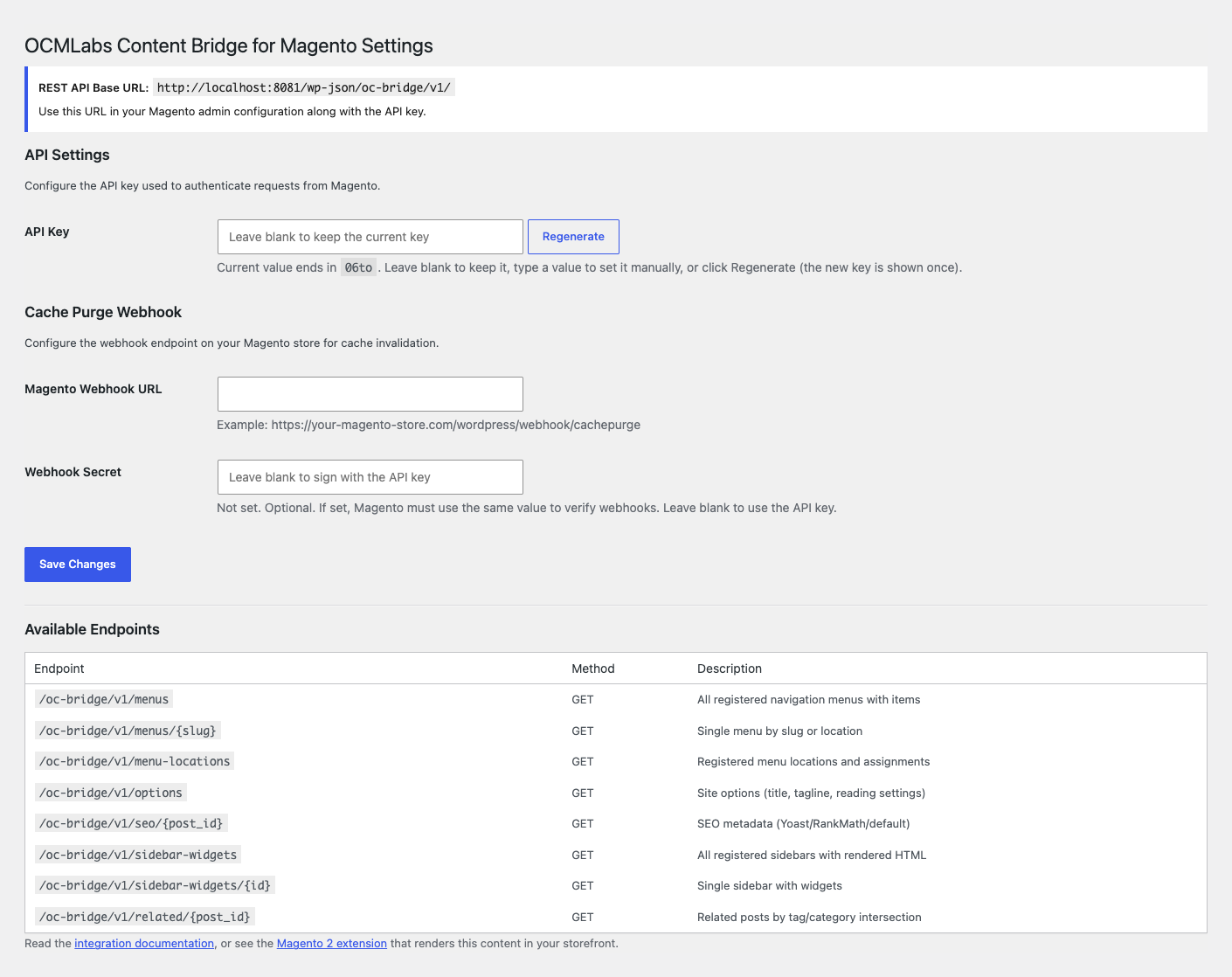
Settings page with API key management, webhook URL, and webhook secret configuration.
Magento is a trademark of Adobe Inc. This plugin is an independent integration and is not affiliated with, endorsed by, or sponsored by Adobe Inc.
OCMLabs Content Bridge for Magento extends the WordPress REST API with the endpoints a Magento 2 storefront needs to render WordPress content natively. It is the WordPress half of the OCMLabs integration suite and pairs with the OCMLabs_WordPressIntegration Magento 2 module.
What it provides:
- Navigation menu endpoints with full nested tree structure
- SEO metadata endpoint (supports Yoast SEO, Rank Math, or sensible defaults)
- Sidebar and widget endpoints with rendered HTML
- Related posts endpoint based on shared tags and categories
- Site options endpoint (title, tagline, reading settings)
- ACF custom field injection into post and page REST responses
- Cache purge webhooks to Magento on content save, update, and delete
How it works:
Your Magento 2 store calls this plugin’s REST API endpoints (namespace oc-bridge/v1) to fetch menus, SEO metadata, widgets, and related content, and renders your WordPress blog inside the Magento storefront. When content changes in WordPress, the plugin sends a signed webhook to your Magento store so its cache is purged immediately.
Security:
- Every custom endpoint requires an API key sent in the
X-OC-Bridge-Keyheader, compared with a timing-safe check - Webhooks are signed with HMAC-SHA256 via the
X-OC-Bridge-Signatureheader - The API key is generated automatically on activation and can be rotated at any time from the settings page
Companion Magento 2 extension:
This plugin is free, self-contained, and does everything described above on its own. The Magento 2 side of the integration – the module that routes /blog URLs, renders posts in your storefront theme, and consumes these webhooks – is a separate commercial extension from Orange Collar Media. You do not need it to install, activate, or use this plugin.
Every endpoint is plain REST returning JSON, so any client that can send an HTTP header can consume it. Magento is simply the client it was built for.
External Services
This plugin does not connect to any third-party service, does not send telemetry, and contains no hardcoded external hosts.
The only outbound request the plugin makes is a cache purge webhook sent to the Webhook URL you configure yourself in Settings > OCMLabs Content Bridge for Magento. This is intended to be your own Magento 2 store. The webhook is an HTTP POST fired when posts, pages, menus, or terms are created, updated, or deleted, and contains the changed content’s type and ID so Magento can purge the matching cache entries. The request is signed with HMAC-SHA256. If no Webhook URL is configured, no outbound request is ever made.
The plugin’s REST API endpoints expose navigation menus, SEO metadata, rendered widgets, related posts, and basic site options (title, tagline, reading settings) to callers that present the correct API key. The intended consumer is the site owner’s own Magento 2 instance. Serving the API over HTTPS is strongly recommended.
Configuration
- API Key – Auto-generated on activation. Must match the key in Magento admin. Use “Regenerate” on the settings page to rotate it (the new key is shown once, so copy it into Magento immediately).
- Webhook URL – The Magento endpoint that receives cache purge notifications (e.g., https://your-store.com/wordpress/webhook/cachepurge)
- Webhook Secret – Optional shared secret for HMAC-SHA256 webhook signing. If set, it must match the Webhook Secret in Magento config; leave blank to sign webhooks with the API key.