


Notification Review for Gravity Forms
0/5 (0 ratings) — active installs Updated Apr 14, 2026
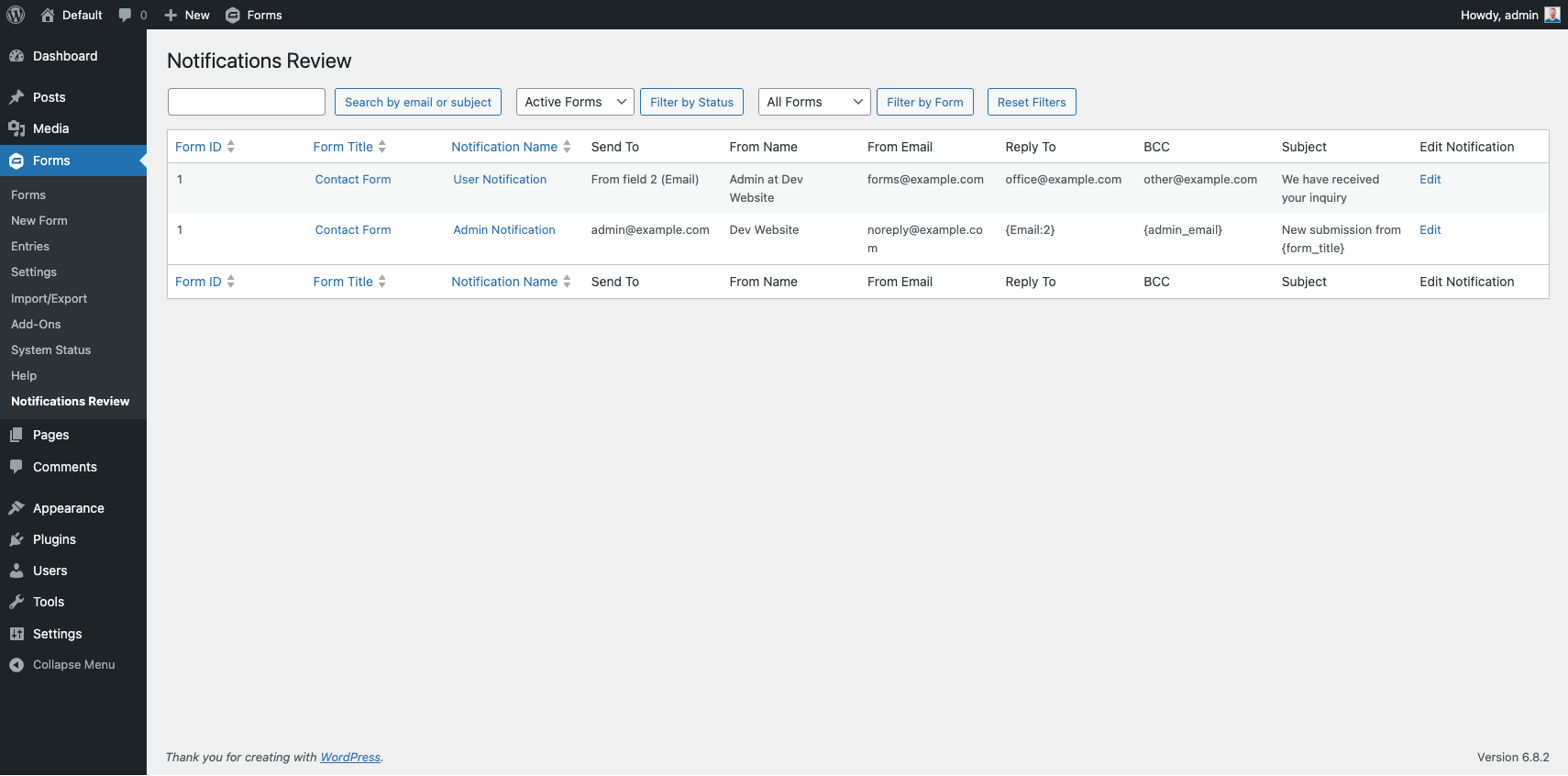
Default view of the Notification Review table showing all notifications across all active forms.
Notification Review for Gravity Forms solves a common problem: when you have many forms sending notifications to many different people, it can be difficult to get a clear picture of who is receiving what.
This plugin adds a Notification Review submenu item under the Gravity Forms menu that displays a searchable, filterable table of every notification across all your forms — including Send To, From Name, From Email, Reply To, BCC, and Subject.
Features
- Centralized table of every Gravity Forms notification across all forms
- Filter by form status (Active / Inactive / All)
- Filter by individual form
- Filter by notification status (Active / Inactive / All)
- Search by email address or subject
- Sortable columns (Form ID, Form Title, Notification Name)
- Column visibility toggles via the Screen Options tab
- Direct edit links to each notification in Gravity Forms
- Reset Filters button to return to the default view
Use Cases
- Auditing notifications before off-boarding a staff member — find every notification going to their email address in seconds
- Verifying delivery addresses after a domain migration
- Quickly spotting inactive or misconfigured notifications across a large form library
- Compliance review — confirm who receives sensitive form data