

Notification Master – Real-Time WordPress Notifications With Email, SMS, Webhooks & More

The Overview shows what went out this week, what failed and why.
Transform Your WordPress Site with Professional Notification Management
Notification Master is the most comprehensive WordPress notification plugin designed to dramatically increase user engagement and site activity. Whether you’re running a blog, eCommerce store, or community site, our plugin ensures your users never miss important updates through intelligent, automated notifications.
Why Choose Notification Master?
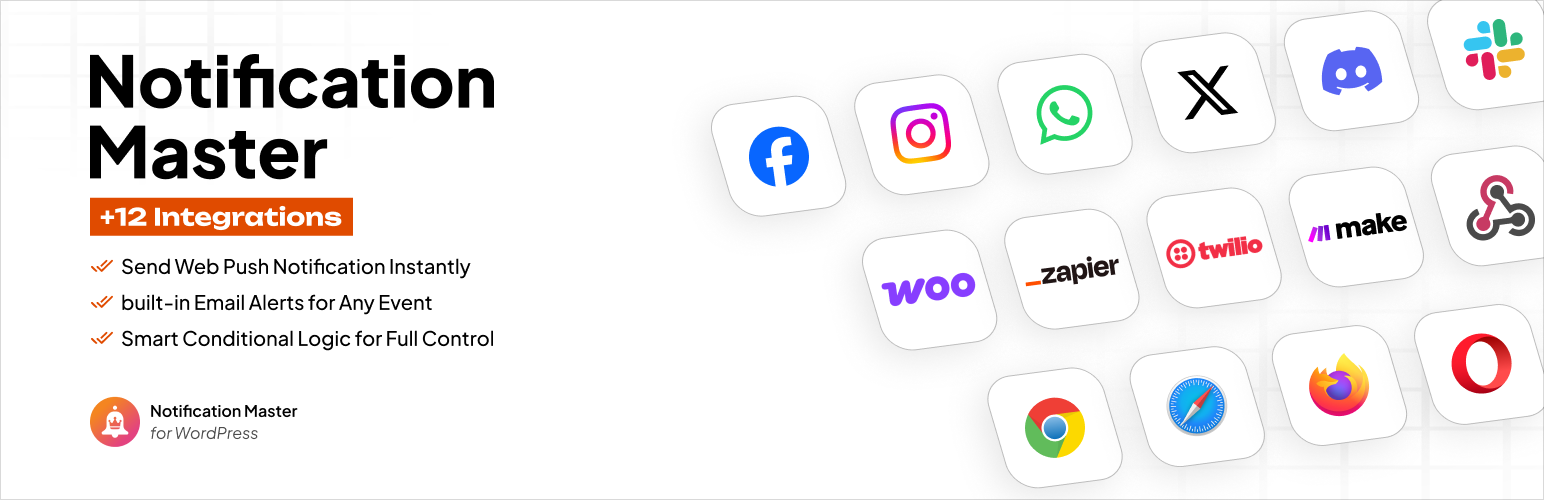
✅ 12+ Notification Channels – Reach users everywhere they are
✅ Real-Time Browser Push Notifications – Instant alerts even when users aren’t on your site
✅ Advanced Automation – Set up once, notify forever
✅ Personalized Messages – Dynamic content with smart merge tags
✅ Zero Coding Required – User-friendly interface for all skill levels
✅ Mobile Optimized – Perfect notifications on any device
🎥 Watch Our Complete Setup Tutorial
Learn how to maximize your WordPress notifications in under 10 minutes:
🚀 Key Features & Notification Channels
Web Push Notifications (Browser Notifications)
- Send instant browser alerts to subscribers even when they’re not on your website
- Works on desktop and mobile browsers (Chrome, Firefox, Safari, Edge)
- Customizable notification appearance with your site branding
- Smart subscription management with floating buttons
- Welcome messages for new subscribers
Email Notification System
- Rich HTML email templates with WordPress Classic Editor
- Multiple recipient management (roles, individual users, custom addresses)
- Email exclusion options for targeted messaging
- Test email functionality before sending
- Background processing for improved performance
Social Media & Communication Integrations
- Discord Notifications – Keep your community updated instantly
- Slack Integration – Team notifications and updates
- WhatsApp Notifications – Direct messaging to users
- Facebook Page Updates – Automatic social media posting
- Twitter/X Integration – Auto-tweet important updates
- Instagram Auto-Posting – Visual content automation
Advanced Automation & Workflows
- Zapier Integration – Connect with 5000+ apps and services
- Make (Integromat) – Advanced workflow automation
- Webhook Support – Custom integrations and API connections
- Twilio SMS – Text message notifications
- Conditional Logic – Smart notification rules
📋 Complete Trigger System – Never Miss Important Events
Content Management Triggers
- New Post Published – Alert subscribers about fresh content
- Post Updates – Notify about content changes
- Comment Activity – New comments, approvals, replies
- Media Management – File uploads, updates, deletions
- Draft & Review Process – Editorial workflow notifications
User Activity Triggers
- User Registration – Welcome new members
- Profile Updates – Account changes
- Login/Logout Activity – Security and engagement tracking
- User Management – Administrative notifications
WordPress System Triggers
- Plugin Management – Installation, activation, updates
- Theme Changes – New themes, switches, updates
- Taxonomy Management – Categories, tags, custom taxonomies
- Privacy Compliance – GDPR data export/erasure notifications
WooCommerce Integration (eCommerce Notifications)
- Order status changes and updates
- New customer registrations
- Product inventory alerts
- Payment confirmations
- Shipping notifications
🏷️ Smart Personalization with Merge Tags
Create highly personalized notifications using our extensive merge tag system:
Content Tags:
* {{post.title}} – Dynamic post titles
* {{post.content}} – Excerpt or full content
* {{post_author.nickname}} – Author information
* {{post.permalink}} – Direct links to content
User Tags:
* {{user.email}} – User email addresses
* {{user.display_name}} – Display names
* {{user.role}} – User roles and permissions
System Tags:
* {{general.blogname}} – Your website name
* {{general.current_time}} – Current date and time
Advanced Custom Fields (ACF) Support:
* Custom field values for personalized content
* Dynamic product information
* User meta data integration
📚 Comprehensive Documentation & Support
Access our complete knowledge base for detailed setup guides:
- Quick Start Guide – Get up and running in minutes
- Channel Configuration – Detailed integration setup
- Trigger Reference – Complete trigger documentation
- Web Push Setup – Browser notification configuration
- Email Templates – Email design and customization
- Social Media Integration – Complete social setup guides
- WooCommerce Notifications – eCommerce-specific triggers
- API & Webhooks – Advanced integrations
🤖 Works with AI Assistants (Claude and Cursor via MCP)
Notification Master registers its notification, trigger, channel, schedule and log operations with the WordPress Abilities API, which is part of WordPress core since 6.9. Install the free MCP Adapter plugin from the WordPress project and MCP clients that sign in with a WordPress Application Password (Claude Desktop, Claude Code, Cursor) can manage your notifications in plain English. Verified with Claude Code.
What an AI assistant can do:
- List notifications with their trigger, channels and on/off state
- Read one notification with its schedule, with webhook URLs, API secrets and recipient lists masked
- List triggers, merge tags, channels and starter templates
- Read settings without the push keys
- List scheduled sends and cancel one
- Read the send log, send statistics and the debug log
- Count push subscribers
- Create a notification from a starter template as a draft
- Enable or disable a notification
- Rename a notification or edit a connection’s text fields
“Which notifications fire when a post is published, and which ones are turned off?”
“Create a draft from the new comment template and leave it disabled.”
“Show me the failed sends from the last 7 days.”
What an AI assistant cannot do:
- Send a queued notification now over MCP. That stays off by default, and even over REST it needs an explicit confirmation.
- Send test emails or broadcast push notifications.
- Delete notifications, logs or subscribers, import or export raw data, or change settings and integration credentials. None of these are exposed to agents.
- Use Pro channels, WooCommerce triggers or conditions on the free plan. The server refuses them.
- Act as anyone but an administrator. Every operation checks the administrator capability, and a filter can require more than that, never less.
What you need: WordPress 6.9 or newer, the free MCP Adapter plugin (not bundled with Notification Master and not required), and a WordPress Application Password for a dedicated admin user (Users > Profile > Application Passwords). On the command line, wp notification-master abilities lists what registered. Nothing changes for sites that skip this: on older WordPress, or without the adapter, Notification Master runs exactly as before, and nothing leaves your server.