

News Announcement Scroll
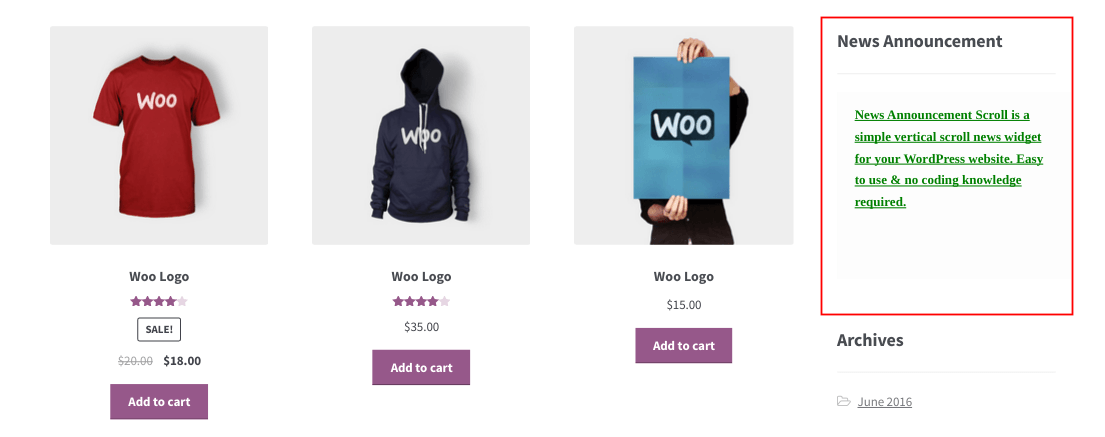
<p>Front Page - News Announcement</p>
Every website requires a widget to display important announcements/upcoming events to their audiences. The news scroller keep your audience updated about the latest and the most important happenings on your website while giving you the option of adding link to the news. Using the News Scroller you can share offer updates, new blog updates, sale announcements, contest announcements, latest happenings etc all in one place so that the visitors can find it easily.
How it works?
- Simply activate the plugin.
- Create or edit your news groups.
- Customize the news items (title, font, color etc).
- Drag and drop the widget into your website’s sidebar/ Use a shortcode to display it on post and pages/ Include it directly within your website’s theme.
Features of this plugin
- Quick and easy installation.
- Widgets, so you can add pretty much anything.
- Easy style-override feature.
- Option to setup news expiration date.
- Option to add redirect link to the news.
- You can add N number of news; it will scroll one by one in the front end (vertical scrolling).
- Divide the news into various groups. Admin can then decide which news group he wishes to display.
- You can prioritize the order in which the news is displayed.
- You can customize the scroll direction i.e Down to Up/Up to Down.
- If you want, you can hide the news temporarily.
- Responsive admin layout.
- Shortcode available for pages and posts.
- Code for adding the widget to your theme.
- Supports localization.
- No need of any coding knowledge.
- Premium support available.
Plugin configuration
-
Drag and drop the widget: Go to your WordPress dashboard -> Appearance -> Widgets -> Drag & drop News Announcement Scroll widget to your desired location in the active sidebar. It’s that easy.
-
Add the news in the posts or pages: Use the shortcode [news-announcement group=”group1″], to add the plugin to your post or pages.
-
Manage news announcements: Go to your WordPress dashboard -> Settings -> News Announcement Scroll and add/edit/delete the announcements.
-
Customize widget styles: Go to your WordPress dashboard -> Settings -> News Announcement Scroll -> click ‘Widget settings’.
-
Add directly in the theme: Use this code,
<?php if (function_exists ('news_announcement')) news_announcement(); ?>to add the plugin to your theme file.
Shortcode information
Shortcode for version 8.8 onwards:
[news-announcement group="sample"]
Documentation
Check from here: Documentation
Some of our other free plugins on WordPress.org
- Smart Manager – Manage and bulk edit WooCommerce products, variations, orders, coupons, any WordPress post type. All from a single screen using Excel-Like Spreadsheet.
- Temporary Login Without Password – Create a temporary login link using which one can login to your site without username and password.
- Email Subscribers & Newsletters – Simple and Effective Email Marketing WordPress Plugin
- Icegram – Popups, Welcome Bar, Optins and Lead Generation Plugin
- Rainmaker – Best Forms Plugin on WordPress
StoreApps’ other Pro plugins