

Namoman Image Editor (NIE)
The "Edit Image" (🎨) button in the Image block toolbar.
Namoman Image Editor (NIE) adds professional image editing capabilities directly to the WordPress block editor. Edit any image block without leaving the editor — apply filters, crop, rotate, draw shapes, add text overlays, and pixelate regions with the built-in mosaic tool.
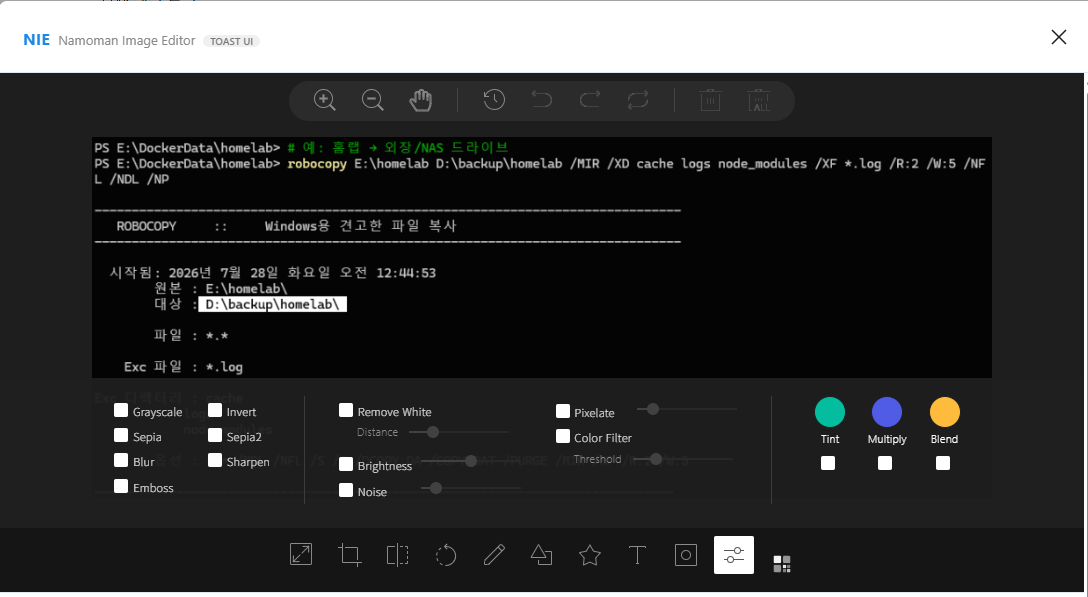
The editing interface opens in a clean modal window with an intuitive toolbar. All edits are saved as a new media item via the WordPress REST API, leaving your original image untouched. All required third-party libraries are bundled in the plugin — no external CDN calls.
Built on open-source libraries (all MIT-licensed, GPL-compatible):
– TOAST UI Image Editor v3.15.3
– Fabric.js v4.4.0
– TOAST Color Picker v2.2.6
– tui-code-snippet v1.5.0
NIE(나모맨 이미지 에디터)는 워드프레스 블록 에디터에서 전문적인 이미지 편집 기능을 제공합니다. 에디터를 벗어나지 않고 이미지 블록을 바로 편집하세요 — 필터, 자르기, 회전, 도형 그리기, 텍스트 삽입, 모자이크 처리까지 가능합니다.
편집 인터페이스는 직관적인 툴바와 함께 깔끔한 모달 창으로 열립니다. 모든 편집 결과는 워드프레스 REST API를 통해 새 미디어로 저장되므로 원본 이미지는 그대로 유지됩니다.
Features
- Crop, Rotate & Flip — Basic image transformations.
- Filters — Apply grayscale, sepia, blur, emboss, and more.
- Draw & Shapes — Freehand drawing and shape overlays.
- Text Overlay — Add text with customizable background color.
- Mosaic Tool — Drag-select a region and apply pixelation for privacy.
- Block-native Integration — Adds an “Edit Image” (🎨) toolbar button to every Image block.
- Non-destructive — Edited result saved as a new media item; original remains intact.
Source Code
The complete, human-readable source code is publicly available on GitHub:
https://github.com/namoman/namoman-image-editor
All plugin source files are included in the distributed package. No build step is required — the JavaScript is shipped as readable, non-minified code.