


Nahnu Cache Connector for Bunny.net
Edge Rules tab: rules with on and off switches, deploy button and results table
Nahnu Cache Connector for Bunny.net connects your WordPress site to Bunny.net CDN. It mirrors every cache purge to Bunny, deploys a complete set of production-ready edge rules for you and keeps them current, makes Bunny Shield WAF safe to run on WordPress, and shows live CDN stats in your admin.
Full documentation: wpbunnyconnector.com.
Highlights
- Purge sync for 18 cache plugins, combined into a single Bunny API call per request
- More than 75 edge rules covering SSL, caching, bypasses, Shield WAF and security headers
- Edge rules redeploy automatically whenever the plugin is updated, reinstalled or activated
- Fast deploys: only changed rules are sent, so a redeploy with nothing new is a single API call
- Bunny Shield WAF bypass for your team, protected by a per-site secret cookie
- All six security headers graded by securityheaders.com, set at the edge
- Built-in support for MainWP, ManageWP, InfiniteWP, WP Umbrella, Modular DS, Watchful and UpdraftCentral
- Bulk updates are spread out, so a server hosting many sites never redeploys them all at once
- Works with Nahnu Login Shield to block brute-force attackers at the CDN edge
- Ready for WordPress 7.1 client-side media processing
- WP-CLI commands, REST API and PHP hooks for automation
Automatic cache purge sync
Hooks into your cache plugin so every purge is mirrored to Bunny CDN. Per-URL purges are used where the cache plugin supports them, instead of wiping the whole zone. Purges triggered during one request (post saves, plugin, theme and core updates, cache plugin clears) are combined into one Bunny API call at the end of the request, after your local cache has finished clearing.
Supported cache plugins (18):
- WP Rocket
- LiteSpeed Cache
- W3 Total Cache
- WP Fastest Cache
- WP Super Cache
- FlyingPress
- Swift Performance
- Hummingbird
- Cache Enabler
- Breeze (Cloudways)
- WP-Optimize
- SpeedyCache
- Super Page Cache (WP Cloudflare Page Cache)
- ZiziCache
- RunCache (Beta)
- SWIS Performance by EWWW Image Optimizer
- BerqWP
- xSpeed Cache
Edge rules that look after themselves
One click deploys a complete set of rules to your Bunny pull zone: HTTPS redirect, HTML caching for visitors, admin and logged-in bypasses, ecommerce, membership, LMS and booking bypasses, long browser caching for assets, query string handling, CORS for fonts, Shield WAF exceptions and security headers. Rules are tracked by GUID, so redeploying never creates duplicates, and rules you created yourself in the Bunny dashboard are left alone.
You do not have to remember to redeploy:
- Rules redeploy in the background as soon as the plugin is updated, reinstalled from a zip or activated, using the new version’s code.
- Rules redeploy when a supported ecommerce, membership, LMS or booking plugin is activated or deactivated.
- A check every five minutes catches anything missed.
- A manual deploy always takes priority over a pending automatic one.
- Only what changed is sent to Bunny. A redeploy with nothing new costs one API call, and rules stay in place the whole time.
- Bulk updates are spread out. After an update pushed from a dashboard, by WordPress auto-updates or WP-CLI, each site waits its own fixed slot of up to 5 minutes, and at most two sites on one server deploy at the same time.
- If Bunny rejects a rule, automatic retries back off (5 minutes, 15 minutes, 1 hour, 6 hours, then daily) and the admin notice tells you which rule failed and why.
Bunny Shield WAF, without locking yourself out
Bunny Shield is a powerful WAF, but WordPress admin screens, the block editor and page builders send requests that WAF rules often flag. This plugin turns Shield off for those areas for your team only, and keeps inspecting everyone else.
- The bypass uses a cookie holding a per-site secret, so it cannot be forged. Rotate the secret from Settings at any time.
- Choose which roles get the bypass. The default is Administrator and Editor.
- Covers wp-admin, the REST API for logged-in users, the Bricks builder and code editor, WordPress 7.1 media processing and this plugin’s own admin files.
- Trusted IP whitelist: turn Shield off for specific IPs or CIDR ranges, such as payment gateways, SaaS callbacks, office networks or staging servers.
- Shield WAF event log on the Stats tab: blocked IPs, triggered rules and URLs for the last 1, 6, 24 or 72 hours.
Security headers
Sets the six response headers that securityheaders.com grades on, at the Bunny edge, so they apply to cached pages too: Strict-Transport-Security, Content-Security-Policy, X-Content-Type-Options, X-Frame-Options, Referrer-Policy and Permissions-Policy.
The defaults are safe for any WordPress site. HSTS is set for one year without includeSubDomains or preload, and the Content-Security-Policy restricts framing and plugins without blocking the inline scripts WordPress and most themes rely on. Developers can replace any value with the wpbc_security_headers filter.
Remote management: MainWP, ManageWP, InfiniteWP, WP Umbrella, Modular DS, Watchful and UpdraftCentral
Putting Bunny in front of sites you manage from a dashboard can cause slow syncs, sites reported as disconnected, and long updates that run twice. The plugin fixes this for every major remote management service:
- Trusted dashboard IPs. Once the service itself has verified a request as coming from its dashboard, that dashboard’s IP is added to the Shield trusted IP rule. Unverified requests are never trusted, learned IPs expire when the dashboard stops using them, and at most 5 are kept per service.
- No timeouts or repeats. Pull zones wait the full 60 seconds for the origin and never resend a timed-out request, so a long update or sync never runs twice.
- Nothing private is cached. One-click login links, connect links and WP Umbrella requests always bypass the CDN cache.
- Calm bulk updates. Updates pushed from a dashboard are spread out per site, and at most two sites on one server redeploy at once.
- Status at a glance. The Integrations tab lists each service and the IPs it is trusted from.
MainWP extras. On the MainWP Dashboard, requests to child sites running this plugin go straight to their origin server, skipping the CDN, its WAF and its 60 second limit. Each origin is checked before use and rechecked weekly, and sites that cannot be reached directly keep using the CDN. The Integrations tab shows each child’s status plus server cron and timeout recommendations.
WP Umbrella extras. Umbrella’s login protection is given Bunny’s edge server list, so it sees each visitor’s real IP instead of a Bunny server, and Bunny is purged whenever Umbrella clears caches.
Works with Nahnu Login Shield
Nahnu Login Shield is our free login security plugin. It locks out brute-force attackers and can push their IPs to the Bunny.net WAF, so they are blocked at the CDN edge before they ever reach your server. It reuses this plugin’s Bunny connection, so there is nothing extra to set up. Its status and a one-click install are at the top of the Integrations tab.
Ready for WordPress 7.1
WordPress 7.1 processes images in the browser using about 13 MB of WebAssembly and JavaScript. Bunny Optimizer is kept off those files, and Shield is turned off for them for your team, so image uploads in the block editor work with Shield and Optimizer active. These rules deploy only on WordPress 7.1 and later.
Ecommerce bypass
Bypass rules are built automatically from each plugin’s own page settings. No manual URL entry needed.
Supported ecommerce and donation plugins (6):
- WooCommerce
- SureCart
- FluentCart
- Easy Digital Downloads (EDD)
- GiveWP
- WP User Frontend (WPUF)
Membership bypass
Supported membership plugins (13):
- Ultimate Member
- Simple Membership
- Paid Member Subscriptions
- User Registration and Membership
- WP-Members
- WCFM Multivendor Membership
- Restrict Content / Kadence Membership
- ProfilePress
- Indeed Ultimate Membership Pro
- Paid Memberships Pro
- ARMember
- MemberPress
- GiveWP
LMS and community bypass
Supported LMS plugins (9):
- WP User Frontend
- MasterStudy LMS
- Masteriyo LMS
- LearnDash
- Sensei LMS
- Academy LMS
- LifterLMS
- Tutor LMS
- FluentCommunity
Affiliate and community plugins with bypass rules (2):
- FluentAffiliate
- SureDash
Booking and event bypass
Supported booking and event plugins (4):
- Events Manager
- Amelia Booking
- LatePoint
- WP Event Manager
Multilingual support
When WPML, Polylang or TranslatePress is active, bypass rules include translated page URLs automatically, and the pull zone varies its cache by Accept-Language so each visitor gets the right language.
Cache warmer
After a full purge, a background job crawls your sitemap to pre-warm the CDN edge. It requests one page at a time, at most two sites warm at once on the same server, and it waits while the server is busy, so warming never competes with real visitors.
Supported SEO plugins for sitemap auto-detection:
- Yoast SEO
- Rank Math
- All in One SEO
- SEOPress
- SlimSEO
- The SEO Framework
- Squirrly SEO
- WordPress core sitemap (fallback)
Live CDN analytics
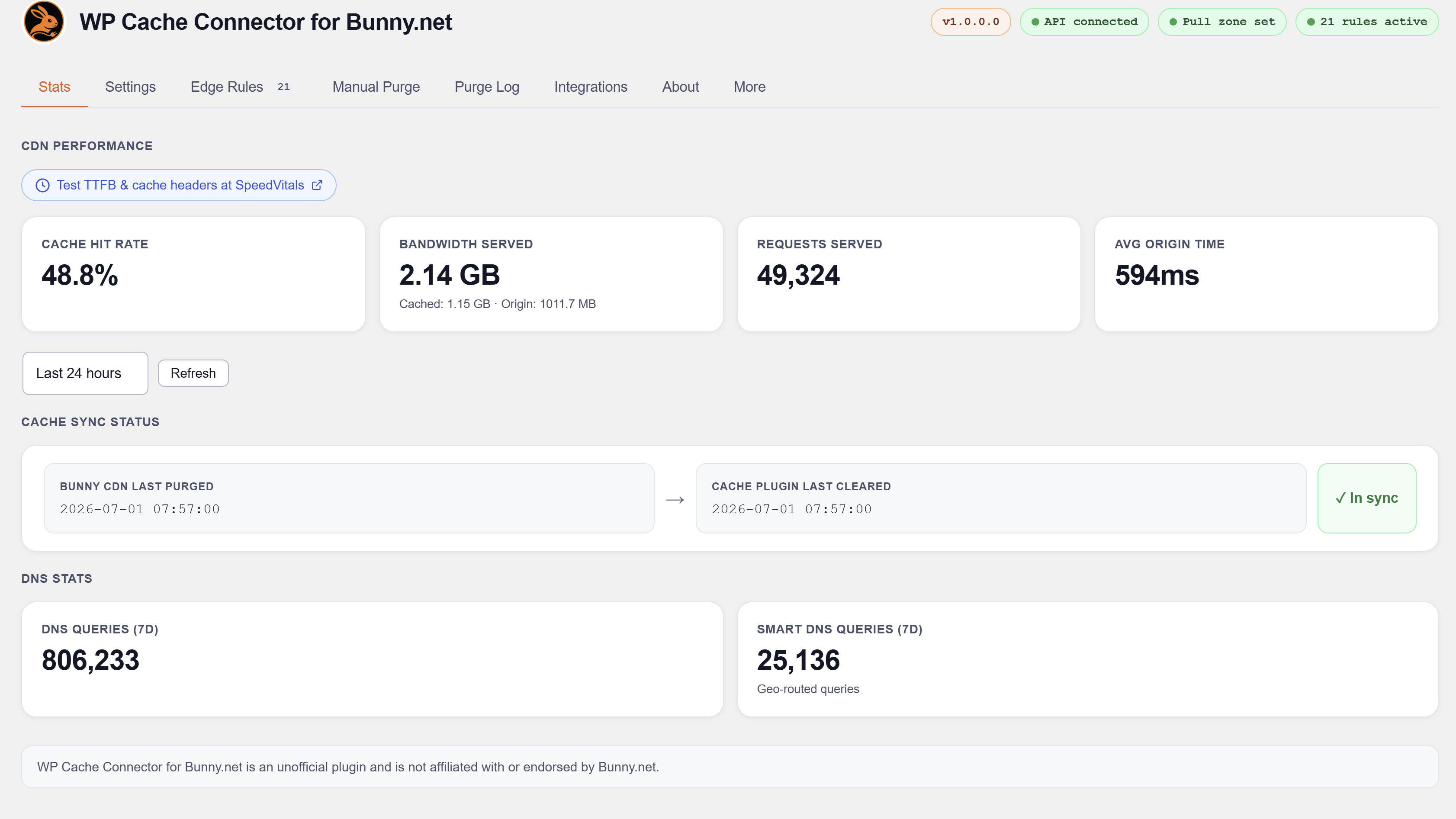
Pull zone stats, DNS stats, bandwidth breakdown, cache hit rate, Shield WAF events and cache sync status, all inside WordPress admin.
Perma-Cache cleanup
Deletes stale Perma-Cache files from Bunny Storage right after a full purge, without waiting for them to expire.
Automation: WP-CLI, REST API and PHP hooks
- WP-CLI:
wp bunny deploy,wp bunny purge,wp bunny status,wp bunny rules - REST API under
/wp-json/wpbc/v1/:GET /status,POST /purge,POST /purge-url,POST /deploy. Authenticated with a token from Settings or a WordPress admin session. - PHP API for other plugins: check the connection, read status, purge, deploy and reuse the Bunny connection.
The API tab in the plugin shows every endpoint, filter and action with copy-paste examples.
Checked, no integration needed
These plugins were analysed and confirmed fully compatible with no bypass rules required:
- Wordfence, All-In-One Security, Jetpack, Solid Security, Security by CleanTalk
- Complianz GDPR, CookieYes
- SureMembers, WishList Member, Members (by MemberPress)
- bbPress, Fluent Boards
- The Events Calendar, FluentBooking
- Autoptimize, FlyWP, Redis Object Cache, Aruba HiSpeed Cache, Comet Cache, SiteGround Speed Optimizer, EWWW Image Optimizer
For the full compatibility list visit wpbunnyconnector.com.
Developer hooks
Other plugins can integrate without any changes to this plugin.
Filters
wpbc_shield_bypass_ips: add trusted IPs or CIDR ranges to the Shield WAF bypass list.wpbc_shield_bypass_urls: turn Shield off for specific URL patterns.wpbc_cache_bypass_urls: add URL patterns to the CDN cache bypass list.wpbc_security_headers: change, add or remove security header values.wpbc_compatible_plugins: list your plugin on the Integrations tab.wpbc_bunny_connection: reuse the Bunny API key, pull zone and Shield zone.wpbc_is_connected,wpbc_status,wpbc_last_purge_time: read connection and purge status.wpbc_watched_post_types: choose which post types purge on save.wpbc_stagger_window,wpbc_server_deploy_slots: tune how bulk updates are spread out.
Actions
wpbc_purge_all,wpbc_purge_url: purge the CDN.wpbc_deploy,wpbc_update_rules: redeploy edge rules.wpbc_deploy_bypass_urls: redeploy only the third-party bypass rules, in a few API calls.wpbc_mark_rules_stale: flag rules as out of date so they redeploy in the background.
Full developer documentation and examples: wpbunnyconnector.com.
External services
This plugin connects to the Bunny.net API (api.bunny.net) to purge cache, manage edge rules and pull zone settings, and retrieve statistics, and to Bunny Storage when Perma-Cache cleanup is enabled. When WP Umbrella is active, it also downloads Bunny’s public edge server IP list (api.bunny.net/system/edgeserverlist) once a week; no key or site data is sent with that request. On a MainWP Dashboard, it checks whether each child site’s own origin server answers directly; those requests only go to your own sites. An active Bunny.net account and API key are required. No visitor data is sent. See the Bunny.net Privacy Policy and Terms of Service.
Disclaimer
This is an independent third-party tool. It is not affiliated with, endorsed by, or sponsored by Bunny.net.
Privacy Policy
Nahnu Cache Connector for Bunny.net does not collect or send any data about your site’s visitors. No analytics, no tracking, no third-party data sharing.
The plugin talks to the Bunny.net API to purge cache, fetch statistics and manage edge rules. The data sent is limited to your Bunny API key (in request headers), pull zone and Shield zone IDs, your site’s hostnames and the URLs to purge. On sites managed by MainWP, ManageWP, InfiniteWP, WP Umbrella, Modular DS, Watchful or UpdraftCentral, the IP address of the managing dashboard is stored on your site and added to your own Shield trusted IP rule. For UpdraftCentral this can be the IP of the administrator’s browser; it is deleted after 7 days without use. See Bunny.net’s Privacy Policy for how Bunny.net handles this data.
No data is sent to Nahnu Plugins or any third party other than Bunny.net.