


MyVendorHub for WooCommerce
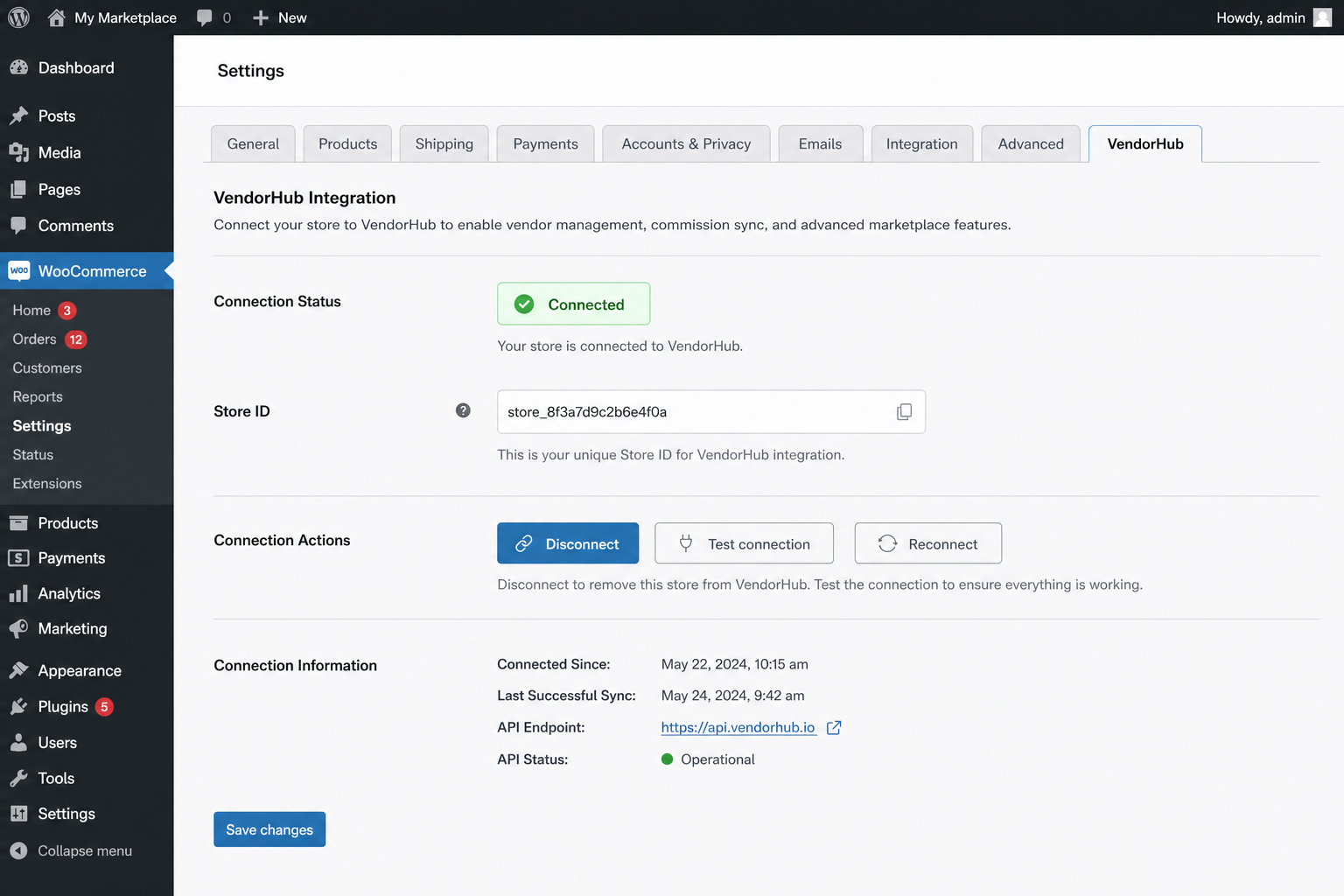
WooCommerce → Settings → MyVendorHub onboarding (permissions disclosure)
Selling products from suppliers? MyVendorHub organizes your inventory, pricing, and orders — automatically.
This free plugin connects your WooCommerce store to MyVendorHub. When a customer orders a supplier’s products, MyVendorHub notifies the right vendor by email or WhatsApp, tracks their Accept / Reject / Other response, and writes status updates back to your order notes — so nothing falls through the cracks.
Less spreadsheets. Less WhatsApp chaos. Fewer mistakes. More control.
What MyVendorHub does for your store
- Automatic supplier notifications — New orders are routed to the right vendor with product details, quantities, and shipping address
- Email & WhatsApp — Reach vendors on the channels they already use (WhatsApp on Growth+ plans)
- One-click Accept / Reject / Other — Vendors respond from a secure link; you get alerts when something needs attention
- Smart reminders — Configurable follow-ups for vendors who haven’t replied, optionally limited to working hours
- Supplier dashboard — Orders grouped by vendor with revenue, product details, and fulfillment status at a glance
- Vendor sync from your catalog — Pull vendor names from product meta and manage contacts in one place
- Product Scanner — Track supplier product page URLs for price, availability, and catalog changes
- Event Hub — Activity feed for notifications sent, vendor responses, reminders, and failures
- Multi-language messaging — Notify vendors in 12 languages (including Hebrew and Arabic)
- Multi-store ready — Manage multiple WooCommerce stores from one MyVendorHub account
- HPOS compatible — Works with WooCommerce High-Performance Order Storage
Merchants manage vendors, reminders, scanner, billing, and responses in the MyVendorHub web dashboard — this plugin keeps your store connected securely.
Free Starter plan available after connect (limits apply). Paid plans unlock more vendors, reminders, WhatsApp, and higher volume. See pricing on myvendorhub.com.
How it works
Install → Connect → done. No WooCommerce REST API keys are required for the standard setup — the plugin securely handles order sync, vendor sync, draft product creation, and order note/status write-back on its own.
- Install and activate this plugin (WooCommerce 6.0+ required).
- Connect your store to MyVendorHub in WooCommerce → Settings → MyVendorHub.
- Add vendor contacts and enable notifications in the MyVendorHub dashboard.
- Place a test order — vendors are notified within seconds, and responses appear on the order in WooCommerce.
Connect your store
Recommended: one-click Connect
Review the permissions checklist on the settings page, then click Connect to MyVendorHub. Sign in (or create an account), and your store credentials are returned securely — no secrets are embedded in the plugin.
After connecting, use Open MyVendorHub in wp-admin to return to your dashboard without signing in again (signed SSO launch).
Manual connection (Advanced)
Already have a store in MyVendorHub? Copy Store ID and API token from MyVendorHub → Settings → API access, then paste them under Advanced → Manual connection in WooCommerce → Settings → MyVendorHub.
Developers (self-hosted only)
For local / self-hosted MyVendorHub environments, define VENDORHUB_WC_CONNECT_SECRET in wp-config.php to enable a Direct connect (dev) HMAC registration button. Not used for the public SaaS.
External services
This plugin connects your store to MyVendorHub cloud services over HTTPS (default host: https://www.myvendorhub.com). A MyVendorHub account is required to forward orders.
Data that may be transmitted after you connect:
- Connect — your site URL, store display name, and a per-site plugin token used to complete the handshake
- Order sync — order number, line items, SKUs, vendor names, shipping address, and customer contact details needed for fulfillment
- Inbound updates — MyVendorHub securely POSTs vendor status, notes, and tracking back to your WordPress site (HMAC-verified)
No MyVendorHub admin passwords are stored in WordPress. Only the per-store storeId and apiToken from connect are saved locally.
Privacy policy: https://www.myvendorhub.com/privacy
Learn more or try the live demo: https://www.myvendorhub.com