

Monthly Events Calendar – Event Submissions & Google Calendar Import
5/5 (4 ratings) 50 active installs Updated Nov 14, 2026

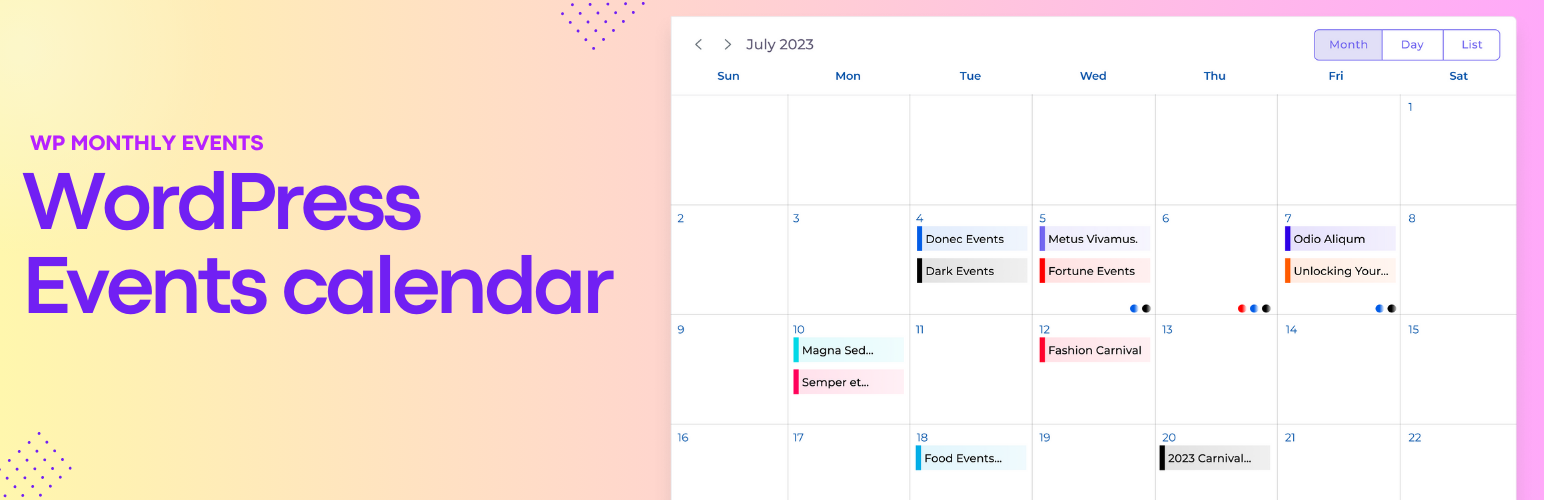
Month view with an event preview.
Monthly Events Calendar is a lightweight events calendar for WordPress. Add your events, drop the calendar on any page, and visitors can browse them by month, as a list or day by day, then add them to their own calendar in one click.
Already keep your events in Google Calendar, Outlook or Apple Calendar? Paste the calendar link and they appear on your site. Want your community to add events? Put the submission form on a page and approve what comes in. Moving from The Events Calendar? Your events show up right away.
Everything below is free.
👉 Live demo · Documentation · Support forum
Three calendar views
- Month – a classic monthly grid. Hover or tap an event to see its time, place, image and description.
- List – events in date order, with times, venues and descriptions.
- Day – a timeline of the day plus a list of that day’s events.
- Visitors switch views and months with one click, and can search events. You choose the default view.
Let people submit events (new in 1.8)
- Add the Submit an Event block or the
[wp_monthly_events_submit]shortcode to any page. People enter the title, description, date and time, venue, category, website and an image. - Or turn on the Add event button on the calendar itself (new in 1.8.1). It opens the form in a popup on the right, on the left or in the center, so people never leave the calendar.
- You choose who can submit under Events Calendar Submissions: the user roles you pick, or visitors without an account, who give their name and email. Only they see the Add event button.
- The new Event Submitter role is for people who should only submit events. They can log in and use the form, but can’t open the WordPress dashboard. Roles added by membership plugins can be chosen too.
- Nothing appears until you approve it. New events wait as Pending. You get an email with Approve and Reject links, and people are emailed when their event is published. Roles you trust can publish without approval.
- Spam protection without a CAPTCHA: a hidden field, a timing check and a limit on events per hour. No outside service is used.
- The form follows your theme’s fonts, colours and buttons, works without JavaScript, and adds about 12 KB to the page it is on (4 KB compressed). The Add event button adds about 10 KB to the calendar page (4 KB compressed); the form itself loads when someone presses the button.
- Use another form plugin if you prefer: Gravity Forms, WPForms, Formidable Forms or your own code can create events with one function,
ecwp_submit_event().
Import from Google Calendar, Outlook and Apple Calendar
- Paste a calendar link from Google Calendar, Outlook.com / Microsoft 365, Apple iCloud or any app with an iCal (.ics) or webcal feed, or upload an .ics file.
- Times, timezones, all-day events, locations and descriptions come across. Venues are created for you.
- Repeating events are added date by date (12 months ahead), including skipped and moved dates.
- Put each calendar’s events in their own category and colour.
- Sync now brings in changes any time. Nothing is ever duplicated, and events you edit or delete on your site stay the way you left them.
Switch from The Events Calendar
- Turn on Monthly Events Calendar and your existing The Events Calendar events show on your calendar straight away. Nothing is imported and nothing is changed in The Events Calendar.
- When you’re ready, Events Calendar Switch from TEC copies categories, venues, organizers and events, keeping their slugs, featured images and Rank Math / Yoast SEO settings.
- Old /event/ addresses redirect to the new events, so your links and search rankings carry over. Pages using the [tribe_events] shortcode keep working.
Everything an event needs
- Start and end date and time, or an all-day option.
- A timezone for each event. Visitors see times in their own local time.
- Venues with address, and organizers with phone, email and website.
- Categories, tags, featured image, event colour and a website link.
- A clean event page with all the details and an Add to Calendar button for Google Calendar, Apple, iCal, Outlook.com, Yahoo, Microsoft 365 and Teams.
- An /events/ archive, plus category and tag pages, all showing the calendar.
- Event structured data (schema.org) on the pages of events that have a venue, so search engines can show the date and place.
Fast and private
- The calendar’s scripts and styles load only on pages that show a calendar or an event. The rest of your site loads nothing from this plugin.
- Small: the Add to Calendar code loads only on event pages.
- Fonts are served from your own site. No requests to Google Fonts or other outside services.
Works with your site
- Block (“Monthly Events Calendar”) and shortcode:
[wp_monthly_events], or[wp_monthly_events view="list"](month, list or day). - One category per calendar:
[wp_monthly_events category="music"], or the block’s Category setting. Useful for a page per imported calendar. - Works with classic and block themes (like Twenty Twenty-Five), and in Elementor, Divi, Beaver Builder, Avada, WPBakery, Bricks and any builder that accepts shortcodes.
- Accessible: screen-reader labels, keyboard-friendly navigation and WCAG 2.1 AA colour contrast, checked with automated accessibility tests.
- Translation ready, including Loco Translate.
- Mobile friendly.
For developers
- REST API:
/wp-json/ecwp/v1/events,POST /wp-json/ecwp/v1/submissionsto submit an event, andGET /wp-json/ecwp/v1/submissions/formfor the popup’s form. - Submit an event from code:
ecwp_submit_event( $args ). Check permission withecwp_user_can_submit_event(). - Submission filters:
ecwp_can_submit_event,ecwp_submission_fields,ecwp_submission_data,ecwp_submission_errors,ecwp_submission_status,ecwp_submission_spam_check,ecwp_submission_email. - Submission actions:
ecwp_event_submitted,ecwp_submission_approved,ecwp_submission_rejected,ecwp_submit_form_start,ecwp_submit_form_end. - Add event popup: filters
ecwp_submit_popup_show(who gets the button),ecwp_submit_popup_positionandecwp_submit_popup_form(for examplearray( 'hide' => 'timezone,website' )for a shorter form). In JavaScript, theecwp:add-eventdocument event opens the popup andecwp:event-submittedfires after an event is sent. - Other filters:
ecwp_event_schema,ecwp_load_assets,ecwp_load_fonts,ecwp_admin_assets,ecwp_ical_parse_args,ecwp_ical_event_postarr. - Other actions:
ecwp_enqueue_assets,ecwp_ical_imported,ecwp_ical_synced. - Calendar text filters in JavaScript, with
wp.hooks.addFilter():mCalendar-text-latestEvent,mCalendar-text-searchEvent,mCalendar-text-addEvent. - Sync a saved calendar from code (for example on a schedule) with
Ecwp_Ical_Importer::sync_source( $id ).