

Modal Popup Box — Popup Maker & Popup Builder
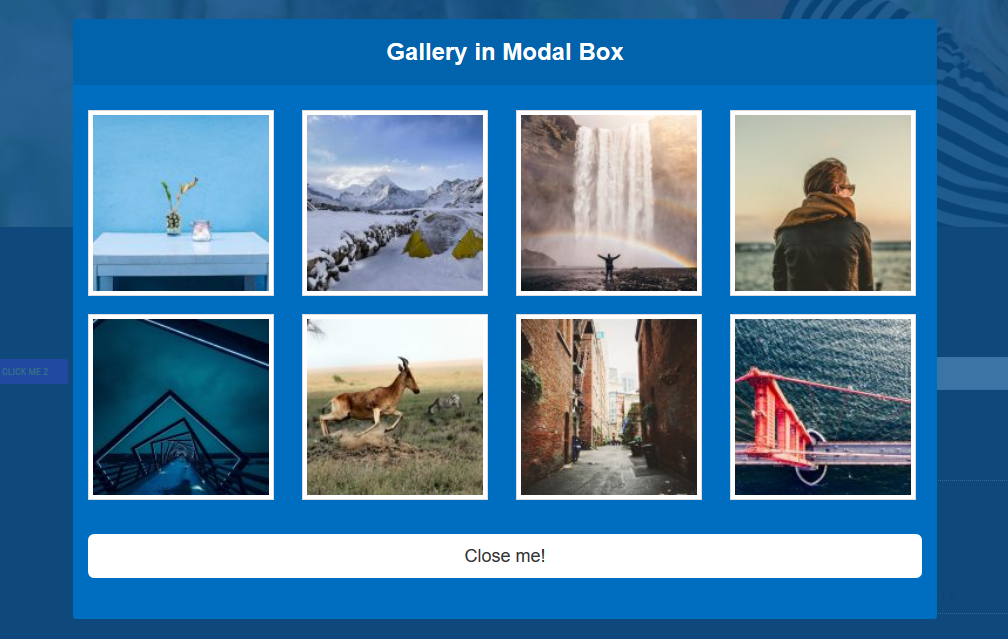
Image gallery displayed inside a popup
Modal Popup Box is a powerful popup maker or builder designed for WordPress. Whether you need a popup to announce a sale, share breaking news, collect email subscribers, or embed a video, this plugin gives you everything you need without writing a single line of code.
The popup builder comes with a clean settings panel where you choose colors, animations, triggers, and content. Every popup you create is fully responsive and looks sharp on desktops, tablets, and mobile devices. You can place your popup anywhere on your site using a simple shortcode.
Free Version Demo
Premium Version Demo
Upgrade to Modal Popup Premium
Why Choose This Popup Maker?
Most popup makers slow your site down with heavy frameworks and bloated scripts. Modal Popup Box takes a different approach. It runs on lightweight custom CSS and vanilla JavaScript with zero dependency on Bootstrap or jQuery. That means faster page loads, fewer style conflicts, and a popup that works reliably across every WordPress theme, including Full Site Editing block themes like Twenty Twenty-Five.
This popup builder is built for real WordPress users. You do not need any design or coding skills. Just pick a color preset, choose an animation, add your content, and publish. Your popup is ready in under a minute.
What You Can Do With This Popup Builder
- Display promotional offers, discount codes, and seasonal sale announcements
- Share important news updates or site-wide notifications with visitors
- Embed YouTube or Vimeo videos that auto-pause when the popup closes
- Load contact forms like Contact Form 7 directly inside a popup
- Showcase image galleries, portfolios, or product highlights
- Run lead generation campaigns with newsletter signup forms
Key Features of This Popup Maker (Free Version)
- Two Trigger Modes – Open your popup automatically on page load or let visitors click a button to open it
- Open Delay Timer – Set a custom delay from 0 to 60 seconds before your popup appears after page load
- 5 Color Presets – Choose from Blue, Red, Green, Purple, or Orange themes, or set a custom background color
- 4 Animation Effects – Fade and Scale, Slide Right, Side Fall, and 3D Flip for smooth popup transitions
- Overlay Opacity Control – Adjust background dimming from 0 percent to 100 percent to match your design
- Custom Button Styling – Change the popup trigger button text, font size, and color to fit your theme
- Simple Shortcode System – Place your popup on any page, post, or widget area with a single shortcode
- Fully Responsive Layout – Your popup adapts to every screen size without any extra configuration
- Content Flexibility – Embed text, HTML, shortcodes, images, videos, and forms inside your popup
- Lightweight and Fast – No Bootstrap, no jQuery, just clean code that loads quickly on every page
- Block Theme Compatible – Works perfectly with Full Site Editing themes and the WordPress block editor
- Accessible Design – Keyboard focus trapping and proper ARIA markup for screen reader support
Built for Every WordPress Setup
This popup builder works with every major page builder and theme framework. Whether you use Elementor, Divi, Beaver Builder, WPBakery, or the default WordPress block editor, just paste the shortcode and your popup will render correctly. There are no compatibility issues to worry about.
How to Create a Popup
Premium Popup Maker Features
The premium version of this popup builder adds powerful features for advanced use cases. If you need more control over design, targeting, scheduling, or visitor behavior, the upgrade gives you everything below.
- 19 Animation Effects – Fall, 3D Slit, Super Scaled, Blur, Rotate, and many more opening styles
- Advanced Popup Triggers – Open your popup based on exit intent, scroll percentage, or user inactivity
- Full Color Customization – Set individual colors for the header, content area, footer, overlay, and close button
- Typography and Spacing – Control font sizes, text alignment, padding, and background colors for each section
- Dual Footer Buttons – Add two action buttons with separate URLs, colors, sizes, and hover animations
- Overlay Color Picker – Choose any custom color for the popup overlay background
- Transition Speed Control – Fine-tune the opening and closing animation speed for your popup
- Border Radius and Box Shadow – Add rounded corners and shadow depth to match your brand design
- Close Button Customization – Choose between icon, text, or both with fully customizable colors
- Cookie-Based Dismissal – Hide the popup for returning visitors who have already seen it
- Page-Level Targeting – Show or hide your popup on specific pages, posts, or custom post types
- Date-Based Scheduling – Set start and end dates for time-limited popup campaigns
- Auto-Close Timer – Automatically dismiss the popup after a set number of seconds
- Clone and Duplicate – Instantly copy any popup with all its settings to create variations quickly
- Import and Export – Move popup configurations between WordPress sites using JSON files