
Metro Tabs – Responsive Tabs Block
0/5 (0 ratings) 100 active installs Updated Sep 12, 2026
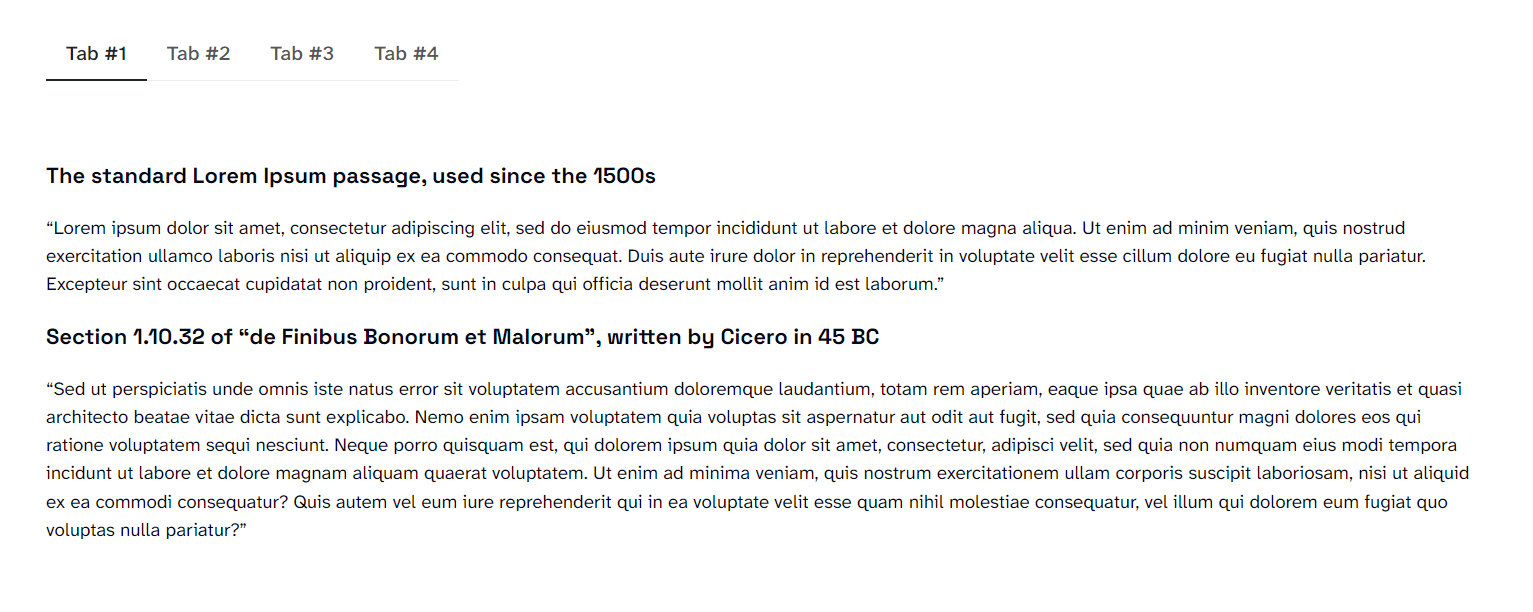
Front-end tabs
Metro Tabs adds block-editor (Gutenberg) blocks for building tabbed content. You add a Metro Tabs: Tab Group block, then add one or more Metro Tabs: Tab Item blocks inside it. Each tab has a heading (the label visitors click) and a content area where you can add any blocks—paragraphs, images, lists, etc. On the front end, visitors see a simple tab bar and panes; clicking a tab switches the visible content without reloading the page.
Features
- Tab Group block – Container for one set of tabs. You can use multiple Tab Group blocks on the same page for different tab sets.
- Tab Item block – A single tab: editable heading and a content area that supports any blocks (paragraphs, headings, images, etc.).
- No JavaScript libraries – Uses vanilla JavaScript only; no jQuery or jQuery UI.
- Block API version 3 – Compatible with the current block editor (WordPress 6.3+ iframe editor).
- Lightweight styling – Discrete front-end styles (underline-style active tab); you can override with your theme or custom CSS.
How to use
- In the block editor, add a Metro Tabs: Tab Group block (search for “Metro Tabs” or “Tab Group”).
- Inside the group, you’ll see placeholder Tab Items (e.g. “Tab 1”, “Tab 2”). Click each Metro Tabs: Tab Item block and:
- Edit the tab heading (the text shown on the tab).
- Add any blocks in the tab content area (paragraphs, images, etc.).
- Add or remove Tab Item blocks as needed. You can add more Tab Groups elsewhere on the page for separate tab sets.
- Publish or update. On the front end, the tab bar and panes are built automatically; clicking a tab switches the visible pane.
No settings or configuration are required. The plugin enqueues its script and styles on the front end when the page contains tab blocks.
Explore more WordPress Plugins.
Compatibility
- Requires WordPress 6.0 or higher (block editor).
- Requires PHP 8.0 or higher.