
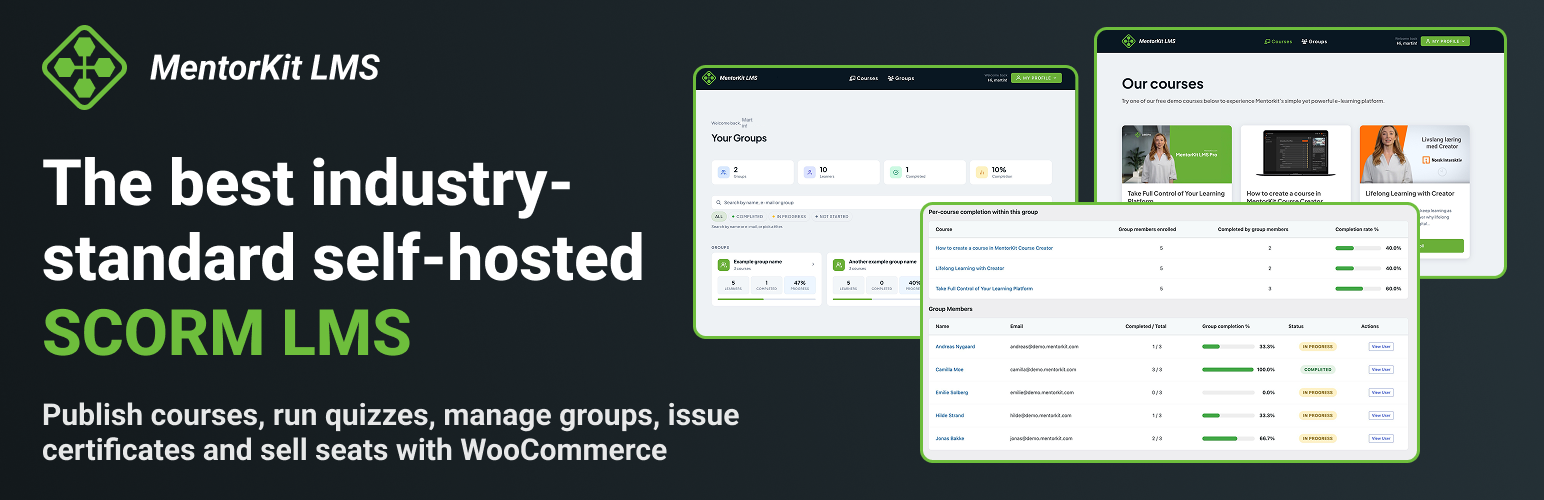

MentorKit LMS: SCORM Courses, Quizzes, Group Management & Certificates

Course overview in wp-admin.
Publish SCORM courses from MentorKit Course Creator, enrol learners, track progress, run quizzes and issue certificates. Build learning paths for onboarding, HSE and safety courses, compliance refreshers, and customer or partner training.
Self-hosted, with no plugin commission
Host content and learner records on your WordPress site with no plugin sales commission. Hosting, Creator and payment-provider terms apply separately. See External Services for data sharing.
Explore the LMS demo | Try MentorKit Course Creator for free.
Publish and play SCORM courses
- SCORM 1.2 and SCORM 2004 runtime support, with background package imports.
- Progress, completion and runtime data stored per learner and course.
- Resume, retakes and optional locking after a learner passes.
- Player embedding through shortcodes and a Gutenberg block.
Publish from Course Creator.
Quizzes and question banks
- Standalone or course-linked quizzes and reusable questions.
- Yes/no, single-choice, multiple-choice and manually graded free-text questions.
- Overall and critical-question pass thresholds, attempt and time limits.
- Random exam draws with mandatory questions and hidden answer keys.
- Required assessments for certificates; attempt and question reports.
Certificates
- Canvas designer with text, images, shapes, backgrounds and paper settings.
- Learner, course, group, date and certificate-number fields, with PDF export.
- Automatic issuance, expiry reminders, revocation and learner certificate views.
Groups and learning paths
- Course and quiz bundles or sections, with optional sequential progression.
- Group progress, certificates, enrolments and scoped administration tools.
- Access modes, seat limits, email-domain restrictions and access dates.
Sell courses with WooCommerce
With WooCommerce, sell courses or groups and grant access by order status. Cancelled, refunded or failed orders revoke access.
Includes offline-payment settings, invoice-recipient fields, printable invoices with Norwegian KID references and a learner purchase view. Your WooCommerce gateways process payments.
Learners, reporting and branding
- Immediate or scheduled invitations with status tracking. New invitees have dormant accounts until activation. Scheduling uses WordPress cron.
- Audited, reversible manual completions and CSV reporting.
- Branded login, registration and learner screens, with optional Astra styling.
- Email verification, translated emails, Norwegian translations and Polylang support.
- Authentication rate limits and optional Cloudflare Turnstile.
- Signed webhooks with delivery retries.
Shortcodes and blocks
[mklms_courses_grid], `[mklms_groups_grid]`, `[mklms_my_courses]`, `[mklms_my_profile]`, `[mklms_user_certificates]`, `[mklms_player id="123"]`, `[mklms_course_launcher]`, `[mklms_quiz]`, `[mklms_analytics]`, `[mklms_user_menu]`, `[mklms_logged_in_only]`, `[mklms_guest_only]`.
Set course or quiz IDs where required. The course launcher requires WooCommerce.
External Services
MentorKit Course Creator and MentorKit.com
MentorKit / Norsk Interaktiv AS provides publishing and setup services. Setup links open account/integration pages with the platform, requested tab and wizard return URL.
On publication or update, the plugin downloads a SCORM ZIP and optional cover from supplied URLs, possibly containing access tokens. It reports the import to Creator or the supplied callback URL with LMS customer ID, Creator course/customer-course IDs, WordPress course ID/URL, saved course title, status, action date and token. Demo imports download packages and images from MentorKit.com.
Publishing callbacks also include the job ID and any cover-image warnings. When background publishing fails, the plugin sends an error callback with the course/customer identifiers, token, action date, failure code and message, retryability, and diagnostic details with sensitive URL values redacted. Error callbacks are enabled for Creator publishing by default and can be disabled with the mklms_creator_publish_error_callbacks_enabled filter. A generic webhook URL supplied in a publishing request receives the job status, result or error details, and warnings for that request.
Released builds use Creator at https://creatordev.norskinteraktiv.no. Setup links open https://creatordev.norskinteraktiv.no/integrations. Publishing success and error callbacks go to https://creatordev.norskinteraktiv.no/userAPI/CourseLMSLink/Webhook/UpdateLink each time a course is published or updated from Creator, unless the publishing request supplies its own callback URL. Creator publishing requests may also have the plugin download the SCORM package from https://app.mentorkit.com. Package, cover-image, callback and webhook URLs supplied in a publishing request are contacted only through WordPress safe HTTP requests. They must be public http:// or https:// addresses on ports 80, 443 or 8080; other URLs are refused with an error when the publishing request arrives. Only a local development install (MKLMS_ENV or the WordPress environment type set to local) may send callbacks to local addresses.
Repository PR previews and sites with MKLMS_ENV set to staging use staging Creator at https://niastest02.norskinteraktiv.no (/userApi) for integration setup, package downloads and publishing callbacks; released builds set MKLMS_ENV to live and never contact this host. Their preview-only infrastructure permits that exact hostname when it resolves to a private address. This applies only to staging previews, uses the publishing data described above, and requires a WordPress user with publishing permissions to authorize the application-password connection through GitHub sign-in.
Freemius Insights
Freemius, Inc. provides optional lifecycle analytics at wp.freemius.com and api.freemius.com, requiring administrator opt-in from wp-admin, except for the optional deactivation feedback described below. Only site administrators can opt in, from the setup wizard or the Freemius opt-in screen. This version prompts fresh installations only. Administrators can opt out later.
After opt-in, SDK synchronisation and activation/deactivation/uninstall requests may send site URL/title/language, plugin/WordPress/PHP versions, the names and versions of installed plugins and themes (unless the administrator turns that permission off), administrator name/email, lifecycle events and voluntary deactivation feedback to assess compatibility and usage. These data are not anonymous. Freemius does not handle licensing, payments, paid plans, support or updates here.
Without opt-in, the optional feedback form shown on deactivation can still be submitted. Freemius then receives the selected reason, any comment and a random installation identifier when the plugin is deleted. Feedback is anonymous by default; clearing “Anonymous feedback” before submitting opts the site in, and the data above are then sent too. Requests go to api.freemius.com.
Sentry error reporting
Functional Software, Inc. dba Sentry provides error reporting at ingest.de.sentry.io. It is off until administrator opt-in through Setup or MentorKit LMS > Settings > Privacy, where consent can be withdrawn. Only site administrators can turn reporting on or off. While off, errors stay in local logs.
After opt-in, plugin errors/monitored failures may send versions, environment, release, site host, stack traces, paths, routes/actions, messages and context. Callback failures may include URL, HTTP status, truncated response, LMS customer ID and Creator course ID. Default personal-data collection is off, but diagnostic text may contain site-entered data. Events never include request bodies, cookies, query strings, server environment variables or request headers other than host and content type. Page URLs are sent without their query string. Sentry Spotlight is disabled.
Unrelated error/performance events are filtered. Local installs are skipped, except for a best-effort report if a live site is detected as misconfigured as local, still subject to consent. A developer who defines the MKLMS_SENTRY_ENVIRONMENT constant can force reporting on a local install; consent is still required.
Google Fonts
Google LLC serves certificate fonts through fonts.googleapis.com and fonts.gstatic.com. Editing, viewing, previewing, printing or downloading certificates using these fonts may load stylesheets/font files. Browser requests include font family, IP address, user agent and referrer. This applies to administrators and learners. Requests happen only when a certificate template uses a Google font, and only in the certificate editor, on the certificate view/preview page, or when someone clicks Download PDF; no other admin or front-end page loads these fonts. When the Astra theme’s self-hosted Google Fonts option is enabled, the self-hosted copies are used instead.
Cloudflare Turnstile
Cloudflare, Inc. protects plugin login, registration, lost-password and password-reset forms. It is off until enabled with valid keys.
Protected forms load Cloudflare’s script from challenges.cloudflare.com, exposing normal browser request information. Submissions send the response token, secret key, optional visitor IP and idempotency key to its Siteverify API. An administrator-triggered health check sends a dummy token to verify the configured key.
Gravatar
The admin Invited Users tab uses WordPress avatars. If avatar display is enabled and no local provider replaces Gravatar, the browser requests images from Automattic’s secure.gravatar.com. Requests include an email hash, image size, default/rating settings, possibly name-derived initials, and browser information such as IP address, user agent and referrer. The plain email address is not sent. Disable avatars under Settings > Discussion or use a local avatar provider.
The learner profile uses initials by default. Its custom-avatar filter accepts only URLs on the site’s own origin or root-relative URLs.
Admin-configured webhooks
No webhook destination is contacted by default. After an administrator configures an endpoint and events, selected events or manual tests send data to that URL, including retries. The destination provider’s terms and privacy policy apply. Endpoint URLs must be public http:// or https:// addresses on ports 80, 443 or 8080. Local, private-network and credential-bearing URLs are rejected when saved, and deliveries use WordPress safe HTTP requests.
Requests contain event ID/type/version/time, site URL/name, and event-specific data. This may include user IDs, names and email addresses; course/group/certificate IDs, titles and URLs; tracking status, previous status, scores, attempts and completion times; selected course IDs; enrolment source/context; certificate data and test text. Other plugins can add fields to the user data through the mklms_webhook_user_payload filter. Headers include delivery ID, timestamp, event type and an HMAC signature. Local delivery logs retain status, HTTP code, truncated response, errors, attempts and timestamps.
Privacy
Security cookie
The plugin sets one first-party cookie, mklms_security_device_id. It holds a random identifier used only to rate-limit failed sign-in, registration and password-reset attempts. It is set only when a MentorKit sign-in, registration, lost-password or reset-password form is shown or submitted, lasts 30 days, is HttpOnly and SameSite=Lax, and is never sent to a third party. A value from the older mk_sec_did cookie is carried over. The plugin does not collect screen size, time zone or platform hints. Turn the cookie off under MentorKit LMS > Settings > Security > Auth rate limiting > Advanced (“Use first-party device identifier cookie”).
Locally stored security data
To enforce rate limits and record security events, the plugin stores salted HMAC-SHA256 hashes of the visitor’s IP address, IP subnet, the email address or username entered, the security cookie value and a coarse fingerprint (security cookie, browser user agent and Accept-Language) in the mklms_security_rate_limits and mklms_security_events database tables. Raw IP addresses and identifiers are not stored, and this data stays on your site. A daily cleanup deletes records older than the retention window, 30 days by default and configurable from 1 to 365 days under “Security event retention (days)”. Rate-limit records with an active lockout are kept until the lockout ends. Suggested privacy-policy text is added under Settings > Privacy > Policy Guide.
Source Code and Build Instructions
The plugin ships the human-readable source of every compiled script, so you can review, change and rebuild it from the plugin folder alone.
src/holds the source of the admin editors and certificate tools: the certificate editor, certificate PDF download and preview, the quiz editor, and the course, group and global settings screens.webpack.config.jsmaps each of them to its compiled file inbuild/.block/src/holds the source of the SCORM player block, which compiles toblock/build/.- All other scripts and styles in
assets/are loaded as written, except the Chart.js library listed below.
To rebuild build/, install a current Node.js LTS release with npm, then run these commands in the plugin folder:
npm install
npm run build
To rebuild the block, run the same two commands in the block/ folder.
The build uses @wordpress/scripts 26 (webpack and Babel). The compiled files include these open-source libraries:
- Konva 10.2.5 (MIT), for the certificate canvas: https://github.com/konvajs/konva
- dnd kit (@dnd-kit/core 6.3.1, @dnd-kit/sortable 10.0.0, @dnd-kit/utilities 3.2.2; MIT), for drag-and-drop ordering in the quiz and group editors: https://github.com/clauderic/dnd-kit
- jsPDF 4.2.1 (MIT), for certificate PDF export: https://github.com/parallax/jsPDF. The plugin uses a modified copy,
src/vendor/jspdf/jspdf.es.wporg.js, without the unused output mode that loads a remote PDF viewer. The bundles also include its dependencies fflate 0.8.2 (MIT) and fast-png 6.4.0 (MIT), and the optional modules html2canvas 1.4.1 (MIT), DOMPurify 3.3.3 (MPL-2.0 or Apache-2.0) and canvg 3.0.11 (MIT), which jsPDF loads only when needed. - Chart.js 4.5.1 (MIT), for report charts, shipped as the upstream minified file
assets/js/chart.umd.min.js: https://github.com/chartjs/Chart.js