
Marfilo – Visual Page Builder for Landing Pages, Headers, Footers & Mega Menus
Marfilo is a visual drag and drop page builder for WordPress, for people who want a beautiful site that is also a fast one.
👉 See the live demos, each one built entirely with Marfilo, from the header and the mega menu to the last line of the footer:
- Demo 1: marfilo.com/mochi — Mochi, a playful neo-brutalist page.
- Demo 2: marfilo.com/vektor — Vektor, a dark tech launch.
- Demo 3: marfilo.com/showcase — Showcase, a warm editorial page.
Drop modules onto the page, see the result straight away, and when you publish, Marfilo turns your design into finished HTML, one stylesheet and one small script for the interactive modules. That is what visitors get: no editor running on every visit, no shortcodes buried in your content, no page weighed down by features you never used.
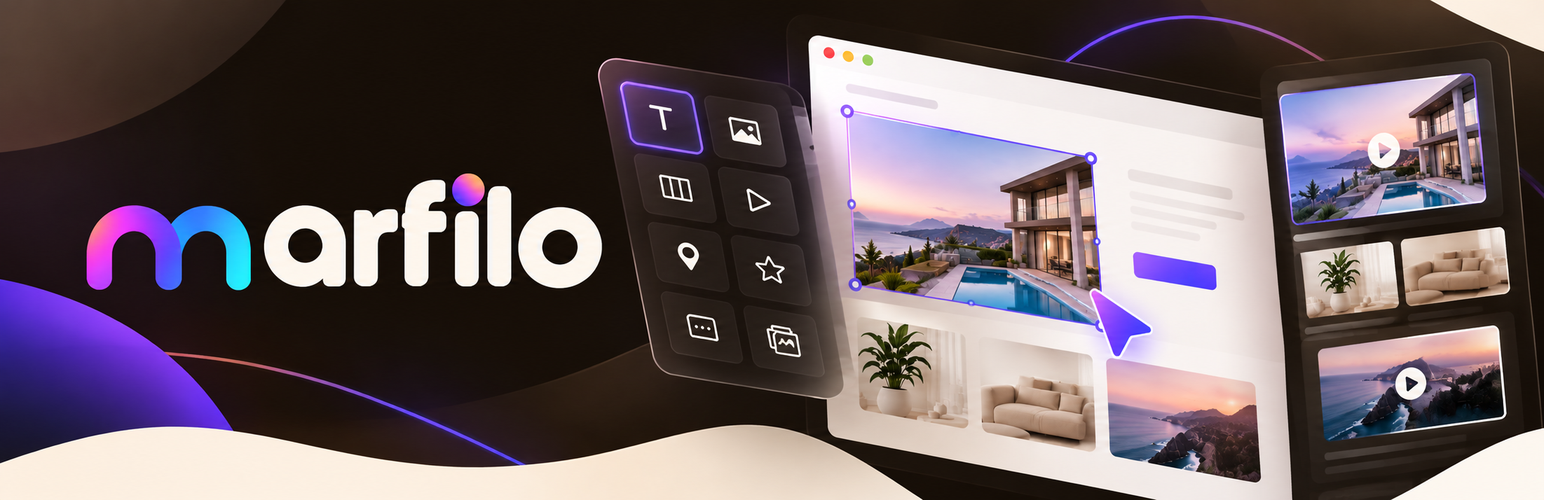
The canvas is not a preview or an approximation. Marfilo loads your actual page, with your theme, your fonts and your spacing, and paints the design inside it. What you drag is what gets published. It is a true visual builder and a WYSIWYG front end editor: you edit the page as your visitors will see it.
Most WordPress page builders send a runtime to every visitor so the page can be assembled in the browser. Marfilo assembles it once, when you press Publish, and stores the result, so your Core Web Vitals do not pay for the editor you used. Headers, footers, sidebars and floating bars are built with those same modules and that same canvas, which makes it a theme builder, a header builder and a footer builder as much as a page builder. Every module can be adjusted for tablet and mobile and styled on hover, without writing a line of CSS.
All 100+ modules ship with the plugin: no bundle to buy, no pro pack to unlock, nothing held back for a paid tier.
Why Marfilo
- Visual builder, real canvas. You design on your real page, inside your real theme, not in a sandbox that looks roughly similar.
- Publishes static HTML and CSS. The editor stays in the admin. Visitors download finished markup and one stylesheet.
- Fast by design. No builder JavaScript on the front end for layout, so Largest Contentful Paint and Total Blocking Time stay low.
- Page builder + theme builder in one. Landing pages, headers, footers, sidebars, pop-ups, side panels and mega menus, all on the same canvas.
- Responsive controls. Desktop, tablet and mobile values for every module, plus hover styles.
- No shortcode lock-in. An optional safety net copies your text, images and links into the page content, so your words stay in WordPress if you ever remove the plugin.
- 100+ modules, all free. Nothing is reserved for a pro version.
- WooCommerce ready. Product pages, cart rows, mini cart and checkout pieces.
Five modules worth the install on their own
Post list — design one card, the site fills in the rest. Instead of picking a layout from a dropdown, you build a single card with whatever modules you like — image, title, date, excerpt, a button — and the site repeats it for every post, page, product or custom post type, filling in each one’s own content. It reads custom fields too, so a property listing, a recipe index or a staff directory is laid out the same way as a blog roll. It works as a post grid, a custom post type grid and a loop builder in one. The same idea drives blog templates, category archives and WooCommerce product pages: design it once, every entry uses it.
Mega menu — a menu that opens a real page. Menu items can open a wide mega dropdown panel holding several columns of links, headings and a promotional photo, all designed with the usual modules on the usual canvas. It is what a shop with forty categories needs and what a plain dropdown cannot do, and it is built here rather than in a separate mega menu plugin. On mobile it folds into a hamburger menu.
Before and after — two photos, one handle. An image comparison slider: drag the divider across to compare a retouch, a renovation, a treatment or a paint job. It works on touch, it needs no configuration beyond the two images, and it is the module that sells a portfolio page on its own.
360 viewer — a product the visitor spins. A 360 product viewer for 360 product rotation: feed it a sequence of photos taken around an object, usually 24 or 36, and the visitor spins it by dragging. It can rotate on its own until somebody touches it. For furniture, jewellery, machinery and anything a single photo undersells.
Photo with hotspots — a picture that explains itself. Image hotspots on any photo: mark any point of an image and attach a title, a description, a price and a link. Hovering a dot opens its bubble. Used for shoppable images, interior shots, floor plans, diagrams, image maps and product features, and it turns one photo into a small catalogue.
100+ modules
Structure
- Anchor — Invisible point a button or menu jumps to.
- Container — Holds modules in a row or a column.
- Content carousel — Turns the modules you put inside into slides.
- Dot navigation — Fixed side dots that jump between sections.
- Logo — Your logo or site name, linked to home.
- Mega menu — Menu items that open a wide multi-column panel.
- Menu — Navigation links, hamburger on mobile.
- Native menu — Built on the WordPress Menus screen, with sub-menus.
Basics
- Button — Call to action with icon, sizes and variants.
- Copyright — Footer line with a year that updates itself.
- Double button — Two buttons and a separator: primary and secondary.
- Icon — One icon with size, shape, alignment and link.
- Label — A short badge: New, Offer, Best seller.
- Notice — Highlighted message with an icon and matching colour.
- Quote — A pull quote with its author.
- Separator — Dividing line with thickness, style, width and icon.
- Space — Air between modules, set per device.
- Text — Paragraph with bold, links and lists.
- Text on a curve — Words along an arc, wave, circle or diagonal.
- Title — Editable heading, h1 to h6, with optional link.
- Animated gradient text — Headline filled with a slowly flowing gradient.
- Block reveal text — Headline uncovered by a sweeping block of colour.
- Glitch text — Headline that flickers like a broken video signal.
- Image-filled text — Big letters filled with a photo that can drift.
- Shape — Decorative circle, blob, dots, wave or squiggle.
- Shuffle letters — Letters that scramble and settle into place.
Content
- Benefit — Icon or image with a title and description.
- Benefits — A grid of benefits with icon, title and text.
- Card that flips — Front and back, turning over on hover.
- Chart — Bar, line, area, pie, doughnut and radar charts.
- Comparison table — Plans in columns with ticks and crosses.
- Content piece — Comments, categories and post navigation the site draws.
- Counter — A figure that counts up when it appears.
- Event calendar — Events with date, time and place, by month.
- Image and text — Image one side, text the other, with button.
- Index of the page — Automatic list of the page headings, linked.
- List with icons — Points with an icon on every line.
- Opening hours — Days and hours, with today highlighted.
- Person — Photo, name, job title and social links.
- Post list — One card design repeated for every entry.
- Price list — Services or dishes with prices on dotted lines.
- Progress bars — Percentage bars that fill when seen.
- Progress circle — A percentage drawn inside a circle.
- Stars — Star rating with text beside it.
- Steps — Process steps, numbered and joined by arrows.
- Table — Data table for sizes, specs and comparisons.
- Testimonial — One review with photo and star rating.
- Testimonials — Several reviews with stars, author and photo.
- Text that types itself — Headline whose words type out and rotate.
- Timeline — Milestones in order with date, title and text.
- WordPress shortcode — Any shortcode, run when the page is served.
- World clock — The time in several cities and zones.
Media
- 360 viewer — A product spun by dragging a photo sequence.
- Animated path — An icon or SVG that draws itself.
- Audio — Player with the browser’s own controls.
- Banner — Photo with text on top, nine positions.
- Before and after — Two photos and a handle you drag.
- Blob shape image — Photo cut into an organic, slowly morphing blob.
- Block reveal image — Photo uncovered by a sweeping block of colour.
- Carousel — Slides with photo, text and button.
- Floating images — Images placed freely, each floating at its own pace.
- Gallery — Photo grid with lightbox on click.
- Image — Photo with ratio, caption, link and hover effects.
- Image accordion — Panels that widen on hover and reveal text.
- Image hover reveal — Big links whose photo follows the pointer.
- Image magnifier — Zoom lens over the area under the pointer.
- Image that scrolls — Tall image scrolling inside its frame on hover.
- List of videos — One big video with thumbnails beside it.
- Lottie animation — Vector animation: light and sharp at any size.
- Map — Google Maps or OpenStreetMap; the address is enough.
- PDF viewer — Catalogue or menu embedded, with a download button.
- Photo with hotspots — Marked areas with bubbles and links.
- Random image — A different image from a list on every visit.
- Sticky video — Shrinks into a corner and keeps playing.
- Tilt image — Photo tilting in 3D with the mouse, with glare.
- Video — YouTube, Vimeo or your own file.
Interactive
- Accordion / FAQ — Questions and answers that open on click.
- Back to top — Button that returns to the top.
- Collapsible — A block that opens and closes on click.
- Content switcher — Two options swapping between two blocks.
- Interactive circle — Wheel of icons revealing the point you touch.
- Open sidebar — Button that opens the site sidebar.
- Reading progress — Thin bar filling as the visitor scrolls.
- Side panel — Button opening a sliding panel of modules.
- Tabs — Content in tabs, without reloading.
Marketing
- Age verification — Gate asking whether the visitor is of age.
- Announcement bar — Notice strip with link, icon and close.
- Call to action — Highlighted box with title, text and button.
- Contact form — Configurable form by email, with anti-spam.
- Countdown — Clock counting down to a date.
- Cover (hero) — Welcome band with title, buttons and background photo.
- Newsletter — Email capture with title, field and button.
- Pop-up window — Coupon or form: on arrival, scroll or exit.
- Pricing table — Plans with price, benefits and one highlighted.
- Strip of logos — Client logos in a row, optionally scrolling.
- Text ribbon — Phrases scrolling non-stop, like a ticker.
- WhatsApp button — Floating button with message and opening hours.
Shop
- Breadcrumbs — Trail from the home page to the product.
- Cart rows — One row design repeated per product. Needs WooCommerce.
- Guarantees — Shipping, secure payment and returns in a row.
- Mini cart — Cart contents without leaving the page. Needs WooCommerce.
- Search box — Field leading to the site’s results.
- Shop piece — WooCommerce pieces inside your design. Needs WooCommerce.
Social
- Share — Buttons to share the page or copy its link.
- Social networks — Icons linking to your profiles.
Advanced
- Code — Code block in monospaced type, never executed.
- HTML — Your own HTML: widgets, embeds and forms.
…and much more.
Built for speed and Core Web Vitals
A page built with Marfilo is compiled once, when you publish. Visitors receive static HTML, a single stylesheet and one small script that wakes interactive modules such as tabs, the accordion or the 360 viewer only where they appear. There is no layout engine to download, no nested wrapper divs generated in the browser and no shortcode parsing on each visit. That is what makes Marfilo a lightweight page builder: the weight stays in the editor, not on your front end.
Live demos and documentation
- Demo 1: marfilo.com/mochi — every page, header, footer and menu in the demos is made with this plugin.
- Demo 2: marfilo.com/vektor
- Demo 3: marfilo.com/showcase
- Support: WordPress.org support forum
External services
Marfilo never checks for its own updates and calls nothing home on its own. Modules that embed a video, a map or an external file contact whoever hosts them, and only if you place such a module and fill in its address.
Freemius (api.freemius.com, wp.freemius.com)
Marfilo uses the Freemius SDK to ask you, once, whether you want to share basic information about your site and whether you want to hear about new releases. Nothing is sent unless an administrator opts in, declining leaves every feature working exactly the same, and the question is not asked again.
If you opt in, this is sent on acceptance and when the plugin is later activated, deactivated or uninstalled: the site address, the name and email address of the administrator who accepted, the WordPress, PHP and Marfilo versions, the site language, and whether the site is a local install. Only for the permissions left ticked on that screen, it also sends the list of active plugins and themes and basic diagnostic data; each can be left off.
Marketing is a separate tick box, “Newsletter”, on the same screen: it is what allows news, announcements and marketing about Marfilo and other products from its author, and accepting the opt-in does not grant it. Every email carries an unsubscribe link, and deactivating Marfilo stops anything being sent.