

LoginHush – Private Login URL & Access Guard
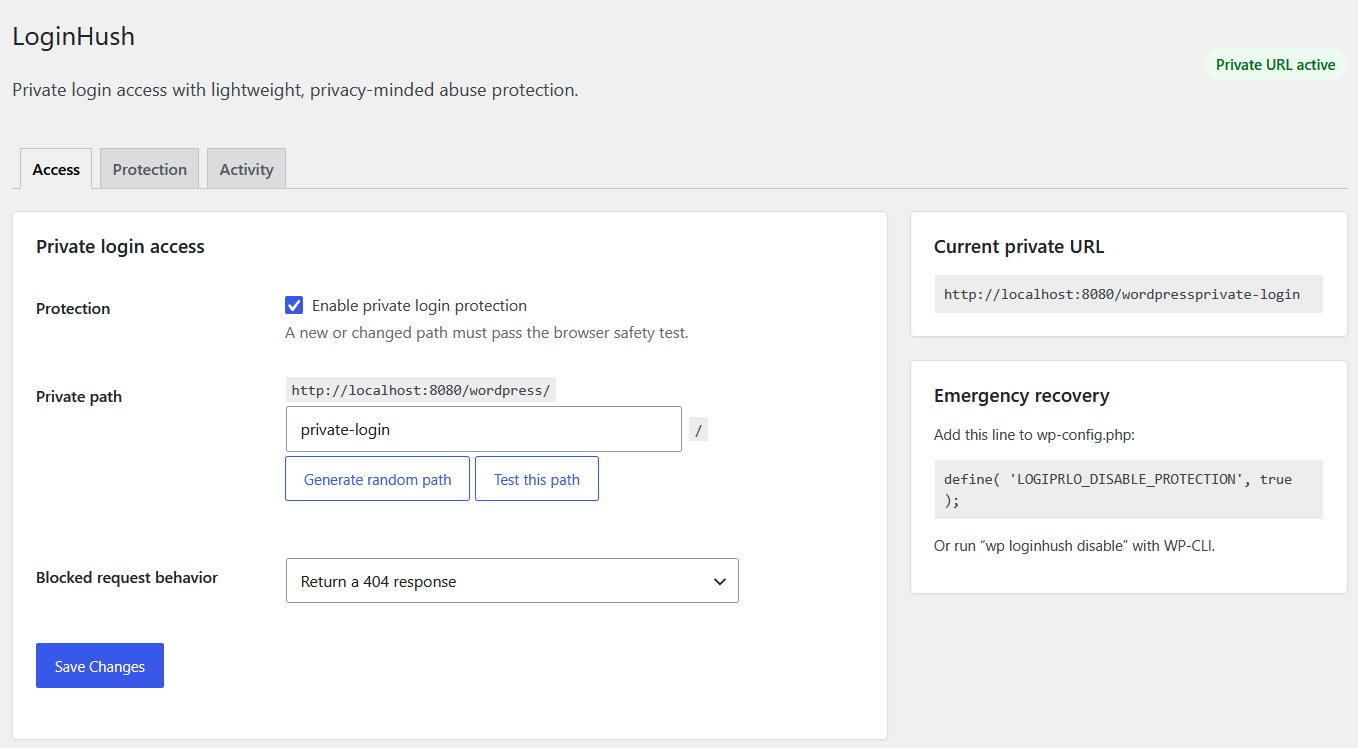
LoginHush replaces the public WordPress login address with a private path without renaming core files. Its optional security layer uses transients for active rate limits and one compact indexed table for the activity log. On Apache sites using Plain permalinks, it maintains one narrowly scoped rule inside a dedicated LoginHush section of .htaccess.
The plugin starts disabled after activation. An administrator must test the candidate path successfully in the browser before protection can be enabled. This prevents the most common accidental lockout scenario.
Features
- Custom private login path.
- Clean login paths on Apache even when WordPress Plain permalinks are selected.
- Safe query-string fallback when a clean-path rule cannot be installed.
- Blocks direct access to wp-login.php and logged-out access to wp-admin.
- Choose a real 404 response or a safe local redirect for blocked requests.
- Browser-based safety test before enabling a new path.
- Random path generator and collision checks.
- Preserves AJAX, admin-post, cron, REST, XML-RPC, WP-CLI, post-password, and WordPress recovery-mode requests.
- Rewrites WordPress-generated login, logout, registration, and password-reset URLs.
- WP-CLI status, URL, path-change, enable, and disable commands.
- wp-config.php emergency bypass.
- Page-cache detection warning.
- Configurable failed-login rate limiting with progressive temporary lockouts.
- Optional login honeypot.
- Throttled email and signed generic webhook alerts.
- Privacy-friendly activity log with automatic retention cleanup.
- Trusted-proxy configuration for Cloudflare and other reverse proxies.
- IPv4/IPv6 allowlist, denylist, and CIDR support.
- Clean uninstall.
Security scope
Changing the login URL and limiting failed attempts reduce common automated login traffic. They are defensive layers, not replacements for strong passwords, software updates, or two-factor authentication.
LoginHush does not block XML-RPC authentication. When activity logging is enabled, it stores masked IP addresses, site-salted hashes, event metadata, and hashed login identities for the configured retention period. Raw IP addresses and usernames are not stored in the log. Email and webhook connections occur only when explicitly enabled.
WP-CLI
wp loginhush statuswp loginhush urlwp loginhush set-slug new-private-pathwp loginhush enablewp loginhush disable