

Log in with Google
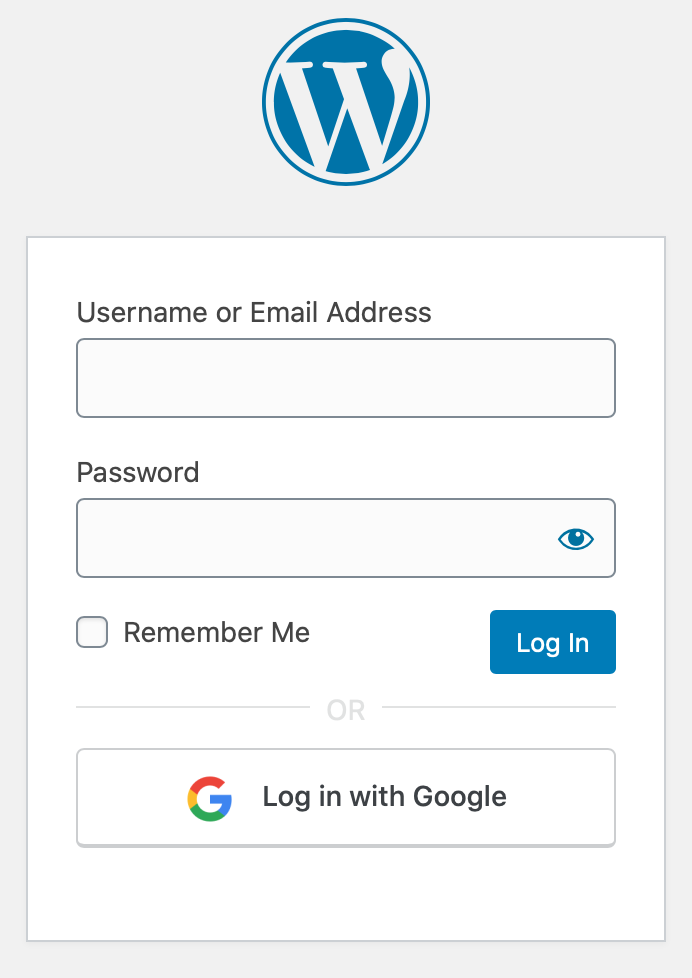
Login screen with Google option added.
Ultra minimal plugin to let your users login to WordPress applications using their Google accounts. No more remembering hefty passwords!
Initial Setup
-
Create a project from Google Developers Console if none exists.
-
Go to Credentials tab, then create credential for OAuth client.
- Application type will be Web Application
- Add
YOUR_DOMAIN/wp-login.phpin Authorized redirect URIs
-
This will give you Client ID and Secret key.
-
Input these values either in
WP Admin > Settings > WP Google Login, or inwp-config.phpusing the following code snippet:define( 'WP_GOOGLE_LOGIN_CLIENT_ID', 'YOUR_GOOGLE_CLIENT_ID' );
define( 'WP_GOOGLE_LOGIN_SECRET', 'YOUR_SECRET_KEY' );
Browser support
These browsers are supported. Note, for example, that One Tap Login is not supported in Safari.
How to enable automatic user registration
You can enable user registration either by
– Enabling Settings > WP Google Login > Enable Google Login Registration
OR
- Adding
define( 'WP_GOOGLE_LOGIN_USER_REGISTRATION', 'true' );
in wp-config.php file.
Note: If the checkbox is ON then, it will register valid Google users even when WordPress default setting, under
Settings > General Settings > Membership > Anyone can register checkbox
is OFF.
Restrict user registration to one or more domain(s)
By default, when you enable user registration via constant WP_GOOGLE_LOGIN_USER_REGISTRATION or enable Settings > WP Google Login > Enable Google Login Registration, it will create a user for any Google login (including gmail.com users). If you are planning to use this plugin on a private, internal site, then you may like to restrict user registration to users under a single Google Suite organization. This configuration variable does that.
Add your domain name, without any schema prefix and www, as the value of WP_GOOGLE_LOGIN_WHITELIST_DOMAINS constant or in the settings Settings > WP Google Login > Whitelisted Domains. You can whitelist multiple domains. Please separate domains with commas. See the below example to know how to do it via constants:
define( 'WP_GOOGLE_LOGIN_WHITELIST_DOMAINS', 'example.com,sample.com' );
Note: By default, whitelisted domain restrictions apply to both registration and login for existing accounts. To allow existing users to log in with Google regardless of domain allowlist, use the rtcamp.google_enforce_whitelisted_domains_on_login filter and return false.
Hooks
For a list of all hooks please refer to this documentation.
wp-config.php parameters list
-
WP_GOOGLE_LOGIN_CLIENT_ID(string): Google client ID of your application. -
WP_GOOGLE_LOGIN_SECRET(string): Secret key of your application -
WP_GOOGLE_LOGIN_USER_REGISTRATION(boolean) (optional): SettrueIf you want to enable new user registration. By default, user registration defers toSettings > General Settings > Membershipif constant is not set. -
WP_GOOGLE_LOGIN_WHITELIST_DOMAINS(string) (optional): Comma-separated list of allowed domains for login and registration. When configured, restricts authentication and account creation to matching email domains. By default, it will allow all domains. You can whitelist multiple domains.