

All-in-One Microsoft 365 & Entra ID / Azure AD SSO Login
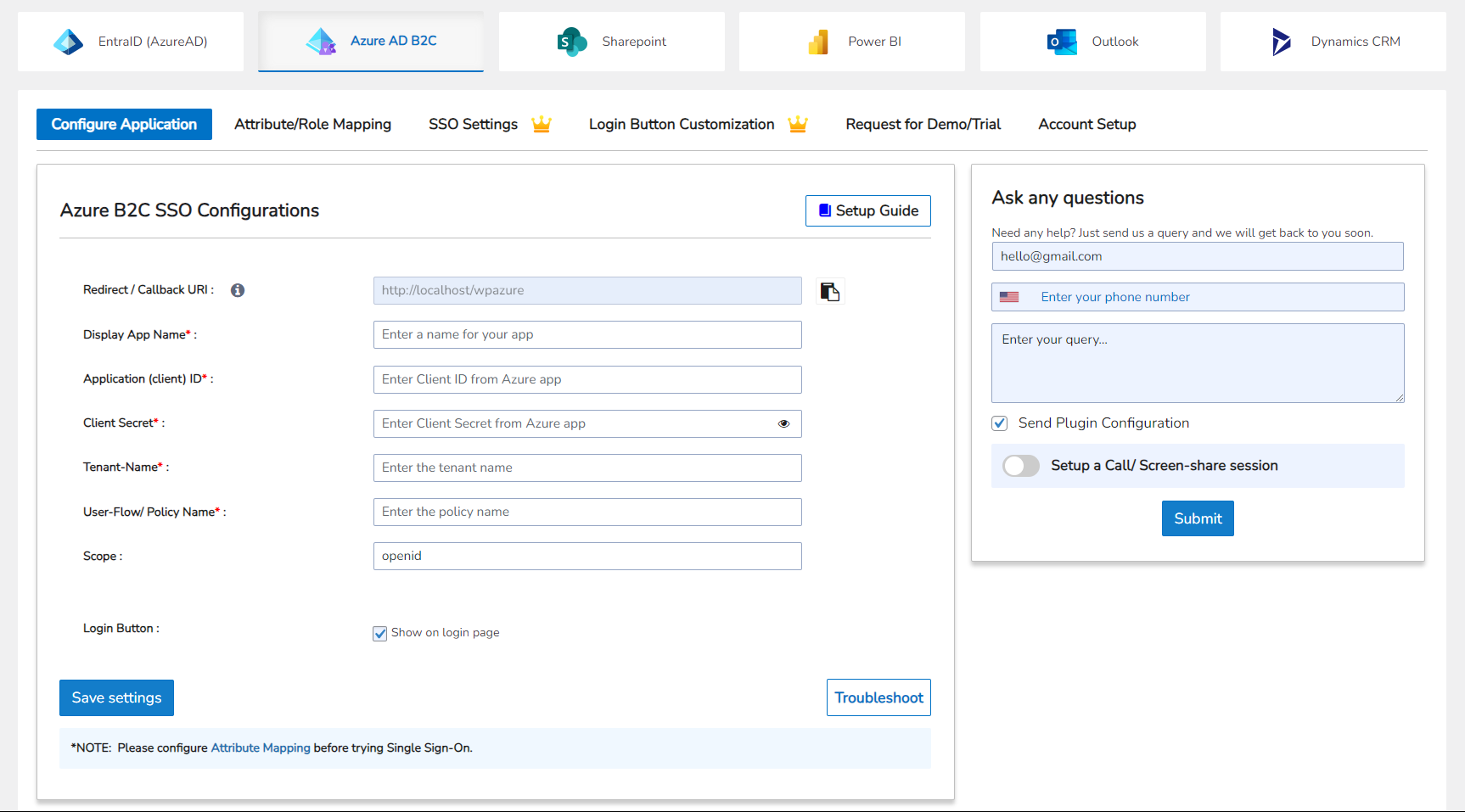
Connect your WordPress site with WordPress Azure AD/Azure B2C SSO
Unify Logins, Data, and Teams with Azure AD Single Sign On (SSO) for WordPress
The All-in-One Microsoft 365 & Entra ID/Azure AD SSO Login Plugin connects WordPress with Azure AD (Entra ID) and Microsoft 365 services like SharePoint, Power BI, Outlook, and Dynamics 365 CRM. Through Single Sign On (SSO), users can log in once with their Microsoft account and access both WordPress and their Microsoft 365 apps without switching between logins.
The plugin supports WordPress SSO Azure AD, Azure AD B2C/ Entra External ID, giving you flexibility to authenticate employees, customers, and external partners through the same secure system. Administrators can manage access, permissions, and user roles directly in Azure Active Directory, keeping everything in sync and secure. It’s a reliable and straightforward way to extend Microsoft’s authentication and identity management to your WordPress site.
How the Plugin Helps You Simplify Microsoft 365 Azure AD SSO and Integrations
- Quick WordPress Azure AD SSO Setup
Set up WordPress Azure AD SSO in just a few minutes. Once connected, your WordPress site automatically links with Microsoft 365 tools such as SharePoint, Power BI, and Outlook using Azure AD credentials. After authentication, users can log in once and securely access Microsoft apps through Single Sign On experience.
- Supported SSO Protocols
Authentication runs on trusted industry standards including OAuth 2.0, OpenID Connect, and SAML 2.0. These protocols power Azure AD SSO, providing encrypted, scalable, and compliant connections for all users. With Azure Active Directory Integrations, organizations can ensure their login process meets enterprise-level security standards.
- Microsoft 365 Office Integrations
Integrate Microsoft Azure services directly into WordPress. Users can view SharePoint libraries, embed Power BI dashboards, sync Outlook calendars, and manage Dynamics 365 CRM data without leaving the site. Each connection stays protected under Azure Active Directory Integrations, giving administrators complete visibility and control through Login with Azure AD.
- Just-in-Time (JIT) and Real-Time User Provisioning
User management becomes effortless with Azure SSO Integration. Just-in-Time provisioning automatically creates a WordPress account when someone logs in with Azure AD SSO, eliminating manual setup. Real-time provisioning keeps user details updated by syncing directly with Azure Active Directory, so any role, department, or permission change in Azure appears instantly in WordPress. Together, they keep data accurate and administration simple across your Microsoft Azure SSO environment.
Need Help or Have Doubts?
If you have any questions, configuration issues, or customization requests, contact our support team at [email protected].
Quick Access Resource: : Official Website | Pricing Plans | Plugin Feature Orientation Handbook | Setup Guide | Power BI Integration | SharePoint Integration | Dynamics CRM Integration | Outlook/Teams Integration | Contact Us
Connect WordPress with Azure AD for Secure Single Sign On
Enable WordPress SSO Azure AD to let users log in to WordPress using their Azure Active Directory (Entra ID) or Azure AD B2C accounts. This Microsoft Azure Integrations setup connects your WordPress site to your organization’s Microsoft 365 environment, creating a single, secure entry point for all users. With Azure Active Directory Integrations, authentication becomes simpler, access control is centralized, and identity management stays consistent across platforms.
Secure Login with Microsoft Azure AD
-
Log in using WordPress Azure SSO instead of multiple WordPress credentials.
-
Extend Azure Active Directory Integrations to WordPress for unified access and authentication.
-
Strengthen identity security through Microsoft Azure SSO and policy-based access.
User Management and Provisioning
-
Automatically create and update users during login through WordPress Azure AD and Azure SSO Integration.
-
Keep roles, attributes, and memberships in sync through Azure Active Directory.
-
Manage accounts centrally with Microsoft Azure Integrations while WordPress reflects changes in real time.
Supported Identity Providers
-
Azure AD (Entra ID) for employee and internal authentication.
-
Azure AD B2C for customer or external access.
-
Entra External ID for vendors and business partners under one Login with the Azure AD environment.
Authentication Protocols
-
Configure Azure AD SSO through OAuth 2.0, OpenID Connect, or SAML 2.0.
-
Ensure every Microsoft Azure SSO session is secure and encrypted.
-
Maintain token-based authentication for scalable and compliant Azure Integrations.
Role and Attribute Mapping
-
Assign roles based on Azure Active Directory groups or user attributes.
-
Map fields like department, job title, or region into WordPress using Azure Active Directory Integrations.
-
Simplify user access management with claims-based role mapping through Login with Azure AD.
Multi-Tenant and Multi-Application Support
-
Allow users to authenticate from multiple Azure tenants under a single WordPress Azure SSO setup.
-
Manage several Azure applications within one environment to cover all sites and departments.
-
Ideal for large enterprises using distributed Microsoft Azure Integrations across multiple WordPress environments.
Manage and Collaborate on SharePoint Files & Media in WordPress
Bring your SharePoint workspace directly into WordPress through our SharePoint/OneDrive Integration. After users sign in with Azure AD Single Sign On, they can securely browse, upload, and collaborate on files without switching between platforms. This setup bridges SharePoint WordPress Integration and Azure Active Directory Integrations, making file management, access control, and collaboration seamless across your Microsoft 365 ecosystem.
Embed SharePoint Content in WordPress
- Add SharePoint documents, lists, and folders directly to WordPress pages or posts.
- Use blocks or shortcodes for clean layouts that match your site design.
- Let authenticated users preview, download, and manage files using WordPress SSO Azure AD.
Simplify Document Management
- Manage, upload, and edit SharePoint files securely through Microsoft Azure SSO.
- Keep document versions synced across systems for consistent access.
- Maintain folder hierarchy, permissions, and access rules automatically.
Restrict and Protect File Access
- Control SharePoint file access through Azure AD roles and WordPress permissions.
- Apply built-in access policies automatically after Login with Azure AD.
- Keep confidential files private and prevent external sharing.
Sync Profiles, Sites, and Metadata
- Synchronize SharePoint sites and user profiles with WordPress Azure SSO.
- Reflect organizational updates like department or group changes from Azure Active Directory.
- Maintain data integrity through real-time, bidirectional synchronization.
Search and Filter SharePoint Files
- Search SharePoint libraries directly inside WordPress.
- Filter by document type, owner, or upload date to locate files faster.
- Speed up content discovery using built-in Azure Integrations indexing.
Create and Share File Links
- Generate secure links for previews or file downloads.
- Insert links into WordPress dashboards or internal pages for collaboration.
- Track link usage while keeping your Microsoft 365 SharePoint data protected.
Edit and Upload Files Seamlessly
- Upload or modify documents from WordPress while keeping SharePoint permissions intact.
- Sync updates instantly for live collaboration across platforms.
- Empower teams to work together without leaving your WordPress environment.
Display SharePoint News and Updates
- Import company updates, news, and announcements from SharePoint into WordPress.
- Publish feeds as posts or widgets to keep employees informed.
- Unify communication with Microsoft Azure Integrations for consistency across channels.
Visualize Business Insights with Power BI in WordPress
Turn your WordPress site into an interactive analytics hub using our WordPress Power BI Integration. Once users log in through Azure AD Single Sign On, they can securely view and interact with live Power BI reports directly on your website. This integration helps organizations combine the flexibility of WordPress with the analytical depth of Microsoft’s data tools, giving teams and clients access to insights in real time through Power BI WordPress dashboards.
Embed Power BI Reports and Dashboards
- Embed Power BI in WordPress pages, posts, or dashboards to display live analytics.
- Add visuals such as charts, scorecards, and KPIs using Azure Active Directory Integrations.
- Keep reports automatically refreshed using secure connections via Azure AD SSO.
Control Access with Row-Level Security
- Use Row Level Security (RLS) to show each user only the data they’re allowed to view.
- Link filters and permissions with Azure AD groups and user roles.
- Maintain strict data access policies while using Microsoft Azure Integrations.
Manage and Customize Content Access
- Control report visibility based on WordPress roles, Azure AD groups, or login status.
- Restrict access by domain or membership for tailored content delivery.
- Manage all content policies from a single Connect WordPress to Power BI configuration.
Embed Specific Report Pages
- Display selected Power BI report pages or visuals for targeted insights.
- Customize filters, themes, and interactions directly within WordPress.
- Offer clients or teams curated views of analytics through Power BI WordPress integration.
Ensure Security and Compliance
- Use secure authentication through Azure AD SSO and token-based connections.
- Protect all Power BI sessions under Microsoft 365 compliance standards.
- Keep sensitive business data encrypted and accessible only to verified accounts.
Real-Time Analytics Synchronization
- Reflect instant updates as data changes in Power BI or Azure.
- Keep dashboards and permissions synced with Azure Active Directory.
- Deliver accurate, real-time analytics within your WordPress Azure SSO environment.
Sync Outlook/Microsoft Teams with WordPress for Calendars, Contacts, and Events
Bring your Outlook experience into WordPress with WordPress Outlook and Microsoft Teams Integration. Once users sign in through Azure AD Single Sign On, they can manage calendars, meetings, and contacts right from your site. This Microsoft Azure SSO integration simplifies scheduling, event management, and communication in one unified workspace.
Display Outlook Calendars, Mail, and Tasks
- Embed personal or shared calendars in WordPress pages or widgets.
- Show daily, weekly, or monthly calendar views.
- Include Outlook tasks or notifications for each signed-in user.
Two-Way Contact Synchronization
- Keep Outlook and WordPress contact lists updated in both directions.
- Sync new, updated, or deleted contacts automatically.
- Optionally import team or reporting hierarchy information from Azure AD.
Event Creation and Real-Time Sync
- Create and manage Outlook events directly from WordPress.
- Reflect edits or cancellations in both systems instantly.
- Send invitations through Outlook with responses captured in WordPress.
Advanced Access and Display Controls
- Limit who can view or edit events using Azure AD groups or WordPress roles.
- Support multiple shared calendars for teams with Azure SSO Integration.
- Let users schedule meetings in WordPress with real-time free/busy checks from Outlook.
Security and Compliance
- Use token-based authentication through Microsoft Azure SSO.
- Enforce access rules based on Azure Active Directory permissions.
- Track and audit user activity for compliance and visibility.
Send Emails from WordPress Using Microsoft Graph API
Simplify secure communication with WordPress Azure Office 365 Integration. Instead of traditional SMTP, send emails through the Microsoft Graph API, powered by Azure AD Single Sign On. This modern authentication ensures reliability, encryption, and compliance across all your Microsoft 365 accounts.
Send Emails with Microsoft Graph
- Deliver messages directly from WordPress through Graph API.
- Avoid SMTP failures and outdated credentials.
- Route every message securely via Azure SSO Integration.
Save Emails to Outlook Sent Items
- Automatically store outgoing emails in Outlook’s Sent folder.
- Keep communication logs synced across WordPress and Microsoft 365.
- Ensure all sent mail is traceable and auditable.
Automate User Notifications
- Send welcome messages automatically for new users logging in through Azure AD SSO.
- Notify users about role or membership changes in real time.
- Configure trigger-based alerts to improve engagement.
Customizable Email Templates
- Design messages in HTML or plain text with placeholders for dynamic data.
- Use branded templates for consistent communication.
- Access premium layout options for advanced customization.
Secure Attachments and Delivery
- Attach files from your WordPress media library directly.
- Support multiple file types with verified delivery.
- Comply with Microsoft 365’s security and encryption standards.
Integrate Dynamics 365 CRM with WordPress for Real-Time Data Sync
Create a unified data ecosystem with WordPress Dynamics 365 Integration. Once users log in with Azure AD SSO, they can view, update, and manage customer records directly from WordPress. This WordPress Dynamics CRM Integration helps sales, marketing, and support teams work together more efficiently while keeping all customer data secure through Azure SSO Integration.
Sync CRM Objects
- Sync contacts, accounts, leads, and opportunities between WordPress and Dynamics 365 Sales.
- Automatically reflect CRM updates across both systems in real time.
- Maintain consistency between Microsoft Dynamics 365 and WordPress databases.
Inventory and Order Synchronization
- Sync orders, products, and purchase history with Dynamics 365 Business Central.
- Manage product inventory and transactions directly inside WordPress.
- Offer customers accurate, real-time order details secured through Microsoft Azure SSO.
Interact with CRM Data Seamlessly
- View, edit, and create CRM records from within WordPress.
- Update leads, accounts, or opportunities without switching platforms.
- Streamline operations through Azure AD Single Sign On.
Real-Time Data Updates
- Keep records synchronized continuously between WordPress and Dynamics.
- Reflect CRM changes instantly through automated Azure SSO Integration.
- Eliminate duplication and manual entry across departments.
CRM Deployment and Compatibility
- Compatible with Dynamics 365 Online and On-Premise deployments.
- Works across multiple Microsoft environments.
- Uses secure Azure AD authentication for data access and synchronization.
Capture Leads from WordPress
- Use web-to-lead forms to send new leads directly to Dynamics CRM.
- Auto-assign leads to sales teams and track progress in real time.
- Verify and prefill user data using Azure AD SSO for secure submissions.
Feedback & Support
We value your feedback and are here to help with Azure SSO integration, licensing, or custom development. Contact our support team at [email protected]. for assistance today.