


LogicWeft Salon – Booking, Front Desk & Day Close for WooCommerce
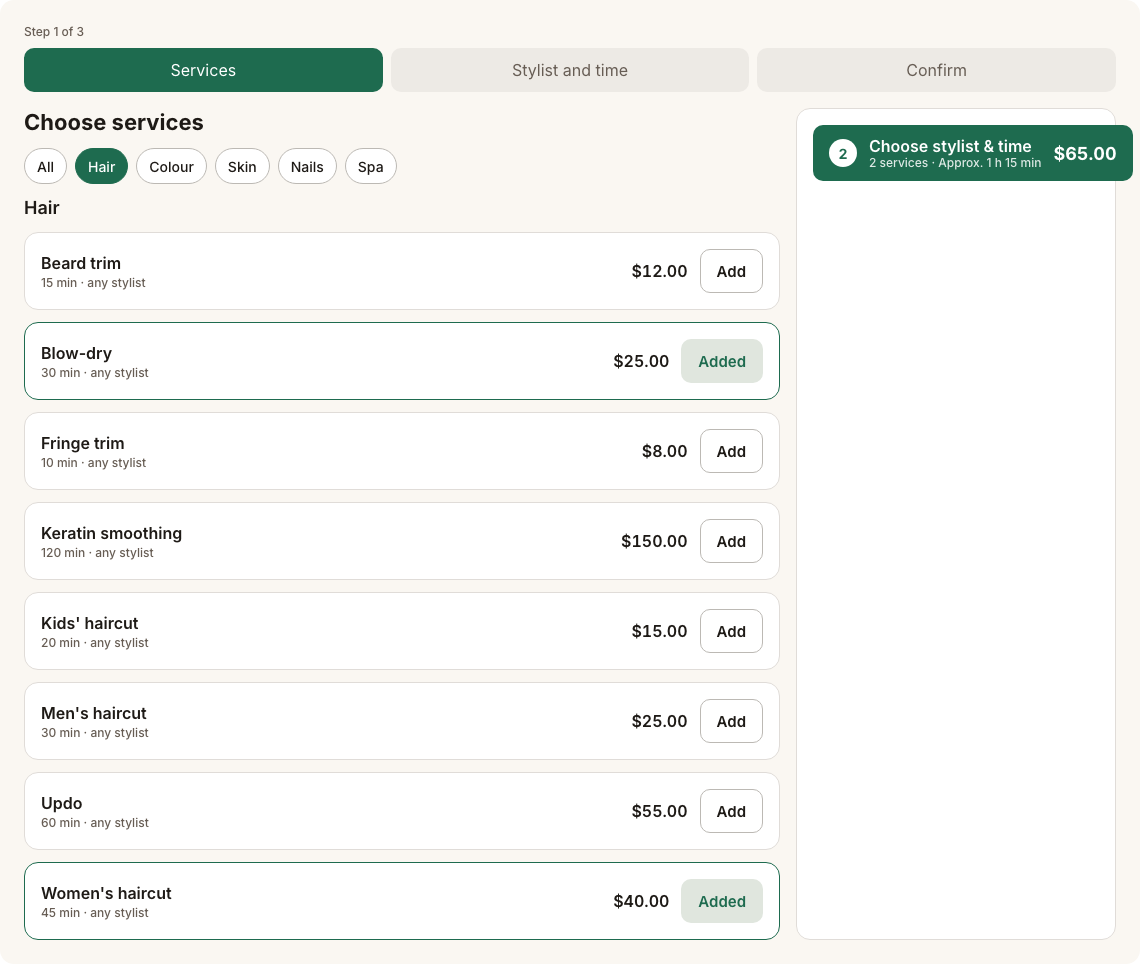
Online booking: choose services from the menu, filtered by category.
LogicWeft Salon turns a WooCommerce site into a salon system: clients book services and stylists online, the front desk runs the day from a tablet, stylists see their day on a phone, and the owner closes the day with numbers that match WooCommerce.
Services are WooCommerce products and appointments are WooCommerce orders, so your gateways, taxes, coupons and reports keep working, and retail products go in the same cart as a haircut.
Free includes
- Online booking: services, add-ons, stylist choice or “anyone”, back-to-back slots, guest booking
- Full prepayment or pay at the salon, cancellation policy and windows
- Operator App: Today board, calendar by staff, walk-in queue, stylist My day, run-late and pause
- Client cards with history, notes and allergy banner
- Day close and today dashboard
- Waitlist, QR walk-in join page and My Account bookings with reschedule and cancel
- Setup wizard with optional demo data; WP-CLI demo commands
- Booking emails through WooCommerce, with .ics and Google Calendar links
- Palette presets and appearance settings; Elementor widgets, blocks and shortcodes
- Translation-ready with RTL support
Everything listed above is included, with nothing locked.
External services
LogicWeft Salon does not send data from your site to any outside service, and it loads no remote scripts, styles or fonts.
Google Calendar (link only)
The booking confirmation page and the confirmation email show an “Add to Google Calendar” link. Nothing is sent when the page loads. Only when a client clicks the link, their browser opens calendar.google.com with the appointment’s service name, time, salon name and address in the link, so Google can pre-fill a calendar event. The same page also offers a downloadable .ics file, which stays on your site.
* Google Terms of Service: https://policies.google.com/terms
* Google Privacy Policy: https://policies.google.com/privacy
Source code
The JavaScript and CSS in assets/ are compiled. Their human-readable source ships with the plugin in apps/: the booking widget (apps/booking), the Operator App and its service worker (apps/operator), the Appearance screen (apps/admin), the shared stylesheets (apps/ui) and the shared Operator App shell, components and design tokens (apps/wc-ops-core-ui), written in TypeScript and React.
To rebuild assets/ from that source, use Node.js 20 or newer and pnpm 9 or newer in the plugin folder:
pnpm install && pnpm build
The build uses Vite, TypeScript, React and vite-plugin-pwa, as listed in the package.json files. The PHP code is not compiled.
Third-party libraries
JavaScript, compiled into assets/ (source in apps/):
- React, React DOM and scheduler (MIT).
- Workbox 7 (MIT), with idb (ISC), in the Operator App’s service worker.
Fonts:
- Inter and Manrope variable fonts (SIL Open Font License 1.1), packaged by Fontsource and bundled, so no font is loaded from another site. Their licences are in
licenses/.
PHP: the plugin’s shared WooCommerce operations library (GPLv2 or later, by the same author) ships in vendor-prefixed/ under the LogicWeft\Salon\Vendor namespace, so it cannot clash with another plugin’s copy.