


Booking Engine by Lodgify
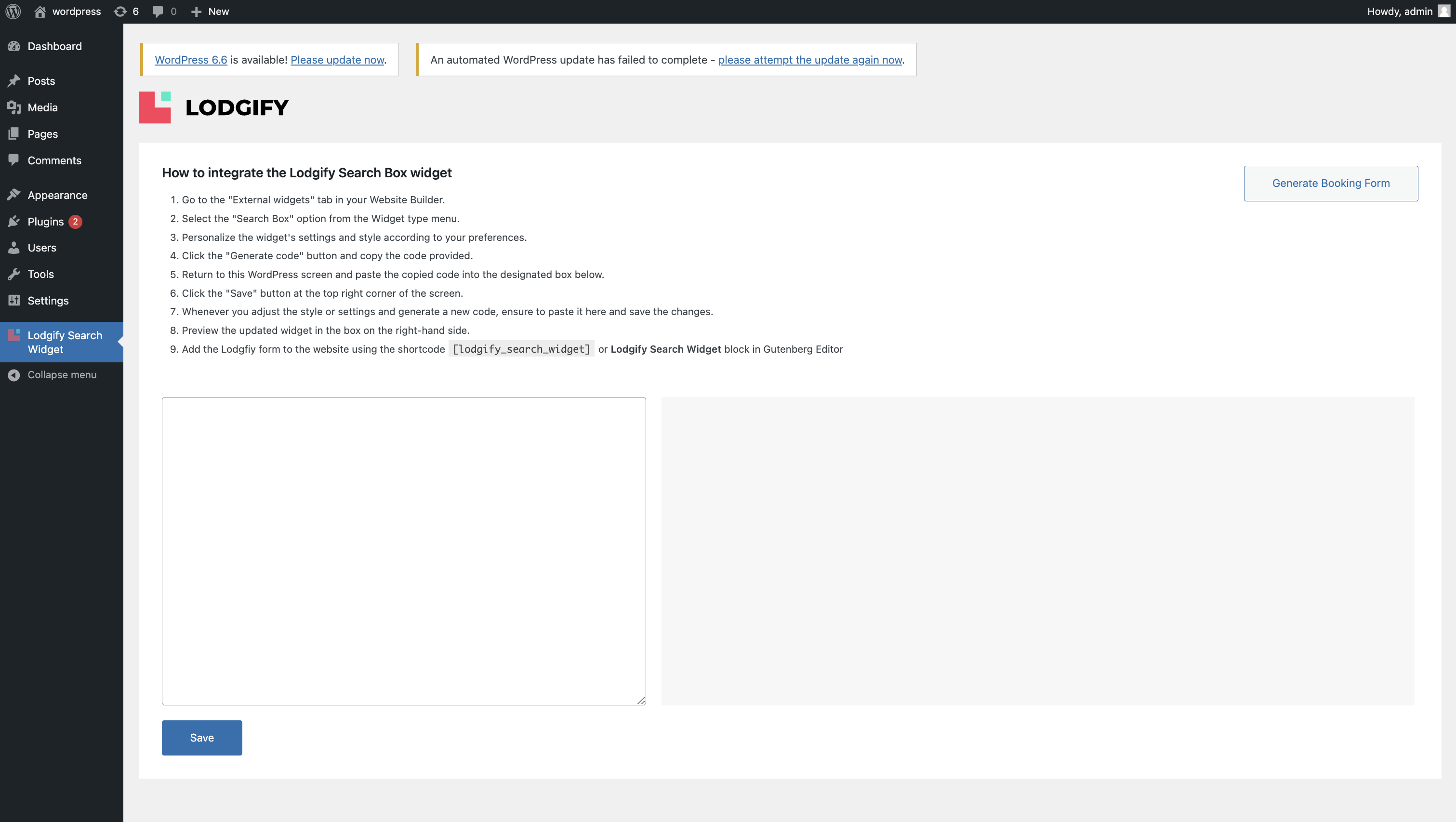
How the plugin looks like in Wordpress plugin settings
Lodgify is a vacation rental property management software (PMS) that simplifies the management and marketing of lodging businesses for independent hosts and property managers. With Lodgify, users can take advantage of property management (PM) modules, synchronize their calendars across top booking platforms (such as Airbnb, Vrbo, and Booking.com), and drive direct bookings through a direct booking site or direct booking widget.
Lodgify’s most popular features include:
- Channel manager
- Reservation system
- Website builder
- Embeddable booking widget
- Unified inbox
- Guest management tools
- Task management tools
- Automation & AI tools
- Reporting & analytics
- Payment processing
Lodgify’s vacation rental direct booking engine enables you to:
- Accept direct bookings directly through your existing vacation rental website.
- Process payments for your direct bookings via top payment gateways. You can accept Visa, MasterCard, and American Express the moment you launch the direct booking engine.
- Sync your direct booking calendar, reservations, and listings with the rest of your channels (such as Airbnb or Vrbo).
- Ensure seamless communication with your direct booking guests through automation and synchronization.
How the Lodgify direct booking engine works:
To start driving direct bookings for your business, simply paste the embeddable code Lodgify generates into your vacation rental site. You also have the option to customize the direct booking widget so that it fits seamlessly with your website’s look and feel via your Lodgify account.
Users can start making direct bookings through your site as soon as you install the plugin. When users click on the booking widget, they will be directed to the All Properties page, the Rental page, and finally the Checkout page, in that order:
- The All Properties page is the page where users can see all available rentals. Users can select dates and also see each rental’s location.
- The Rental page is the page where users see all the details for the selected property, including an overview, rates, reviews, amenities, and house rules.
- The Checkout page is where users complete their booking for the selected rental. They can fine-tune the final settings, such as contact details, and complete their transaction by choosing their preferred payment method.
Visit the Lodgify Knowledge Base to learn more about the Lodgify direct booking engine.
Read more about Lodgify’s terms and conditions and privacy policy.
Types of Booking Engine’s
- Search Box, in case you have several rentals, the Search Box will show a possibility to filter by location. If you only offer one rental, guests can search by available dates and number of guests.
How to start using it?
Simply signing or logging to Lodgify will be sufficient to begin the journey (You can also visit the Lodgify plugin in WordPress to see the next steps). Then the rentals hosted in Lodgify can be used on your website through this booking engine plugin.
The following must be done first to be able to use the plugin:
- You have a Lodgify subscription
- Have rentals at Lodgify. This is super easy, you can also automatically import your rentals through OTA’s.
- Now you can use the booking engine code snippet on your WordPress website