


LMComments
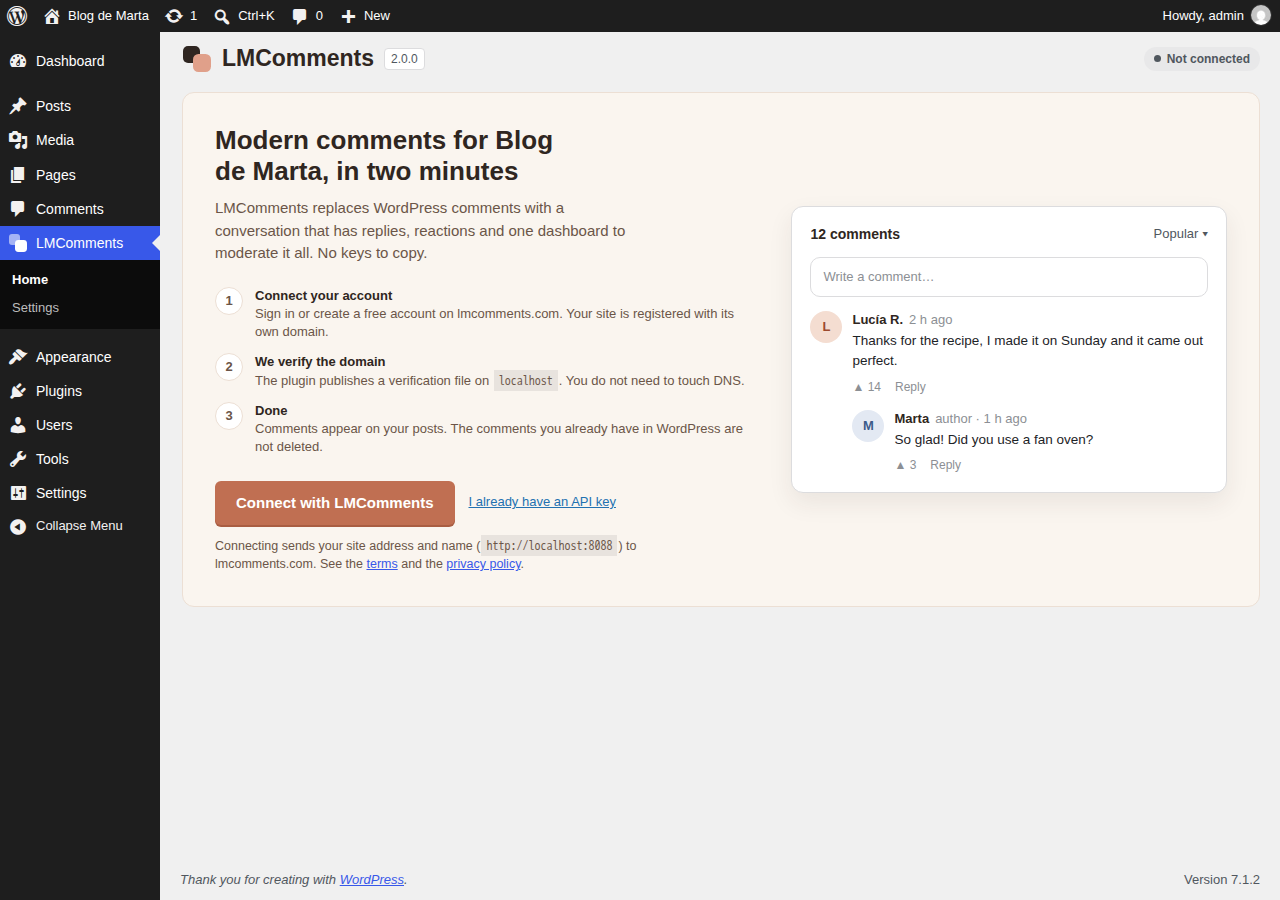
The welcome screen: one click to connect.
LMComments replaces the WordPress comments section with a modern conversation: threaded replies, reactions, sign-in with Google or Discord, and a moderation dashboard that works for every site you run.
Set up in two minutes. Click Connect with LMComments, sign in or create a free account, and you are back in WordPress with everything configured. The plugin proves you own the domain by itself, so there is nothing to copy and no DNS to edit.
What you get
- Threaded conversations with replies, mentions, reactions and voting.
- One place to moderate: approve, reject, ban and filter from the LMComments dashboard, with a history of who did what. Invite moderators on paid plans.
- Anti-spam built in, and native WordPress comment submissions are blocked where LMComments runs.
- Looks like your site. The widget blends into your theme’s background, light or dark. Fine-tune colours, corners and layout in the LMComments console with a live preview.
- Works with any theme: classic themes, block themes (it replaces the Comments block), and the Madara manga theme.
- Place it anywhere with the LMComments block or the
[lmcomments]shortcode, and switch it off for any single post. - Your comments follow your URLs. Change a post’s permalink and its conversation moves with it.
- Nothing is lost. Your existing WordPress comments stay in your database, untouched. Deactivate the plugin and they show again.
Free and paid plans
The free plan includes 10,000 comments a month. Paid plans add moderators, word filters, bulk moderation and higher limits. See plans and pricing.
External services
This plugin is the WordPress integration of LMComments, a hosted comment service run by LMComments at lmcomments.com. The comments themselves are stored and served by that service, so the plugin cannot work without it. It connects to it in these cases:
- Showing the comments (every page where comments appear, once the site is connected): your visitor’s browser loads the script
https://lmcomments.com/embed/loader.js, which displays the comments in an iframe fromlmcomments.com. The service receives the visitor’s IP address and browser details, your site’s API key and site name, and the address and an internal identifier of the page. When a visitor comments, reacts or signs in, the service stores what they submit and their account details. Older versions of the plugin could keep a copy of the visitor’s sign-in in your site’s local storage; the script still reads such a copy until it expires but no longer creates one. - Connecting (only when an administrator clicks Connect with LMComments): the administrator is sent to
lmcomments.comwith your site’s address and name. Back in WordPress, your server exchanges a one-time code withhttps://lmcomments.com/api/connect/exchangeto receive the site’s credentials. - Verifying your domain (right after connecting, and when an administrator clicks Check again): your server asks
https://lmcomments.com/api/connect/verifyto check the file the plugin publishes at/.well-known/lmcomments-site-verification.txt. The service then requests that file from your site. - Status and appearance panels (when an administrator opens the plugin’s page): your server requests
https://lmcomments.com/api/connect/statusandhttps://lmcomments.com/api/sites/appearance, sending the site’s credentials and address. - Daily check-in (once a day while the site is connected and the plugin is switched on): your server sends the plugin version and your site’s address to
https://lmcomments.com/api/heartbeat. - Keeping comments attached to your URLs (when a published post’s permalink changes, or when an administrator runs Update all posts): your server sends the old and new slug, or the post ID and slug, to
https://lmcomments.com/api/migration/. - Moving settings once (the first time an administrator opens the plugin after updating from a version before 2.0): the appearance settings saved in older versions are sent to
https://lmcomments.com/api/connect/appearance-import.
Nothing is sent to LMComments before the site is connected, except that the setup notice links to it.
LMComments Terms of Service and Privacy Policy.