
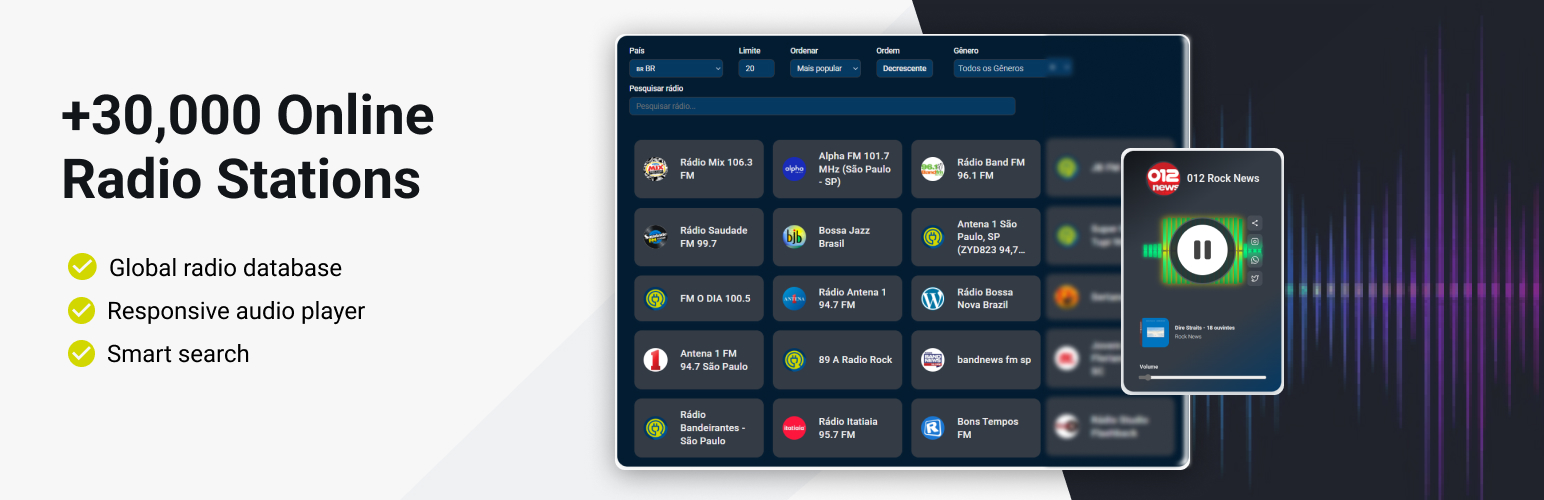

Radio Browser Stations
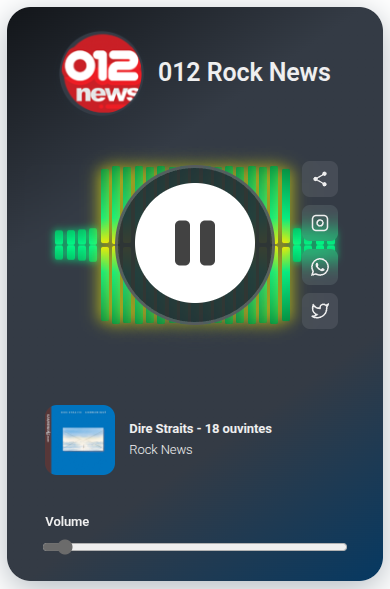
Radio player displaying a selected station with controls and information
Integrate thousands of online radio stations into your WordPress website with the Radio Browser Stations plugin.
Disclaimer
This plugin is an independent project developed by LinkNacional. It is not affiliated, endorsed, or sponsored by Radio-Browser.info, WordPress, or Select2.
- Radio-Browser.info is a free, public API and database of radio stations. This plugin uses their API to fetch station data and stream audio, but there is no official relationship or partnership.
- Select2 is an open-source JavaScript library used to enhance dropdowns and search fields. This plugin includes Select2 locally and does not load it from external servers.
- WordPress is a registered trademark of the WordPress Foundation. This plugin is designed for WordPress but is not officially associated with the project.
All trademarks, service marks, and project names mentioned are the property of their respective owners. Usage in this plugin is solely for integration purposes and does not imply any affiliation.
External Service Documentation
This plugin uses the public API from Radio-Browser.info to fetch radio station data and stream audio. No user data is collected, stored, or transmitted by this plugin. The API is free to use and does not require registration or API keys.
What is sent/received:
– The plugin sends requests to Radio-Browser.info to retrieve station lists and streaming URLs.
– No personal or sensitive user data is sent to Radio-Browser.info.
– Audio streams are played directly from the radio station servers via the URLs provided by the API.
Terms and Privacy:
– Radio-Browser.info Terms of Service
– Radio-Browser.info Privacy Policy
No user tracking:
This plugin does not track users or collect analytics data. Its sole purpose is to display and play radio stations using public data from Radio-Browser.info.
This powerful plugin connects to the Radio-Browser.info database, providing access to over 30,000 radio stations worldwide with a beautiful, responsive radio player and customizable station lists.
Perfect for music blogs, radio websites, entertainment portals, or any site that wants to offer streaming audio content to visitors.
Features
- Global Radio Database: Access to 30,000+ radio stations from Radio-Browser.info
- Beautiful Audio Player: Modern, responsive HTML5 audio player with volume controls
- Customizable Radio Lists: Display radio stations with filtering and sorting options
- Smart Search Functionality: Find stations by name, country, or genre
- SEO-Friendly URLs: Clean, readable URLs for individual radio stations
- Responsive Design: Works perfectly on desktop, tablet, and mobile devices
- Easy Integration: Simple shortcodes to embed radio lists and players anywhere
- Audio Streaming Proxy: Built-in proxy for smooth audio streaming with CORS support
- Country Filtering: Filter stations by country with support for all nations
- Multiple Sort Options: Sort by popularity, name, bitrate, or random order
- Station Information: Display station logos, descriptions, and statistics
- Click Tracking: Integration with Radio-Browser.info’s click statistics
Minimum Requirements
For this plugin to work correctly, you will need:
- WordPress version 5.0 or later
- PHP version 7.4 or later
- An active internet connection for streaming radio content
- Modern web browser with HTML5 audio support
External Libraries
- This plugin uses the Select2 JavaScript library to enhance the search and selection experience for radio stations. Select2 provides a modern, responsive dropdown with search, filtering, and accessibility features, making it easier for users to find and select stations from large lists.
Usage
Using the Radio Browser plugin is straightforward with two simple shortcodes:
Radio Station List
Display a list of radio stations with filtering options:
[radio_browser_list]
Available Parameters:
player_page– The page slug where your radio player is located (default: “player”)countrycode– Filter stations by country code (default: “BR” for Brazil)limit– Number of stations to display (default: 20)sort– Sort order: “clickcount”, “name”, “random”, “bitrate” (default: “clickcount”)search– Pre-filter stations by search termhide_country– Hide country filter (yes/no)hide_limit– Hide limit field (yes/no)hide_sort– Hide sort options (yes/no)hide_search– Hide search field (yes/no)hide_all_filters– Hide entire filter form (yes/no)
Example:
[radio_browser_list player_page=”radio-player” countrycode=”US” limit=”50″]
Radio Player
Display the audio player on a dedicated page:
[radio_browser_player]
This shortcode automatically detects the radio station from the URL and displays the appropriate player with controls and station information.
Setting Up Your Radio Website
- Create a Radio List Page: Add a new page and insert the
[radio_browser_list]shortcode - Create a Player Page: Add another page with the
[radio_browser_player]shortcode - Configure the list shortcode to point to your player page using the
player_pageparameter - Publish both pages and start enjoying streaming radio!
Enjoying the Plugin?
If you find the Radio Browser Stations plugin useful, please consider leaving a 5-star review on WordPress.org.
Your feedback is invaluable to us. It not only helps other website owners discover the plugin but also motivates us to continue developing and improving it. A positive review is the best way to show your support for our work.
Thank you for being a part of our community!
Support
If you need help or have questions, please post them in the support forum for the plugin on WordPress.org. We will be happy to assist you there.