
Leverage Browser Caching
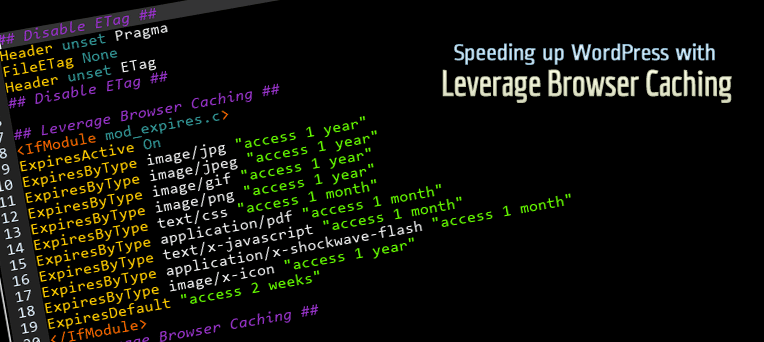
Browser caching rules added to .htaccess after plugin activation.
Leverage Browser Caching is a lightweight, zero-configuration WordPress plugin that dramatically improves your website’s loading speed by instructing visitors’ browsers to cache static files locally.
With a single activation, the plugin writes optimized browser caching rules to your .htaccess file. When you deactivate the plugin, those rules are cleanly removed — leaving your .htaccess exactly as it was.
Why Browser Caching Matters
Every time a visitor loads a page, their browser downloads CSS, JavaScript, images, and fonts. Without caching, those same files are re-downloaded on every single visit — wasting bandwidth and slowing down your site.
Browser caching tells the visitor’s browser to store those static files locally for a set period. On their next visit, the browser serves them from its local cache instead of fetching them from the server again. The result: faster page loads, lower server load, and a better user experience.
What This Plugin Does
- Adds browser caching expiry headers to your
.htaccessfile on plugin activation. - Removes them cleanly on plugin deactivation — no leftover code.
- Requires zero configuration — install, activate, and it works.
- Covers all major static asset types:
- Images — JPEG, PNG, GIF, WebP, AVIF, SVG, ICO
- Web Fonts — WOFF, WOFF2, TTF
- Stylesheets — CSS
- Scripts — JavaScript
- Documents — HTML, XHTML, PDF
- Data — JSON
- Other — SWF
Improve Your PageSpeed Score
This plugin directly fixes the “Leverage Browser Caching” or “Serve static assets with an efficient cache policy” warning shown by:
- Google PageSpeed Insights
- GTmetrix
- Pingdom Website Speed Test
- WebPageTest
- YSlow
Cache Expiry Periods
Asset Type
Cache Duration
Images (JPEG, PNG, GIF, WebP, AVIF, SVG, ICO)
1 Year
Web Fonts (WOFF, WOFF2, TTF)
1 Year
CSS, JavaScript
1 Month
HTML, PDF, JSON
1 Month
Everything else
1 Month
Requirements
- Apache web server with
mod_expiresmodule enabled. - A writable
.htaccessfile in your WordPress root directory. - This plugin does not work on Nginx or IIS servers.
Upgrade to Pro
Get even faster load times and more advanced features with Leverage Browser Caching Pro!
- Advanced Caching & Compression: Customizable Cache Durations, GZIP Compression, Cache-Control Headers, Keep-Alive, and ETag Removal.
- Code Minification: Minify CSS, JS, and HTML, plus Delay JavaScript for a massive PageSpeed boost.
- Media & Font Optimization: Lazy Load Images & iFrames, and Google Fonts Optimization.
- Database & Site Health: Database Cleanup, DNS Prefetch, Preload Links, Heartbeat Control, and XML-RPC Disable.
- WooCommerce Ready: Built-in WooCommerce Optimization.
- Settings Admin Page: Easy-to-use interface to manage all features.
- Premium Support & Updates: Get fast, dedicated assistance and regular new features.