

Lean GA4 Tracker
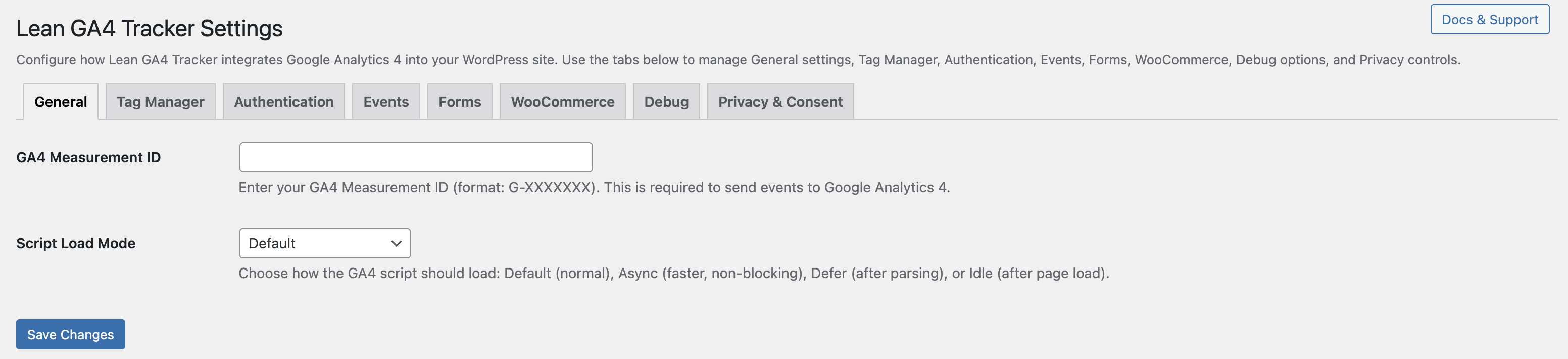
General tab: Configure GA4 Measurement ID, Script Load Mode, and optional GTM Container ID
Lean GA4 Tracker is a lightweight, developer-friendly plugin that integrates Google Analytics 4 (GA4) with WordPress.
Unlike heavy analytics plugins, Lean GA4 Tracker focuses on performance, privacy, and simplicity, while still offering advanced features like WooCommerce eCommerce tracking, Consent Mode, and Google Tag Manager (GTM) support.
Perfect for WooCommerce Stores
Lean GA4 Tracker includes built-in GA4 eCommerce event tracking — no coding or add-ons required.
Track the full shopping journey:
– Product detail views (view_item)
– Product list views (view_item_list) – shop, category, search pages
– Product clicks from lists (select_item)
– Add to cart actions (add_to_cart)
– View cart (view_cart)
– Remove from cart (remove_from_cart)
– Checkout steps (begin_checkout)
– Shipping method selection (add_shipping_info)
– Payment method selection (add_payment_info)
– Purchases (purchase)
– Includes product categories and brands for richer GA4 reports
Why Choose Lean GA4 Tracker?
- Lightweight: No bloat, performance-first architecture
- WooCommerce Ready: Track product views, carts, checkout, and purchases
- Developer-Friendly: PSR-4 autoloading, hooks, and JSON event support
- Flexible Script Loading: Standard, async, defer, or idle
- Consent Mode Integration: Works with Complianz, CookieYes, and Cookiebot
- Google Tag Manager (GTM): Inject GTM containers for Web, AMP, or custom
- Custom Events: Dispatch your own GA4 events via JSON — no JavaScript required
- Tabbed Settings UI: Clean, organized settings panel
- Multisite Support: Network-wide GA4 settings with optional enforcement
Resources
Whether you’re a WooCommerce store owner or a developer building custom sites, Lean GA4 Tracker gives you exactly what you need — nothing more, nothing less.
Privacy
This plugin does not collect, store, or transmit any personal data by itself.
It integrates your site with Google Analytics 4 (GA4) and/or Google Tag Manager (GTM).
Please review and configure your GA4 and GTM accounts in accordance with your local privacy laws (such as GDPR, CCPA).
Consent Mode
If enabled, Lean GA4 Tracker respects user tracking preferences via Google Consent Mode.
You can also integrate with third-party cookie banner plugins (Complianz, CookieYes, Cookiebot) to ensure visitor choices are honored.
WooCommerce Data
When WooCommerce tracking is enabled, the plugin sends product and order information to GA4, such as product name, category, brand, price, and quantity.
No personally identifiable information (PII) such as customer names or emails is collected or transmitted.
Recommended
We recommend that site owners:
– Update their site’s Privacy Policy to mention Google Analytics 4 and data sharing with Google
– Provide clear information to visitors about analytics tracking
– Use a consent management plugin to comply with GDPR/CCPA and other regulations