

KU Sticky Video for YouTube

The upper part of the plugin settings page (General Settings).
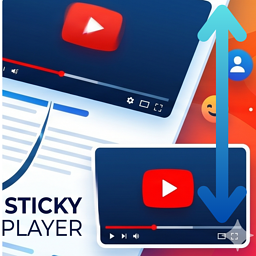
Create a seamless and engaging viewing experience with KU Sticky Video for YouTube. This lightweight plugin automatically turns your YouTube embeds into a floating video (a sticky video in picture in picture style) that follows the reader as they browse your content.
When a user scrolls past a playing video, the player smoothly glides to the corner of the page so they can keep watching. This prevents interruptions, keeping users engaged with your content while they read.
Whether you want to implement youtube scroll tracking or a simple floating video widget, this plugin delivers high performance with zero configuration needed.
Features
- Float YouTube video player automatically when it scrolls out of view.
- Choose display position: Bottom Right or Bottom Left.
- Customize video width using either pixel (px) or percentage (%) units.
- Set maximum width limits for percentage-based sizing (keep within original video width or set custom pixel threshold).
- Adjust Z-index to prevent overlapping with theme header menus, widgets, or popups.
- Automatically limits sticky video height to 50% of viewport to prevent blocking screen space.
- Protect mobile user experience by disabling the sticky video player on narrow viewports automatically.
- Exclude specific videos using a customizable CSS class.
- Beautiful and clean admin settings page.
Resources
- 📖 Interactive Demo & Guide: To experience the sticky video effect live on a blog post, read the backstory behind the plugin, and see setup screenshots, check out the KU Sticky Video for YouTube Introduction & Live Demo.
- 💻 Open Source: This plugin contains minified JavaScript for performance. The complete, unminified source code is available on GitHub.
Tested Compatible Plugins
The following plugins have been tested and confirmed to work seamlessly alongside this plugin:
- Embed Optimizer
- Lazy Load for Videos
- EmbedPlus for YouTube: Requires JS hook configuration in functions.php (see the “EmbedPlus for YouTube Compatibility” section below for details)
EmbedPlus for YouTube Compatibility
The “EmbedPlus for YouTube” plugin uses a unique architecture with custom initialization wrappers and dynamic lazy-loading. Because of these modifications, standard player tracking scripts cannot automatically capture its state change events.
To enable the sticky video effect for videos embedded via EmbedPlus, add the following PHP code snippet to your theme’s functions.php file (preferably in a child theme):
add_action( 'wp_enqueue_scripts', function() {
    wp_add_inline_script(
        'ku-sticky-video-for-youtube',
        "
        if ( window.wp && window.wp.hooks ) {
            window.wp.hooks.addFilter(
                'ku_sticky_video_for_youtube_get_existing_player',
                'ku-sticky-video-compat-embedplus',
                function( player, iframe ) {
                    if ( ! player && window._EPYT_ && window._EPYT_.apiVideos && iframe.id ) {
                        return window._EPYT_.apiVideos[ iframe.id ] || null;
                    }
                    return player;
                }
            );
        }

        if ( window._EPADashboard_ && ! window._EPADashboard_.__ku_sticky_hooked ) {
            window._EPADashboard_.__ku_sticky_hooked = true;
            const originalOnStateChange = window._EPADashboard_.onPlayerStateChange;
            window._EPADashboard_.onPlayerStateChange = function( event ) {
                if ( typeof originalOnStateChange === 'function' ) {
                    originalOnStateChange.apply( this, arguments );
                }
                if ( window.kuStickyVideoForYouTube && event.target ) {
                    let iframe = null;
                    try {
                        iframe = event.target.getIframe();
                    } catch(e) {}
                    if ( ! iframe && event.target.f ) {
                        iframe = event.target.f;
                    }
                    if ( iframe ) {
                        window.kuStickyVideoForYouTube.handleStateChange( event, iframe );
                    }
                }
            };
        }
        ",
        'before'
    );
}, 20 );
Free vs Pro Feature Comparison
Need more control? KU Sticky Video for YouTube Pro adds a suite of advanced options for power users and professional sites.
👉 View Pro details and pricing | Try the live demo
- Target Video Selection: [Free] Exclusion mode only — add a CSS class to opt videos out. / [Pro] Inclusion mode also available — add a CSS class to opt specific videos in.
- Multiple Video Support: [Free] Only the first matched video becomes sticky. / [Pro] Sticky target auto-switches to whichever video is currently playing.
- Sticky Positioning: [Free] Bottom-right and bottom-left. / [Pro] All four corners (top-right and top-left added).
- Screen Margins: [Free] Fixed at 20px from screen edges. / [Pro] Independently adjustable in pixels for horizontal and vertical offsets.
- Maximum Player Height: [Free] Fixed at 50% of viewport height. / [Pro] Adjustable from 10% to 100% of viewport height.
- Exclusion Zones: [Free] Not available. / [Pro] Suppress sticky within a defined pixel range from the top or bottom of the viewport — useful for avoiding overlap with fixed headers, ads, or cookie banners.
- Mobile Handling: [Free] Auto-disables when the viewport is too narrow for the player. / [Pro] Also supports a custom viewport-width breakpoint to disable sticky on specific device sizes.
- Keep Sticky on End: [Free] Not available. / [Pro] Optionally keep the player sticky after playback ends — great for tutorials and course content.
- Player Styling: [Free] Fixed design (8px border-radius, default shadow, no border). / [Pro] Fully customizable border-radius, shadow opacity, border width, and border color.
- Close Button: [Free] Standard design, fixed at top-right. / [Pro] Customizable colors and placement (all 4 corners). Option to show only when the video is paused.
- Live Preview: [Free] Not available. / [Pro] Real-time preview in the settings panel with one-click reset to defaults.
- Filter Hooks: [Free] Not available. / [Pro] Override settings conditionally per page via a filter hook in functions.php.
- Updates: [Free] Auto-updates through WordPress.org. / [Pro] Auto-updates via the WordPress dashboard after license activation in settings.