

KooKoa Folders – Media Library Folders & File Organizer

Media library folders
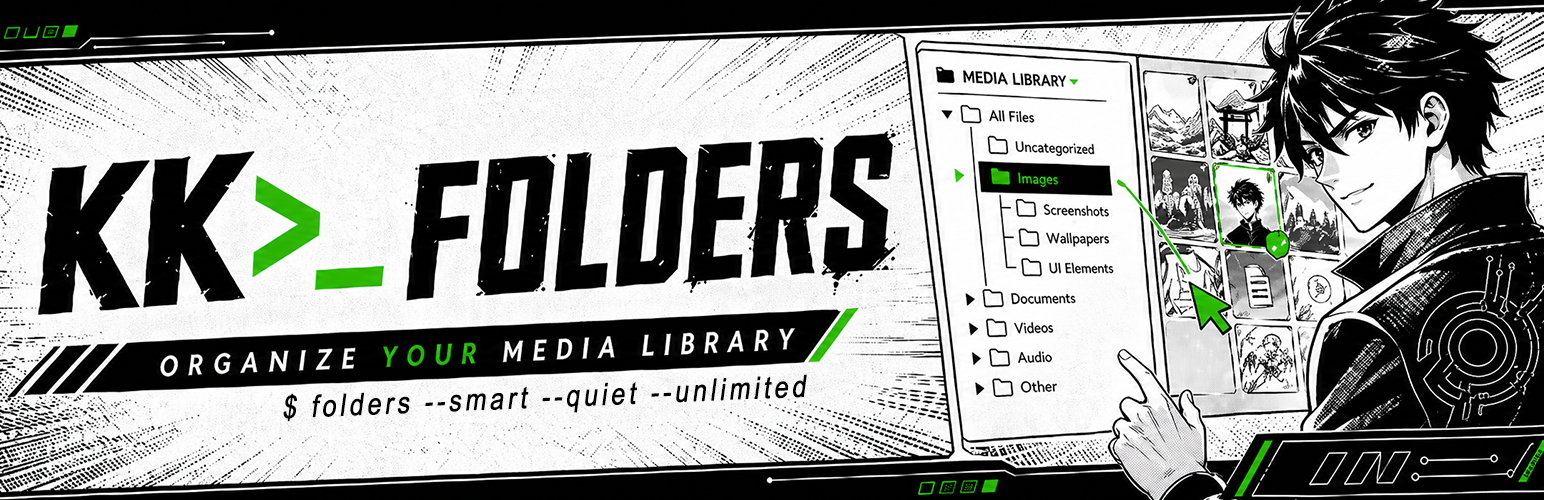
KooKoa Folders adds a folder sidebar to the WordPress Media Library. You can create folders, nest them into subfolders, and move files around with drag and drop. It also ships with unlimited smart folders that auto-populate from rules you define — file type, size, date, dimensions, tags, and more — so the library stays tidy as it grows.
👉 TRY THE LIVE DEMO ☝️ — Instant access, no account needed
Folders are virtual. They are stored as a private WordPress taxonomy and attached to your media items, so your files on disk are never moved and existing image URLs keep working. If you deactivate the plugin your Media Library keeps running as if nothing happened.
🗂️ Organization
- Unlimited folders and subfolders in the Media Library
- Drag and drop attachments between folders
- Auto-assign new uploads to the folder you are currently in
- Item count per folder
- Folder filter on the Media Library list view
⚡ Smart Folders
- Unlimited smart (rule-based) folders, auto-populated as your Media Library grows
- Combine multiple rules per folder with AND logic — file type, size, dimensions, date, author, status, search, tags, and more
- Live counts cached per folder, refreshed automatically when items change
- Pin, lock, color and icon support — same UX as regular folders
🌈 Cosmetics
- Custom folder colors
- Custom folder icons with emoji picker
- Pin folders to the top of the tree
- Lock folders to prevent accidental rename, color, icon or delete
🔍 Navigation
- Resizable, sticky folder sidebar
- Search and sort the folder tree
- Breadcrumb bar and subfolder cards
- Smart Startup Folder — open the Media Library on the last folder you used, or on a fixed folder of your choice
- Keyboard shortcuts for common actions
- Mobile responsive layout
🔄 Bulk operations
- Bulk Organize mode — select multiple attachments and move them into a folder in one click
- Download a folder (and all its subfolders) as a single ZIP archive
- Download just the selected items as a ZIP, straight from the Bulk Organize toolbar
- Upload a folder structure from your computer and have the subfolders recreated automatically
- Export and import the folder structure as JSON, with Merge or Replace modes
📊 Insights
- Hover tooltip on media items showing filename, size and dimensions
- Optional EXIF fields in the hover tooltip — camera, aperture, shutter, ISO, focal length
🛡️ Access control
- Role-based access — pick which WordPress roles can use the folder sidebar
🔒 Privacy
- Self-hosted font, no Google Fonts call
- No external scripts, no trackers, no analytics
- No frontend assets are loaded for regular visitors; builder/editor integrations load only when an authorized editor opens a supported visual builder
✅ Works with
The folder sidebar is available inside:
- The WordPress Media Library list and grid views
- The block editor (Gutenberg) media modal
- The Classic Editor media modal
- Divi 4 and 5 media modals
- Elementor media modal
- WooCommerce product gallery media modal
🔁 Migrate from other folder plugins
Already using another folder plugin? Switch in one click. KooKoa Folders detects existing folder structures directly from your database and rebuilds the full tree inside the KooKoa sidebar — with file assignments intact, no JSON export, no rebuilding from scratch.
Supported sources:
- FileBird (Ninja Team)
- Folders (Premio)
- Real Media Library (devowl.io)
A subtle hint inside the Media Library surfaces the importer when one of these plugins is detected, so you find it without going hunting through Settings. After a successful import, the source plugin can be deactivated with one button — your KooKoa folder structure keeps living independently.
🚀🚀🚀 Pro add-on
👉 TRY THE LIVE DEMO ☝️
🚀 Folders for Posts & Pages
🚀 Folders for Custom Post Types
🚀 AI Image Generator (text-to-image)
🚀 AI Image Editor (text-guided edits)
🚀 WebP / AVIF Converter
🚀 Replace Media (same name or rename)
🚀 Watermark Images (logo or text)
🚀 Clean Unused Media
🚀 Find Duplicate Media (byte-exact + perceptual hash)
🚀 Image Editor (crop, rotate, filters, resize)
🚀 Media Stats Dashboard
🚀 Priority Email Support
💻 Use cases
A few real-world setups where KooKoa Folders earns its keep:
- Bloggers and content writers — keep every blog image, post screenshot, hero photo, video clip and audio file inside dedicated media folders. Drag and drop assets between folders, filter the media library by folder, and find the right image for tomorrow’s article in seconds instead of scrolling past 2,000 thumbnails.
- WordPress photographers and photo studios — split your media library by shoot type (portraits, weddings, real estate, landscapes, nature, family), by client, by year, or by location. Pin your active project to the top, lock the archive against accidental edits, and let smart folders auto-collect images by date, file size or alt text.
- WooCommerce shop owners and e-commerce managers — organize product images into folders that mirror your catalog (apparel, footwear, accessories, electronics). Drag and drop new product photos straight from upload into the right SKU folder, and use smart folders to auto-group every PNG, JPEG or WebP above a certain size for quality audits.
- Web designers, web developers and freelance agencies — separate site assets per project, per page section or per client (logos, mockups, illustrations, icon sets, screenshots). Folder colors and custom icons turn the media library into a navigable workspace even when you sit on thousands of files.
- Online publishers, magazines and editors — file every image per issue, per article, per author or per topic. Smart folders auto-collect everything uploaded this week, this month, or by a specific contributor — no manual sorting needed.
- Real estate, hospitality and listings sites — one folder per property or per location, subfolders per room, view or photoshoot. Bulk upload an entire shoot, drag the keepers into the listing folder, and skip the rest. Color-code your busiest property folders so the right one stands out at a glance.
- Course creators and membership sites — split lesson screenshots, video thumbnails and downloadable PDFs into folders per course, per module or per lesson. Find the right cover image without scrolling past fifty unrelated lessons.
- Marketing agencies, design studios and creative teams — one WordPress Media Library, many clients. A folder per brand keeps work tidy, role-based access keeps clients out of each other’s assets, and the export/import tool ships a folder tree to a new project in a single JSON file.
Open Source Libraries
KooKoa Folders is built on top of these open source projects. Thanks to their authors for sharing their work with the community.
-
jsTree v3.3.16 by Ivan Bozhanov (vakata) — MIT License
Website: https://www.jstree.com/ -
Share Tech Mono by Carrois Apostrophe (Ralph du Carrois) — SIL Open Font License 1.1 — https://www.carrois.com/
Self-hosted monospace font used throughout the interface. No Google Fonts CDN.
For everything else, KooKoa Folders uses the libraries that already ship with WordPress core — jQuery, jQuery UI (Draggable, Droppable, Sortable) and Dashicons — instead of bundling its own copies.
Credits
KooKoa Folders is designed and developed by Adamo Lussana — https://www.kookoa.com