


Karasunouta Admin Menu Folder
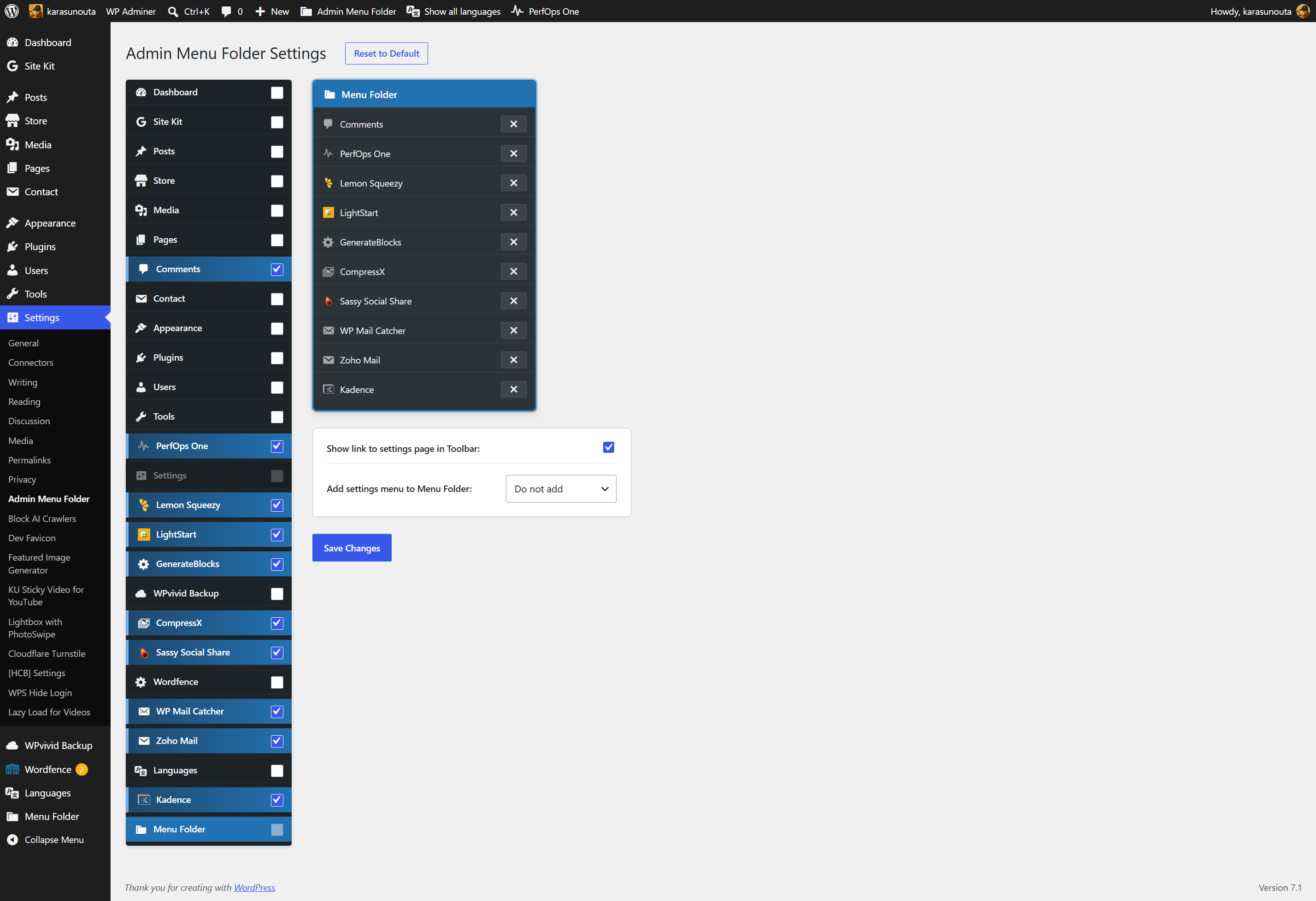
Settings screen — intuitive toggle checkboxes and real-time folder preview.
Karasunouta Admin Menu Folder is a simple and lightweight plugin that aggregates multiple WordPress admin sidebar menu items into a clean, dedicated submenu folder.
As you install more plugins, your admin sidebar easily becomes cluttered with items you rarely touch. Karasunouta Admin Menu Folder lets you tuck away infrequently used menus into a single organized folder. This allows you to build a streamlined sidebar focused exclusively on your daily essential menus, while maintaining immediate access to all other tools whenever you need them.
Key Features
- Streamlined Sidebar: Keep your sidebar focused on daily high-frequency menus while preserving immediate access to secondary items inside the folder.
- Easy Toggle Interface: Drag-free intuitive checkbox interface for managing menu items in the settings page.
- Admin Bar Shortcut: Option to display a direct link to the settings page in the top admin bar.
- Submenu Settings Link: Option to place a settings link at the top or bottom of the submenu folder.
- Clean & Lightweight: Uses standard WordPress core hooks with no external bloat or performance impact.
Optional Pro Version
The free version of Karasunouta Admin Menu Folder is a complete, fully functional plugin designed to keep your WordPress admin sidebar clean and focused using a single organized folder.
For agency client work, larger websites, or advanced administration workflows, Karasunouta Admin Menu Folder Pro offers extended capabilities to give you total control over the admin navigation.
Perfect for Client Work & Handoffs
When delivering WordPress sites to clients, third-party plugin menus can easily clutter the dashboard. This overwhelming clutter often confuses clients and increases support inquiries. With the Pro version, you can organize menus into dedicated, purpose-specific folders (e.g., “Maintenance”, “Security”, “Analytics & SEO”) with custom folder names and Dashicons. Deliver a clean, professional, and clutter-free admin dashboard that inspires confidence.
👉 View Pro details and pricing
Free vs Pro Feature Comparison
- Number of Folders: [Free] 1 folder (automatically generated). / [Pro] Create and manage multiple folders.
- Folder Name: [Free] Fixed to “Menu Folder”. / [Pro] Fully customizable (e.g., “Maintenance”, “Security”).
- Folder Icon: [Free] Fixed standard folder icon. / [Pro] Fully customizable (choose suitable Dashicons for each folder).
- Menu Item Order: [Free] Fixed (follows original WordPress sidebar order). / [Pro] Freely draggable & reorderable.
- Folder Order: [Free] Fixed (single folder). / [Pro] Freely reorderable among multiple folders.
Source Code & Development
The source code for this plugin is available on GitHub:
https://github.com/karasunouta/karasunouta-admin-menu-folder