


kaddora-ai-chatbot
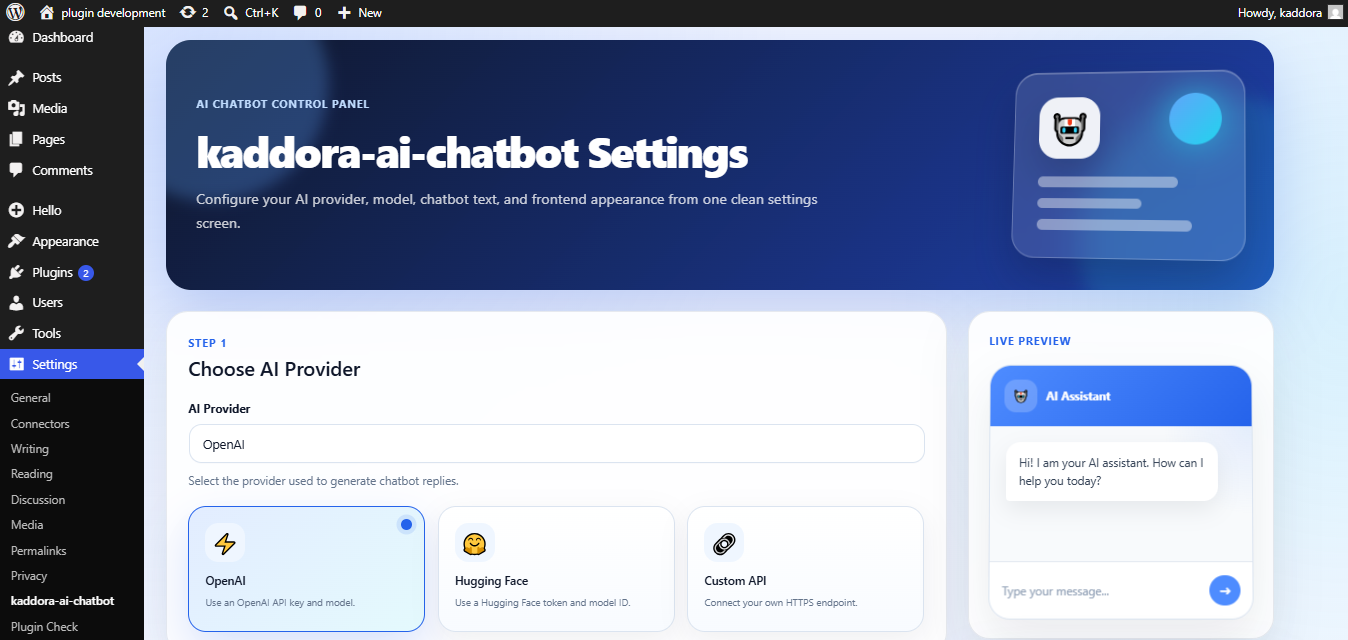
Chatbot settings page.
kaddora-ai-chatbot helps website owners add an AI-powered chatbot to a WordPress website.
The plugin supports OpenAI, Hugging Face, and custom HTTPS API endpoints. Visitors can interact with the chatbot through a responsive floating chat widget or by using a shortcode on selected pages.
The plugin includes a settings page where the site administrator can select an AI provider, enter API credentials, configure the model name, customize the chatbot text, and adjust appearance settings.
Features
- OpenAI integration.
- Hugging Face integration.
- Custom HTTPS API endpoint support.
- Floating chatbot widget.
- Shortcode support.
- Responsive mobile-friendly interface.
- Custom welcome message.
- Custom chatbot title.
- Custom color settings.
- AJAX-powered messaging.
- WordPress nonce security.
- Translation-ready structure.
- Multisite compatible.
- Lightweight frontend assets.
Supported Providers
- OpenAI.
- Hugging Face.
- Custom HTTPS API endpoints.
Shortcode
Display the chatbot anywhere using this shortcode:
[kaddora_ai_chatbot]
External services
This plugin can connect to third-party AI services when the site administrator selects and configures an AI provider in the plugin settings.
The plugin does not send data to OpenAI, Hugging Face, or a custom endpoint unless the administrator enters the related API credentials and selects that provider.
Visitor chatbot messages are sent only when a visitor submits a message through the chatbot interface.
OpenAI
This plugin connects to the OpenAI API to generate chatbot replies when OpenAI is selected as the active provider.
Data sent to OpenAI:
- The visitor’s chatbot message.
- The configured OpenAI model name.
- The API request required to generate a chatbot response.
When data is sent:
- Data is sent only when a visitor submits a chatbot message and OpenAI is selected as the active provider.
Service provider:
OpenAI, L.L.C.
Terms:
https://openai.com/policies/services-agreement/
Privacy Policy:
https://openai.com/policies/privacy-policy/
OpenAI policies:
https://openai.com/policies/
Hugging Face
This plugin connects to the Hugging Face Inference API to generate chatbot replies when Hugging Face is selected as the active provider.
Data sent to Hugging Face:
- The visitor’s chatbot message.
- The configured Hugging Face model name.
- The API request required to generate a chatbot response.
When data is sent:
- Data is sent only when a visitor submits a chatbot message and Hugging Face is selected as the active provider.
Service provider:
Hugging Face, Inc.
Terms of Service:
https://huggingface.co/terms-of-service
Privacy Policy:
https://huggingface.co/privacy
Custom Provider
This plugin allows the site administrator to connect a custom HTTPS API endpoint.
Data sent to the custom endpoint:
- The visitor’s chatbot message.
- The configured model name, if provided.
- The API request required to generate a chatbot response.
When data is sent:
- Data is sent only when a visitor submits a chatbot message and Custom Provider is selected as the active provider.
Important:
The site administrator is responsible for ensuring that the custom API endpoint complies with applicable privacy, security, and data protection requirements.