


JobPress – Your Company Job Board & Career Page
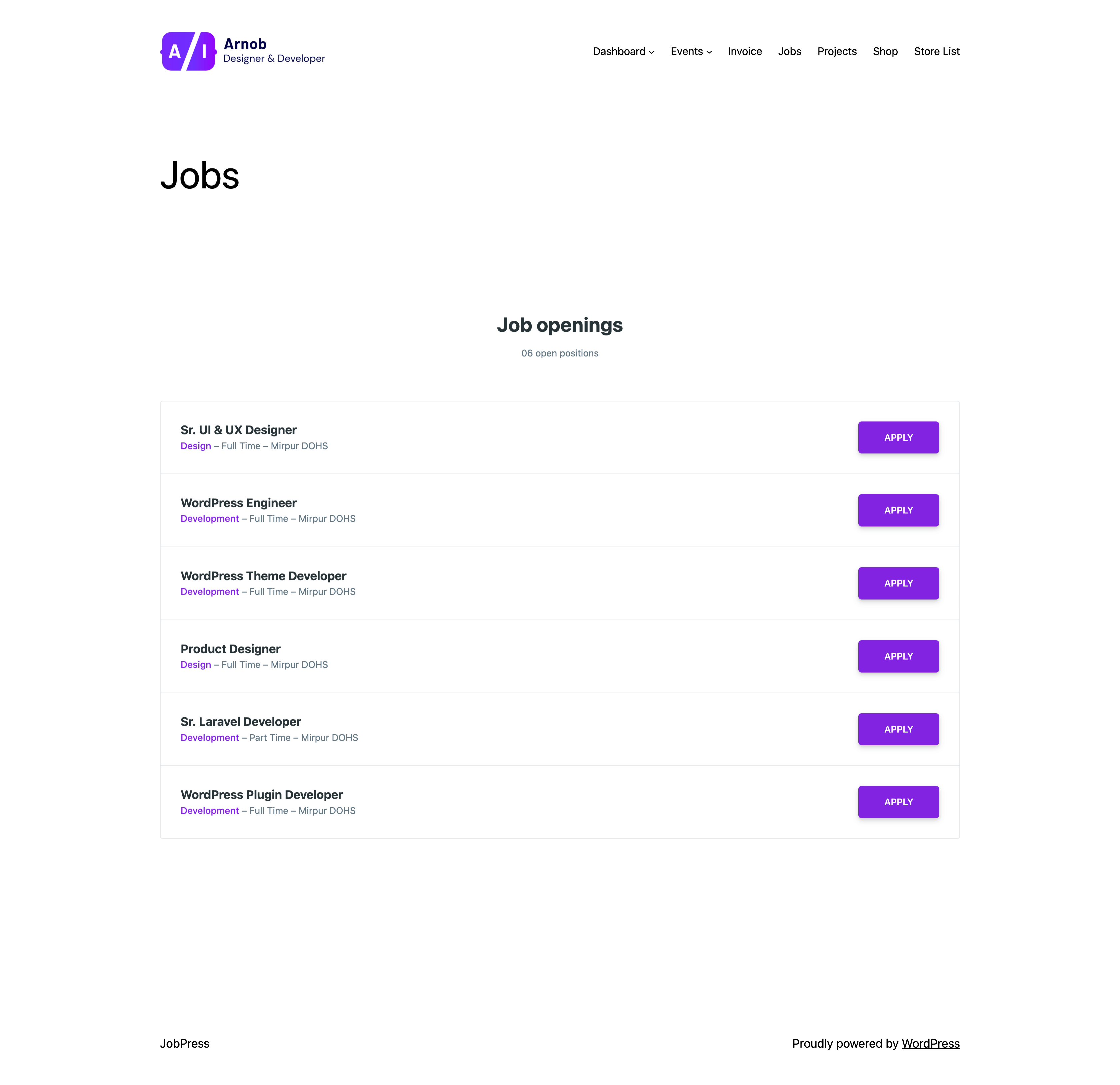
Job List Style 01
This plugin enables you to build/create your company job board inside your WordPress website. It’s designed & developed to build your company own job board and career page by few clicks. It’s easy to use just install, active and ready to go.
📖 Documentation | 🆘 Support
✨ Plugin Features
- Dedicated “JobPress” WordPress admin menu for manage jobs
- Add/Edit/Delete jobs from WordPress admin panel
- Job type support
- Job category support
- Job list page with 5 different layout styles, mixable on one page
- Job listings anywhere with the
[jobpress]shortcode: choose jobs by category, type or ID, limit and order them, add a search bar and a “View all jobs” link - Well organized job details page
- ⚡ Contact form 7 support for job applications
- 🎨 Change branding color easily
- ⚙️ Cool plugin settings panel for admin
- 🗺️ You can also add location google map iFrame embed code
- ⚡ Full-featured Elementor widget: every listing option plus Elementor style controls (colors, typography, spacing, borders, hover states)
- 🧱 JobPress Jobs block for the block editor: every listing option with a live preview, plus colors, card and button styles (WordPress 6.3+)
**Documentation**
The full user guide, with screenshots of every screen, is at pluginizelab.com/docs/jobpress. A short overview follows.
👉 Getting Started
* Install and activate the JobPress plugin.
* After activation, you will see a new menu called JobPress in your WordPress admin dashboard.
* From there, you can add, edit, and manage jobs just like WordPress posts.
👉 Job Management
* Jobs: Create and manage job listings.
* Job Categories: Organize jobs into categories (submenu under JobPress).
* Job Types: Manage job types (submenu under JobPress).
👉 Settings
JobPress provides a dedicated Settings menu to configure plugin options:
👉 👉 General Settings
* Set sidebar position for the Single Job page.
* Add global resume submission instructions.
* Select the Job Archive page (default page created during activation).
* Control how many jobs to display on the Job Archive page.
👉 👉 Appearance Settings
* Customize plugin colors to match your theme style.
👉 👉 Shortcodes Settings
* You can display job listings anywhere using the [jobpress] shortcode.
* Select Design sets the default listing design.
* Listing Defaults set what every listing shows by default: the title and subtitle, the open positions count, job card details, the apply button text, a search bar and a “View all jobs” link. The job card options also apply to the Jobs Page.
* Each shortcode or Elementor widget can override these defaults.
👉 Elementor Integration
Prefer a visual builder?
JobPress includes a dedicated Elementor Addon to display job lists without shortcodes. Simply drag and drop the JobPress widget onto your page, then pick its design, which jobs to show and what each card shows, and style every part of it from Elementor’s Style tab. Settings you leave untouched follow the global JobPress settings.
👉 Quick Access
From the WordPress Admin Bar, you’ll get quick access to:
* Job Archive / Default Job Listing Page
* JobPress settings
Support
If you find this plugin useful, consider supporting its development through a donation.