

iShareBlog

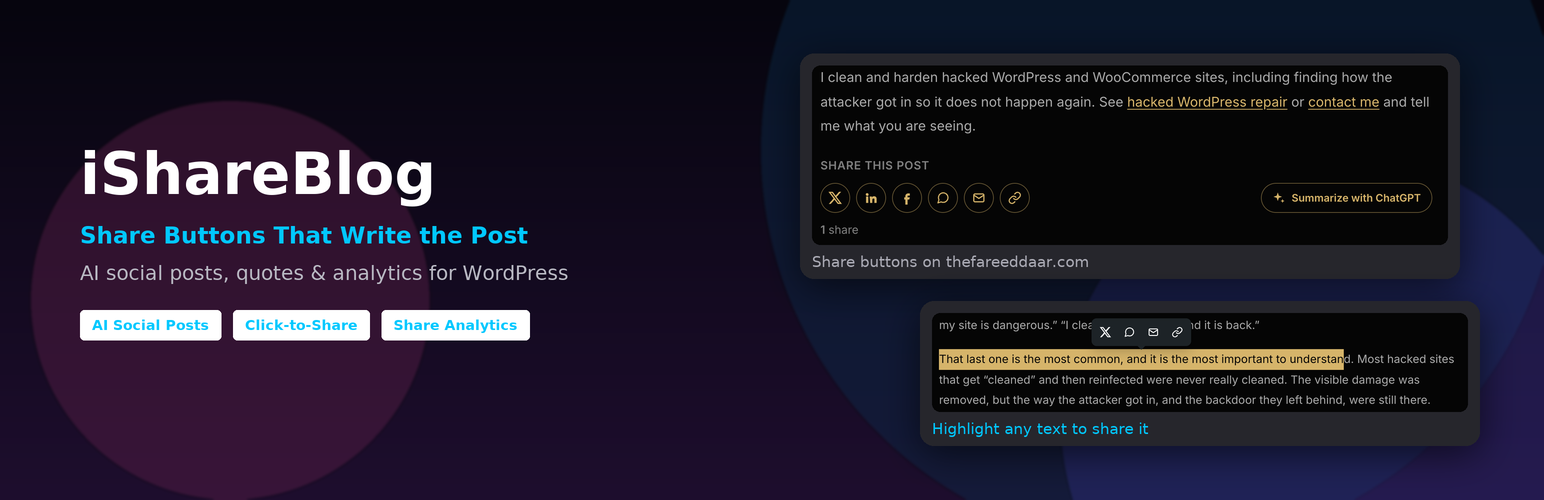
Share buttons after a post, outlined in the theme's own color, with a "Summarize with ChatGPT" button and a share count.
iShareBlog helps readers share your posts, and gives them something good to say when they do.
- Share buttons for X, Bluesky, Threads, Mastodon, Facebook, LinkedIn, WhatsApp, Telegram, Reddit, Pinterest, email and copy link, plus a “Share” button that opens the phone’s own share menu. They are added before and/or after posts automatically, or placed with the “Share Buttons” block or the
[ishareblog]shortcode. The default style is outlined and icon-only, and picks up your theme’s primary color automatically. - Floating and mobile share bar. An optional bar on the side of the screen on desktop, and along the bottom on phones. It appears once readers scroll, matches your site’s background, and steps aside while the buttons in the post are in view.
- Per-post control. Hide the buttons on any post with one checkbox in the editor.
- Prefilled summaries. Each button opens with a short summary of the post already written: X, Bluesky, Threads, Mastodon, LinkedIn, WhatsApp, Telegram and email are prefilled (shortened to fit each network’s limit), and Facebook copies the summary so the reader can paste it.
- Summarize with ChatGPT. A button that opens ChatGPT with a prompt asking for an overview and the key takeaways of the post. Claude and Perplexity versions are also available.
- Click-to-share quotes. Add the “Shareable Quote” block, or use
[ishareblog_quote cite="Author"]Your quote[/ishareblog_quote]in the classic editor. Readers can also highlight any text in a post and share it from a small popup. - Social posts. A “Social Posts” box in the post editor drafts a post for X, LinkedIn, Facebook and Instagram. These drafts are also the summaries used by the share buttons. On WordPress 7.0 and later it can write them with the WordPress AI Client, using whichever AI provider you set up in Settings Connectors; otherwise it builds them from the title, excerpt and tags.
- Share analytics. Total shares, shares per day, top networks, top posts and where shares come from (buttons, floating bar, quotes, highlighted text), plus a “Shares” column in your posts list.
No external scripts, tracking pixels or third-party requests are added to your pages.
External services
AI social posts. The plugin does not contact any AI service directly. If a site administrator turns on “Use AI”, it sends a prompt through the WordPress AI Client to the AI provider the site owner configured in Settings Connectors; that provider’s terms and privacy policy apply. This happens when a user who can publish the post clicks “Generate social posts” (limited per user per day), and once, in the background, when a post is first published. Contributors only get template drafts. Long posts are shortened to 20,000 characters before sending. The post’s title, URL, tags and content, plus the “brand voice” text from the settings, are sent.
The share and “Summarize with” buttons are plain links. Nothing is sent to these services unless a reader clicks a button, and then the reader’s browser opens the service directly with the post’s URL, title and summary:
X (https://x.com/en/tos, https://x.com/en/privacy), Bluesky (https://bsky.social/about/support/tos, https://bsky.social/about/support/privacy-policy), Threads (https://help.instagram.com/769983657850450, https://help.instagram.com/515230437301944), Mastodon (the reader’s own server, which they choose; its terms and privacy policy apply), Facebook (https://www.facebook.com/terms.php, https://www.facebook.com/privacy/policy/), LinkedIn (https://www.linkedin.com/legal/user-agreement, https://www.linkedin.com/legal/privacy-policy), WhatsApp (https://www.whatsapp.com/legal/terms-of-service, https://www.whatsapp.com/legal/privacy-policy), Telegram (https://telegram.org/tos, https://telegram.org/privacy), Reddit (https://redditinc.com/policies/user-agreement, https://www.reddit.com/policies/privacy-policy), Pinterest (https://policy.pinterest.com/terms-of-service, https://policy.pinterest.com/privacy-policy), ChatGPT (https://openai.com/policies/terms-of-use/, https://openai.com/policies/privacy-policy/), Claude (https://www.anthropic.com/legal/consumer-terms, https://www.anthropic.com/legal/privacy), Perplexity (https://www.perplexity.ai/hub/legal/terms-of-service, https://www.perplexity.ai/hub/legal/privacy-policy).