
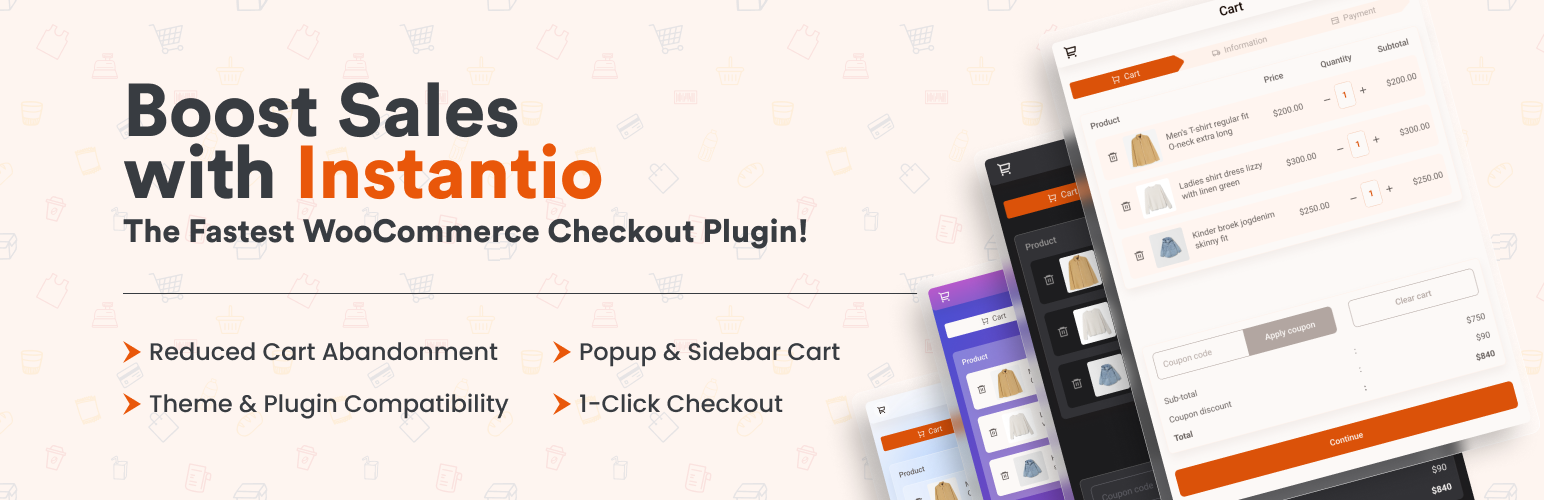

Instantio — Side Cart & One-Page Checkout for WooCommerce
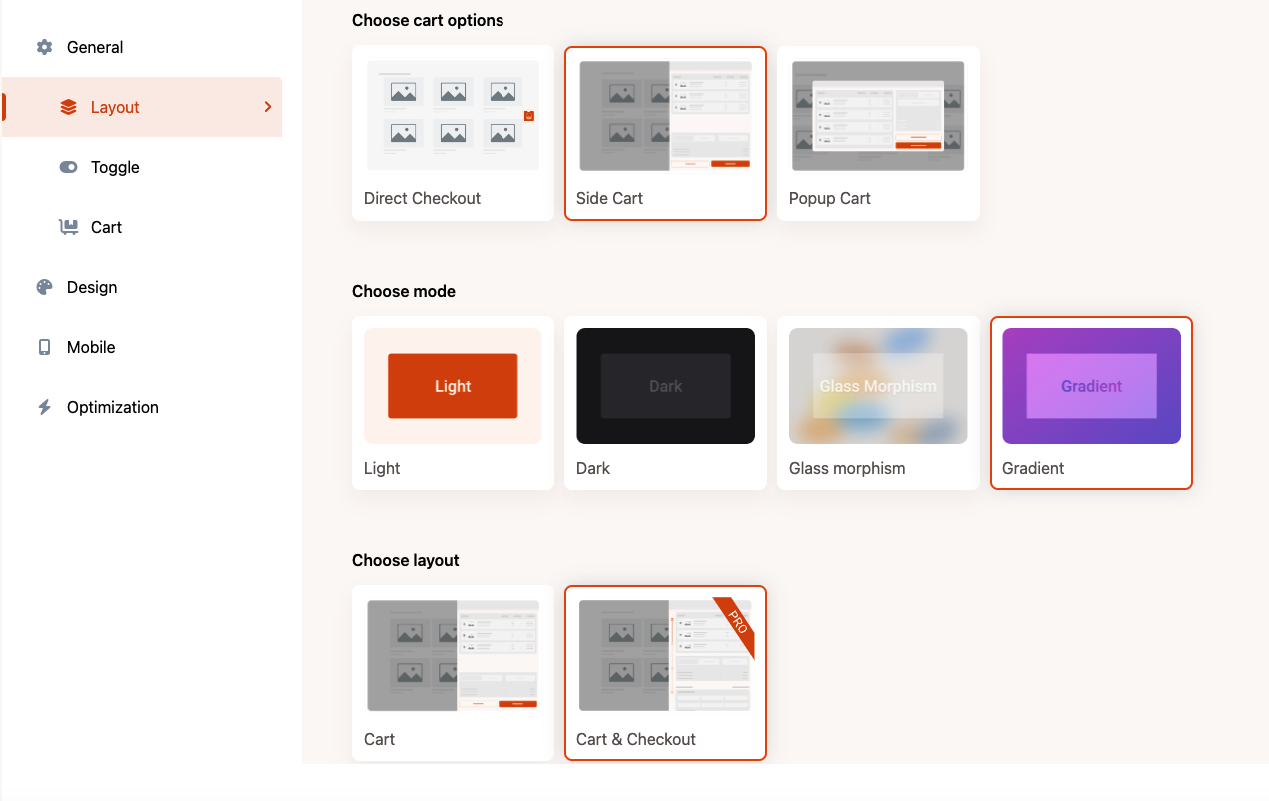
Layout and settings panel - Organised and Optimised Control.
Add a side cart, popup cart, floating cart button, and one-page checkout layouts to WooCommerce.
Instantio for WooCommerce — Side Cart, Popup Cart, and One-Page Checkout in One Plugin
👉 Our Official Website: Click Here
👉 Live Demo Link: See the Checkout systems below
👉 Explore Backend: Play with Backend Options
👉 Explore Instantio Pro: Click Here
👉 Video Guide on Youtube
👉 Our Documentation
👉 Get Support: Click Here
👉 Join Our Facebook Group
**Instantio has 8 Different WooCommerce Single Page Checkout systems: **
👉 Popup Cart
👉 Side Cart
👉 Floating / Direct Checkout Button
👉 Side Checkout – Multi Step (Pro)
👉 Side Checkout – Single Step (Pro)
👉 Popup Checkout – Multi Step (Pro)
👉 Popup Checkout – Single Step (Pro)
👉 Right to Left / Arabic Checkout
👉 Mini Cart
**Each above system comes with 4 Different Mode/Theme: **
👉 Lite Mode
👉 Dark Mode
👉 Glass Morphism Mode
👉 Gradient Mode
**Woocommerce Checkout Field Editor: **
Instantio improve the WooCommerce checkout experience by offering a floating cart drawer that allows customers to skip the default cart page and move directly to checkout. This reduces the number of steps in the purchasing process, helping users complete their orders more efficiently.
When a customer adds a product to the cart, a cart drawer appears with a checkout button. From there, shoppers can complete the entire process on a single page, providing a faster and more convenient checkout experience for WooCommerce stores.
Simplify the WooCommerce Checkout Process with Instantio
Instantio provides a one-page checkout system for WooCommerce that simplifies the standard checkout flow. It enables customers to review their cart and complete the purchase within a single interface, creating a faster and more convenient experience.
Key Features
- Quick & Simplified WooCommerce checkout process converting WooCommerce multistep checkout into Same Page Instant Checkout
- WooCommerce Ajax Cart that includes Side Cart & Popup Cart
- Ajax Add to Cart feature on every page including single product page
- Add to cart fly animation (Icons or product featured image)
- Ajax based auto increment/decrement cart items
- Ajax based empty cart button
- Ajax based variable product view & add to cart from any page
- 8 Different WooCommerce Checkout systems
- Use a shortcode to display the mini cart drawer
- 4 Different Mode/Theme
- 4 different Progress bar
- Upsell & Cross Sell feature
- Quick Setup Guide
- Optimized Assets
- Smooth Animation
- Payment Method Compatibility
- User-friendly dashboard layout
- Easy to use Settings panel
- Design Panel
- Icon Library
- Custom CSS
- Responsive Layout
- 15+ Popular theme Compatibility
- RTL Support
- WooCommerce Field Editor
**Demo Link **
Check out the demo to see it in action!
How to setup a Fast WooCommerce Checkout Process with Instantio:
How to add a Popup Cart & Popup Checkout in WooCommerce:
How to add a Sliding Side Cart & Checkout in WooCommerce:
** Instantio Pro **
The free version of Instantio includes fully functional cart, layout, design, optimization, and checkout-field editing features. Instantio Pro is a separately distributed add-on that provides additional same-page checkout layouts, dedicated mobile presentation, progress styles, upsells, and cross-sells.
Instantio Free Features
Preview Styles / Cart Options
Instantio (Free) comes up with 3 different Preview Styles:
-
WooCommerce Popup Cart: When a customer adds an item to the cart, a cart popup appears displaying a cart summary, coupon application option, and buttons for the cart and checkout. Each button directs the user to the appropriate cart or checkout page.
-
WooCommerce Side Cart: Upon adding an item to the cart, a side drawer emerges, offering similar features: cart summary, coupon application, and navigation buttons for cart and checkout.
-
WooCommerce Direct Checkout Button: If a customer selects an item, a direct-to-checkout side button appears. This button leads to the checkout page. Direct Checkout for WooCommerce reduces the steps in the default WooCommerce Checkout page. This option helps store owners boost their sales by redirecting customers directly to the Checkout page. On average, the checkout process would take only 15 seconds.
Multiple Themes
- Lite Mode: Choose a pristine white theme that works seamlessly with all the above-mentioned options.
- Dark Mode: Opt for a sleek dark mode, also compatible with all the settings listed.
- Glassmorphism Mode: Experience Glassmorphism, a trending design style that we’ve incorporated into the latest version of Instantio.
- Gradient Mode: Select a vibrant multi-colored gradient theme that integrates well with all existing options.
Layout Animation
Instantio has couple of layout animation: 1) Default Animation 2) Fade In Animation
Woocommerce Checkout Field Editor
Instantio allows you to customize the checkout page of your WooCommerce store. With this feature, you can edit, or remove fields in the checkout form, enabling you to tailor the checkout experience to meet both your business requirements and your customers’ needs. It includes modifying any existing fields like name and address, and arranging the order of all fields to streamline the checkout process.
Complete Design Panel
Instantio has all the design options you need:
- Change WooCommerce Cart Icon Style
- Option to upload cart icons or select from existing Icon library
- Set icon Position (Right Top, Right Middle, Right Bottom, Left Top, Left Middle, Left Bottom)
- Set Cart Icon & Cart Total Icon Size
- Color change option for all the items (including Regular and Hover color)
- Complete Cart Panel Design option
- Quick View Design option
- Custom CSS option
Ajax Floating Cart on Single Product
With Ajax Add to Cart, customers can add products to the cart without any page reload. They can do this from single-product, variable, grouped, and even virtual product pages.
Quick view on variable product with Ajax Add to Cart
Our Quick View feature allows customers to choose variations of variable products directly from the Shop page and then add the product to the cart instantly.
Option & Style Panel
Instantio has a built-in, easy-to-use options panel. You can add or remove any options from this panel. It also has a built-in color-style panel. The colors and icons’ background can be easily edited from this panel.
Popular Page Builder Support
Instantio is fully compatible with popular page builders like Elementor and can also be used with WP Bakery, DIVI, Beaver, etc.
Other Features:
- Auto Open Toggle Panel
- Hide Toggle when No Cart Item
- Cart Fly Animation
- Editing Cart Button Text and URL
- Editing Checkout Button Text and URL
- Instantio is RTL compatible.
- Compatible with All Modern Browsers
- Fully Responsive
Instantio Pro Features
There is also a of this plugin. You will get more features and advantages with the Pro Version. Here are the features of the Pro Version:
Instantio Pro Version is a separately distributed add-on with additional features and customization options. Below is a summary of the features included in the Pro version:
All Free Features
Instantio Pro includes all the features available on the Free Version and more. See below.
Preview / Checkout Styles
Instantio Pro offers four additional preview styles:
-
Side Checkout – Multi Step: When a customer adds an item to the cart, a side drawer appears, displaying a cart summary, coupon application option, and a proceed-to-checkout button. Clicking this button directs you to the checkout options within the same drawer. No page reload is necessary, allowing the customer to complete checkout within 10-15 seconds!
-
Side Checkout – Single Step: This process is similar to the one above, but features a single-step checkout, combining both cart and checkout in the same window.
-
Popup Checkout – Multi Step: When a customer adds an item to the cart, a popup appears that also displays a cart summary, coupon application option, and a proceed-to-checkout button. Clicking this button directs you to the checkout options within the same popup. Again, no page reload is necessary, allowing the customer to complete checkout within 10-15 seconds!
-
Popup Checkout – Single Step : This process is similar to the above one but also features a single-step checkout, combining both cart and checkout in the same window.
Upsell
Instantio offers a powerful Upsell feature that allows you to increase your sales and revenue by offering additional products during the checkout process. See it in action in this Preview Demo.
Cross Sell
Instantio offers a powerful Cross-Sell feature that allows you to increase your sales and revenue by offering additional products during the checkout process. See it in action in this Preview Demo.
Dedicated Mobile Version
Although Instantio is fully responsive by default, Instantio Pro offers a dedicated mobile version for mobile users.
Same Page Instant Checkout
As described in the options above, Instantio Pro offers a unique Same Page Checkout process that allows customers to checkout and order products instantly from the same page. With this plugin, the entire WooCommerce checkout process can be reduced to just 10-15 seconds.
No Page Reload
There will be no page reload! A cart drawer will appear on the same page, allowing customers to enjoy a hassle-free, instant, one-page checkout process.
Progress Bar
The Pro Version comes with four different progress bars to choose from.
Disable Instantio Icon
You can disable the Instantio icon on particular pages.
Ajax Side Cart
Instantio Pro offers a side cart that allows users to access cart items from anywhere on your site. When a visitor adds a product to the cart, Instantio’s off-canvas cart page slides in to provide a one-click & express checkout system for WooCommerce. Visitors can easily add or remove product quantities in the side cart.
Disable Quick View & Ajax Add to Cart
You can disable the Quick View option and the Ajax Add to Cart option.
Optimization
You have the option to enable or disable JS minification for Instantio.
Join our Community to stay updated
Join our Facebook group to stay informed with the latest news and updates about Instantio.
Our Support
We provide full support on the WordPress.org forums & Our Website. Check our Support Policy.
Privacy Policy
How can I report security bugs?
You can report security bugs through the Patchstack Vulnerability Disclosure Program. The Patchstack team helps validate, triage and handle any security vulnerabilities. Report a security vulnerability.
Credits
The icon used on this plugin is taken from Iconfinder.
Our Plugins
- Ultimate Before After Image Slider & Gallery – BEAF
- Ultimate Addons For Contact Form 7
- Tourfic – Ultimate Hotel Booking, Travel Booking & Apartment Booking WordPress Plugin
- Hydra Booking – All in One Appointment Scheduling and Booking Calendar Solution