
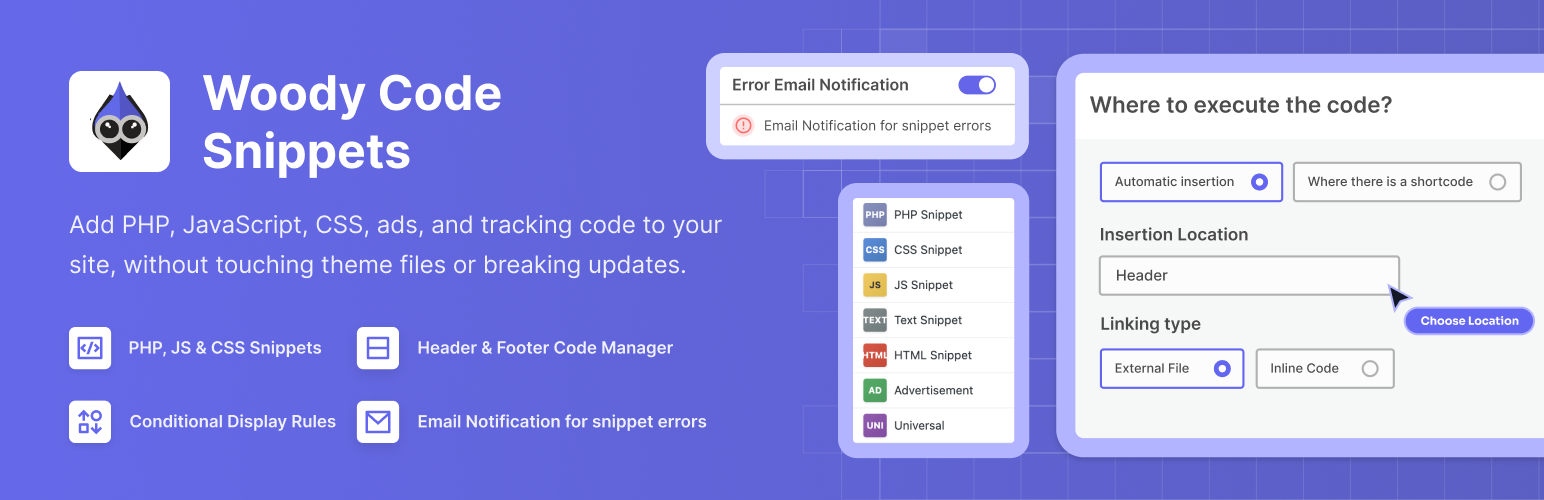

Woody Code Snippets – Insert PHP, CSS, JS, and Header/Footer Scripts
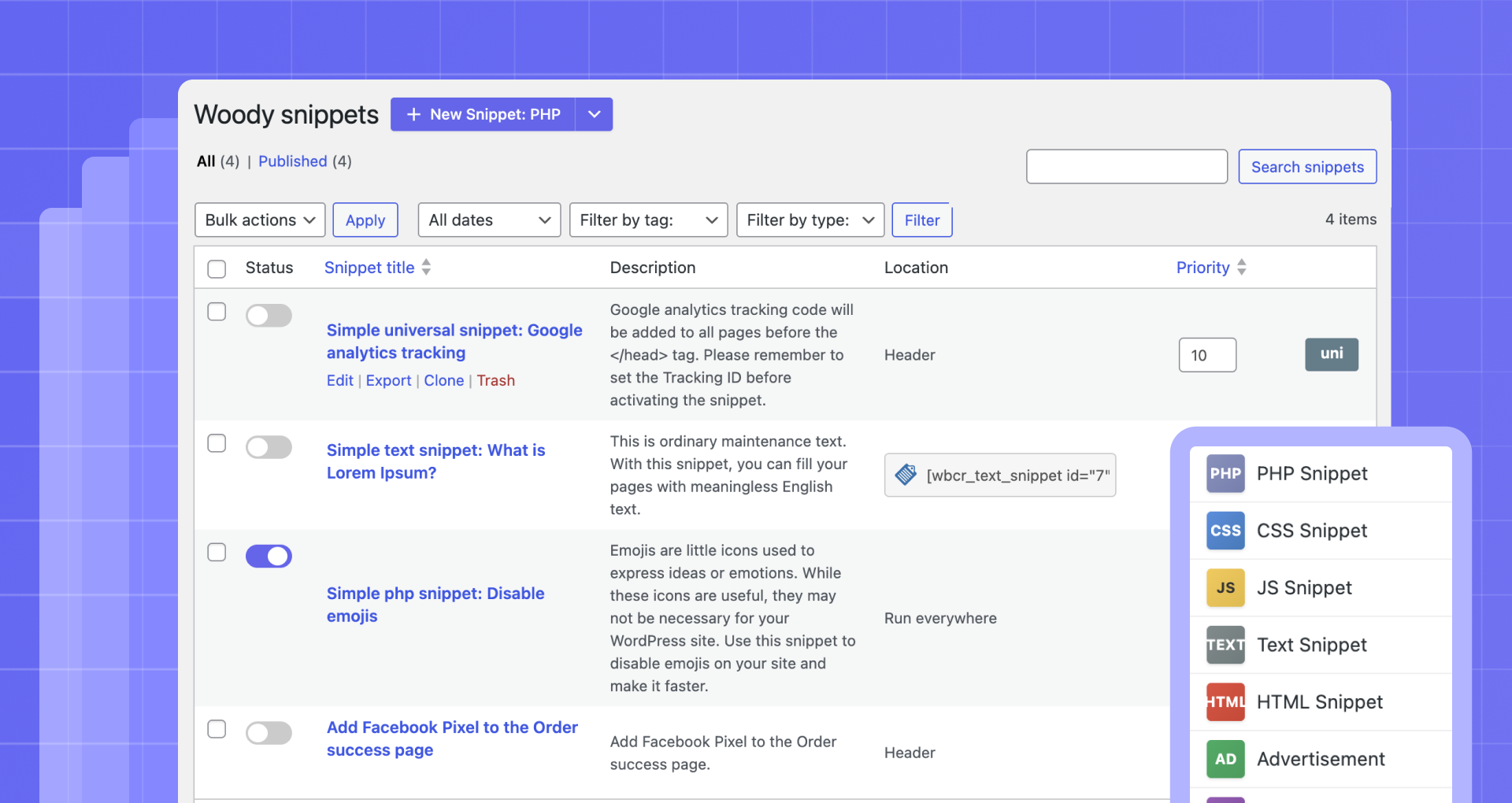
Manage all snippets from one dashboard
Woody Code Snippets is a WordPress plugin that helps you insert code into your site without editing theme files.
Many WordPress users still add PHP, JavaScript, CSS, tracking pixels, or ad scripts directly into functions.php, header.php, or footer.php. This approach breaks easily when themes update and becomes hard to manage as your site grows.
Woody solves this by giving you a centralized code snippet manager where you can safely add header scripts, footer scripts, PHP snippets, custom CSS, JavaScript, and HTML from the WordPress admin.
You can use Woody as a header and footer code manager, a PHP snippet plugin, or a way to reuse content and scripts across your site using shortcodes or automatic insertion.
Each snippet can be enabled or disabled instantly, placed in specific locations like before content or after paragraphs, and shown only when certain conditions are met.
Quick Links
📘 Documentation – Complete setup and configuration guide
💬 Support Forum – Community help and expert support
⭐ Go Pro – Unlock advanced features and priority support
What Problems Does Woody Solve?
Woody is built for real WordPress workflows. It helps you:
- Insert code into headers and footers without editing theme files
- Add analytics scripts, tracking pixels, and ad code safely
- Manage PHP snippets without touching functions.php
- Reuse scripts and content across pages using shortcodes
- Control where code runs using placement rules and conditions
- Enable, disable, or roll back snippets without breaking your site
Whether you are building client sites, running marketing experiments, or maintaining your own project, Woody gives you control without unnecessary complexity.
How It Works
Woody lets you create code snippets and control where and when they run, all from the WordPress admin.
Example #1
Create a JavaScript snippet and add your analytics or tracking code.
Place it in the site header and add a condition to exclude administrators so your own visits are not tracked.
Example #2
Create a text snippet with reusable content or a shortcode.
Add conditions to show it only to logged-in users, then insert it anywhere using the snippet shortcode or automatic placement rules.
This makes it easy to manage repeated logic and content without editing theme files.
Who Should Use Woody Code Snippets
Woody is designed for:
- Developers who want a structured way to manage custom code
- Marketers adding analytics, ads, and tracking scripts
- Solopreneurs who want flexibility without editing theme files
- Agencies managing multiple sites and shared snippets
If you regularly need to insert code into WordPress, Woody fits naturally into your workflow.
Supported Snippet Types
Woody supports multiple snippet types, so you can manage all custom code in one place. You can create:
- PHP snippets for functions, hooks, classes, and global variables
- JavaScript snippets for analytics, integrations, and interactive features
- CSS snippets to add custom styles without editing theme files
- HTML snippets for markup and layout elements
- Text snippets using the WordPress editor for reusable content
- Ad snippets for ads and banners
- Universal snippets that combine PHP, HTML, CSS, and JavaScript
Why do you need this plugin?
- Insert Google AdSense Ads, Amazon Native Shopping Contextual Ads, Yandex Direct Ads, Media.net on your website.
- Insert Google Analytic Tracking code, Yandex Metrika Tracking Code, Yandex Counter to Header, Footer.
- Insert PHP Code Snippets and execute on your website. Register PHP functions, classes, global variables everywhere.
- Insert Social media widgets, add any external resources widgets.
- Insert Facebook Pixels, Facebook Scripts, Facebook og:image Tag, Google Conversion Pixels, Vk Pixels.
Header and Footer Code Management
Woody works as a full header and footer code manager.
You can insert snippets:
– Into the site header before the closing tag
– Into the site footer before the closing tag
Common examples include analytics scripts, tracking pixels, verification tags, and global JavaScript or CSS.
Advanced Placement Options
Beyond headers and footers, Woody lets you insert snippets into specific locations.
You can place code:
- Before or after post or page content
- Before or after a specific paragraph
- Before or after a post
- Inside archives, categories, and taxonomy pages
- Between posts on archive pages
WooCommerce Pages
Woody supports automatic snippet placement on WooCommerce pages.
You can insert snippets:
- Before or after the product list
- Before or after a single product
- Before or after the single product summary
- After the product title, price, or excerpt
Common use cases include conversion tracking, promotional banners, custom JavaScript, and trust notices.
Shortcodes and Reusable Content
Woody supports shortcodes so you can insert snippets exactly where you need them. You can place snippets inside posts, pages, widgets, and page builders.
With Pro, you can define custom shortcode names that are readable and portable across sites.
Conditional Logic for Code Snippets
Woody allows you to control when a snippet is displayed.
[FREE] Available in the free version:
– User role and registration date
– Page, post type, or taxonomy
– Referrer or cookie value
[PRO] Advanced conditions available in Pro:
– Device type, browser, and operating system
– JavaScript availability or ad blocker detection
– User country, visit depth, time of day, and total visits
Conditions can be combined using AND and OR logic.
Unlock advanced conditions with Woody Pro.
Snippet Management and Organization
Woody includes features to keep snippets organized and easy to manage.
You can:
– Enable or disable snippets instantly
– Control execution order using priorities
– Tag and clone snippets
– Import and export snippets between sites
Code Revisions and Rollback [PRO]
With Pro, Woody automatically saves snippet revisions. You can view previous versions, compare changes, and restore earlier revisions if something goes wrong.
This adds an extra layer of safety when working with custom code.
Cloud Templates and Sync [PRO]
Woody Pro includes cloud-based snippet templates.
You can save snippets as templates and reuse them across multiple sites, which is especially useful for agencies and developers managing repeated setups.
Settings and Developer Options
Woody includes advanced settings for fine-grained control.
You can:
- Preserve HTML entities without automatic conversion
- Execute shortcodes inside snippets
- Enable error email notifications
- Automatically activate snippets on save
- Fully remove plugin data on uninstall
Code Editor
The built-in editor includes:
– Syntax highlighting and line numbers
– Configurable indentation and tab size
– Optional line wrapping
– Automatic bracket and quote closing
– Highlighting of matching variables and functions
Use This Plugin Responsibly
Woody allows you to run custom PHP, JavaScript, and CSS on your site. Always make sure you understand the code you add. Using unverified or outdated scripts may affect site security or stability. On multisite installations, only trusted administrators should have access to snippet creation.
Woody includes safeguards such as snippet disabling, revisions, and error notifications, but it cannot validate third-party code you choose to run.
Support
Need help? Open a new thread in the WordPress support forum, and we will be happy to assist.
Documentation
Learn how to make the most of Woody with our detailed and user-friendly documentation.
Woody is backed by Themeisle, trusted by over 1 million WordPress users worldwide.