


Innofly Static Export
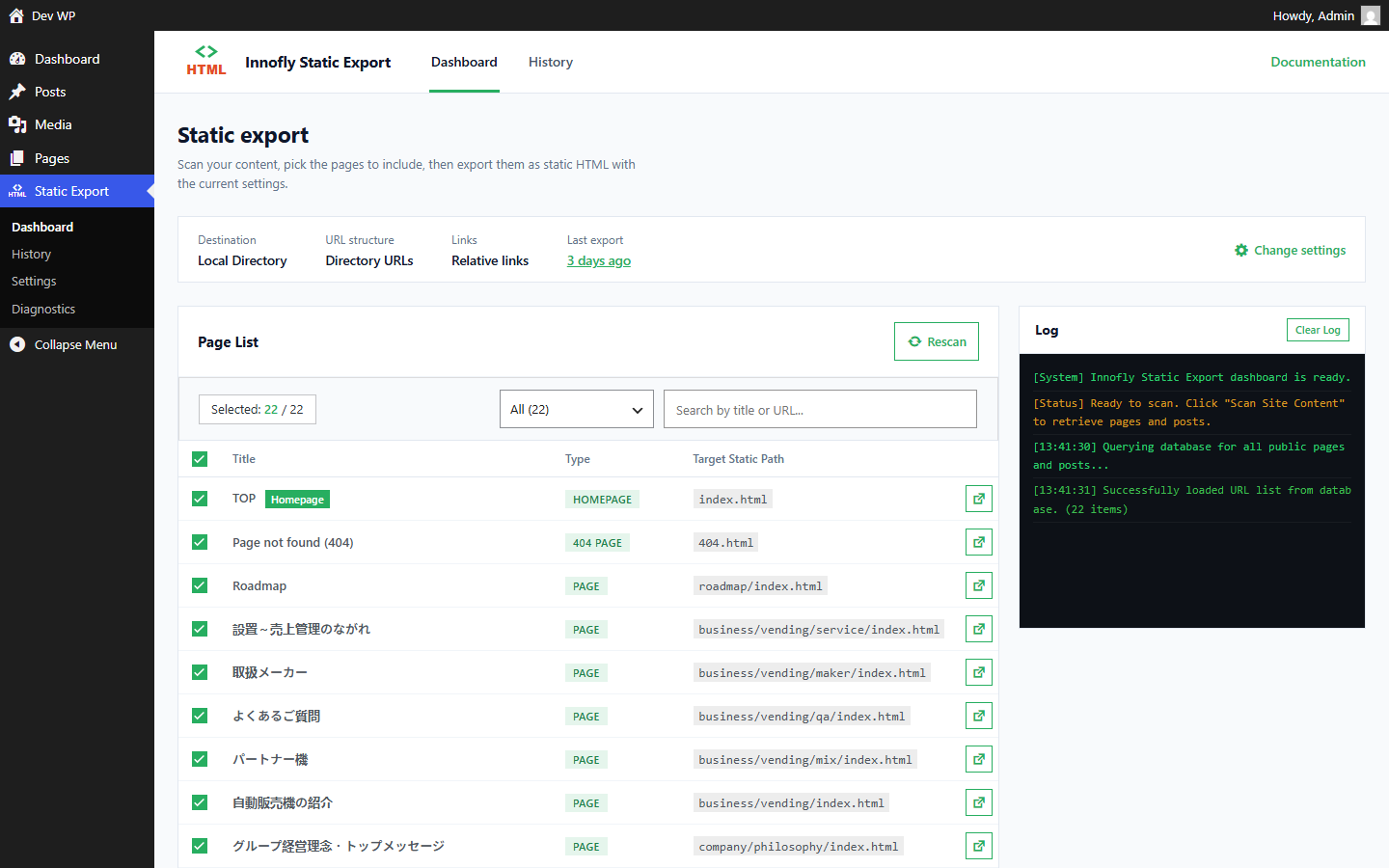
Dashboard: choose pages and run the export with a live progress log.
Build your site in WordPress as usual (themes, blocks, ACF, page builders), then export it to plain static HTML that runs on any web server or static host.
Export
- Scans pages, posts, custom post types, taxonomies and archives, and follows internal links (pagination, author and date archives) so nothing is missing.
- Two URL structures: directory style (
/about/index.html) or file style (/about.html). - Relative links (
../assets/...) so the export can be opened straight from disk, or absolute links for hosting. - Copies theme assets and media uploads, and can download images hosted on other domains.
- Cleans the HTML: removes generator tags, emoji scripts, RSD and wlwmanifest links.
- Runs in the background in small batches with a live progress bar and log, so large sites do not hit PHP time limits.
- Export a single post from the editor, or remove its page from the static site.
- WP-CLI command for scripted exports.
Deploy
- ZIP download, local directory, FTP, SFTP.
- GitHub Pages (pushes a commit to the branch you choose).
- Incremental deployments: only changed files are uploaded, removed pages are deleted.
Automate
- Auto export when a post or page is published, updated or unpublished: only the affected pages are regenerated.
- Scheduled full exports (daily, weekly, monthly) with retry and e-mail notifications.
- Export history with downloadable archives.
Static site tools
- Client-side search (a search index is generated at export time).
- Send form submissions to a form service of your choice (e.g. Formspree) instead of the WordPress site.
- Redirects, imported from Redirection, Rank Math or Yoast SEO Premium, written as static redirect pages and host rules.
- Custom text replacements, rename
wp-content/wp-includesfolders in the export. - Minify HTML and CSS, convert JPG / PNG to WebP.
- Optionally block public access to the WordPress site once it is served statically (logged-in users keep access).
The plugin is fully translated into Vietnamese and Japanese.
External services
The plugin does not contact any external service by default. It connects to a service only when you choose it in Settings, and only sends what is needed for that task. During an export it also requests the pages of your own site (loopback requests), which do not leave your server.
GitHub REST API (api.github.com, github.com), provided by GitHub, Inc.
* What it is used for: the “GitHub Pages” deployment method pushes the exported static site to a repository you own.
* What is sent and when: your personal access token, the repository name and branch, and the exported files (HTML, CSS, JS, images) with a commit message. This happens only when GitHub Pages is the selected deployment method, on each export / deployment, and when you click “Test connection”.
* GitHub Terms of Service, GitHub Privacy Statement.
Form service of your choice (for example Formspree)
* What it is used for: forms on the exported static site need a backend, so you can enter the URL of a form service in Settings.
* What is sent and when: nothing is sent from WordPress. The exported pages send the fields a visitor fills in (for example name, email, message) to the URL you entered, only when that visitor submits a form on the static site. If you leave the URL empty, forms are not changed.
* Check the terms and privacy policy of the service you choose, e.g. Formspree Terms of Service, Formspree Privacy Policy.
Your own FTP / SFTP server
* The host you enter receives your login and the exported files on each deployment, and when you click “Test connection”. No third party is involved.
External images
* Only with “Download external images to static export” enabled: images hosted on other domains that are used in your content are downloaded from those domains during the export. Only a standard HTTP request for the image is made; no site data is sent.