

Image Ticker Carousel | by Creavi
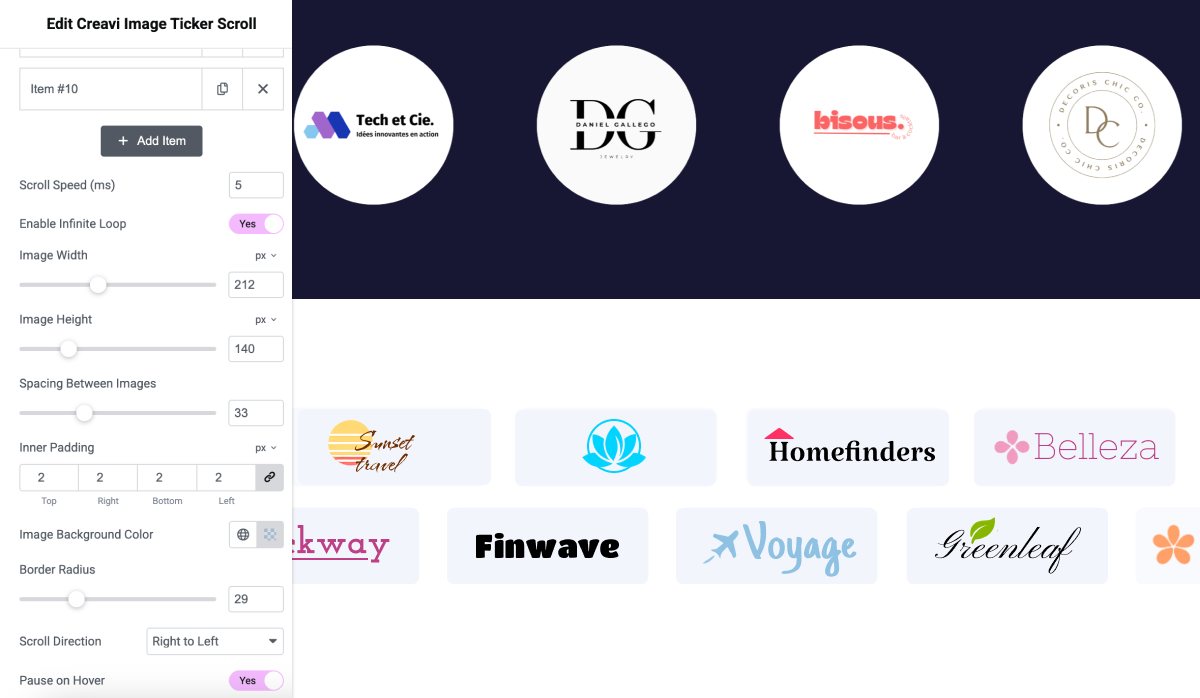
The ticker widget controls in the Elementor editor.
Elementor Image Ticker Carousel is a flexible and lightweight Elementor widget for creating continuously scrolling image tickers.
Use it to display logos, sponsors, products, featured items, or other images in a seamless horizontal loop. Each item can include an optional title, subtitle, and link. The widget works directly inside Elementor’s drag-and-drop editor and includes controls for motion, spacing, dimensions, and styling.
View the live demo: https://wordpress.creavi.dk/image-ticker-carousel-elementor/
Have an idea or need help? Contact the Creavi support team. We review user feedback when planning future updates.
Key Features
-
Multiple Image Support
Add multiple images with optional titles, subtitles, and links for each item. -
Title and Subtitle Controls
Customize item typography, color, alignment, and spacing. -
Optional Item Badges
Add small labels such as New, Featured, Sale, Sponsor, or Partner to individual ticker items. -
Customizable Scroll Speed
Control the continuous ticker duration in seconds to suit your design. -
Three Movement Styles
Choose a seamless continuous ticker, an item-by-item carousel, or a gentle cross-fade. All styles support image-only, text-only, and mixed-content items. -
Optional Floating Wave Animation
Add a gentle staggered floating motion to items in any movement style. -
Infinite Looping Option
Enable or disable seamless continuous scrolling. -
Background Color Customization
Choose an item background color that matches your site. -
Customizable Border Radius
Adjust the item corner radius for different visual styles. -
Adjustable Image Dimensions
Set custom image width and height using flexible units. -
Spacing Between Items
Adjust the spacing between ticker items. -
Inner Item Padding
Control the top, right, bottom, and left padding for each item. -
Scroll Direction Control
Choose left-to-right or right-to-left movement. -
Pause on Hover
Pause the ticker when a visitor hovers over it. -
Optional Hover Emphasis
Add a subtle interactive effect to ticker items.
External Services
When a site administrator explicitly selects Subscribe & Continue, the plugin sends the entered subscription email, administrator display name, site URL, an anonymous site hash, WordPress version, PHP version, plugin version, Elementor version, and locale to Creavi’s subscriber service at https://osecu.creavi.dk.
This information is used to provide requested security and feature updates, educational content, occasional Creavi offers, and plugin compatibility improvements. No information is sent when the administrator selects Skip. Administrators can change the subscription email or unsubscribe at any time from the Creavi Ticker page.
Creavi Privacy Policy: https://wordpress.creavi.dk/privacy-policy/
Separately, when a site administrator publishes a ticker with Share Anonymous Usage Metrics enabled in the widget, or enables Help improve Image Ticker Carousel on the Creavi settings page, the plugin sends anonymous usage events to Creavi’s metrics service at https://osecu.creavi.dk/wp-json/creavi/v1/metrics. These events cover plugin activation, published Elementor documents containing the ticker, and plugin deactivation. They include an anonymous site hash, plugin, WordPress, PHP, and Elementor versions, event timestamps, browser user agent, and—only for a published ticker—the numeric WordPress document ID and post type. The receiving service stores a one-way hash of the request IP address for abuse prevention.
The metrics do not include the site URL, email address, page content, Elementor design data, image URLs, ticker titles, or destination links. No metrics are sent unless the administrator enables this separate checkbox, and disabling it removes any queued events.