

ILM Size Chart & Size Guide for WooCommerce

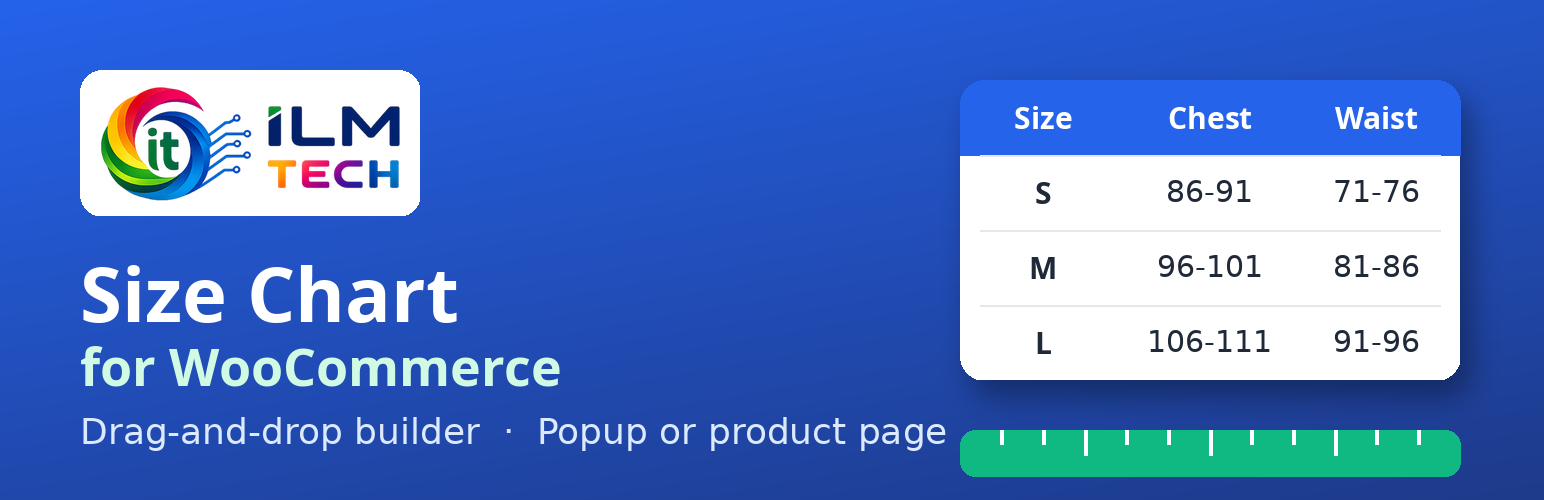
Size chart popup on a product page, with CM/IN switch and a how-to-measure picture.
“Will this fit me?” Every clothing shopper asks it. When they cannot tell, they leave, or they buy the wrong size and send it back. ILM Size Chart & Size Guide for WooCommerce puts a clear size chart on your product page, as a popup button or right on the page, so shoppers pick the right size the first time.
Free, with no limits: unlimited size charts, every display rule, the full designer, no licence key and no account.
🔗 Try it before you install
- Live shop demo: open a product and click the size chart button.
- Admin demo: build a chart yourself (login demo / Ilm-Demo-2026, filled in for you).
- Step-by-step video guides and documentation.
- Get the Pro add-on for Find my size and the AI chart builder.
✨ Key features
- Drag-and-drop builder: rows and columns (up to 6 per row), resize by dragging, undo and redo. No code.
- Rich charts: tables, text, images, YouTube or Vimeo videos and tabs in one chart, for example a size table plus a “how to measure” picture.
- CM / IN switch: type your sizes once; shoppers switch units and the numbers are converted for them.
- Paste from Excel or Google Sheets: copy a table and paste it into the chart.
- Popup or on the page: a size guide button that opens a popup, or the chart shown directly on the product page with a heading.
- Place it anywhere: use a CSS selector to put the chart before, after or inside any part of the product page.
- Popup designer with live preview: button text, icon, colours, border and hover look; popup size, position, background and animation; close button.
- 8 ready-made themes: Default, Classic Mono, Paper & Ink, Slate Minimal, Sage Garden, Ocean Breeze, Indigo Denim and Rose Boutique restyle the table, button and popup in one click.
- Display rules: show a chart on chosen products, categories (child categories included), tags, brands or attributes, or on all products. Apply Constrain shows it only where every rule matches.
- Priority: when several charts match a product, the one with the highest priority wins.
- Any theme: works with classic and block (full-site editing) themes, plus the shortcodes [ilm_size_chart] and [ilm_size_chart product=”123″].
- Fast: files load only on pages that show a chart.
- Export and import a design to reuse it on another chart or shop.
🛍️ Made for
- Clothing and fashion stores: shirts, dresses, jeans and jackets with chest, waist and length.
- Shoe stores: EU, UK and US sizes with foot length.
- Kids wear: age and height based sizes.
- Lingerie and swimwear: band and cup sizes.
- Rings, hats, gloves and belts: any product where size matters.
🧭 How it works
- Go to Size Charts > Add Size Chart.
- Build the chart in the designer, or start from a theme.
- Choose where it shows: a popup button or on the page.
- Pick the products, categories, tags, brands or attributes, and save.
⭐ Pro add-on
This free plugin is complete on its own. The separate ILM Size Chart Pro add-on adds:
- Find my size: shoppers type their measurements, or only height and weight, and get their size with a short reason.
- Create with AI: a complete size chart in three steps, from a product type or a photo, plus an AI design assistant.
- Five more themes with ready-made blocks.
- Custom CSS and support.
Get ILM Size Chart Pro or try it in the Pro demo.
🔒 Your data
Charts are kept in their own database table and removed when you uninstall the plugin. The plugin sends no data to ILM Tech and has no tracking. See “External services” below for the fonts and videos that load from other sites.
External services
The plugin works without any external service. Three kinds of content load from other sites, and only when you use them:
Google Fonts (chart editor only)
The chart editor offers Google fonts (for example Roboto, Poppins or Lato) for text, tables and the popup button. When you choose one of these fonts, or open a chart that already uses one, your browser loads the font from Google Fonts (fonts.googleapis.com and fonts.gstatic.com) so the preview shows it. Google receives the request of your browser (your IP address and browser details) and the font name. Nothing about your shop, products or customers is sent. This happens only in the admin chart editor, never on the shop pages. If you do not use Google fonts, nothing is loaded.
- Service: https://fonts.google.com/
- Privacy FAQ: https://developers.google.com/fonts/faq/privacy
- Terms of Service: https://policies.google.com/terms
- Privacy Policy: https://policies.google.com/privacy
YouTube and Vimeo videos
If you add a Video component to a chart, the video is embedded from YouTube or Vimeo. YouTube videos use YouTube’s privacy-enhanced mode (youtube-nocookie.com); this reduces, but does not remove, what YouTube stores and tracks. When the chart is shown as a popup, the player loads only after the visitor opens the popup. When the chart is shown directly on the product page, the player loads with the page. The video site then receives the visitor’s IP address and browser details and may store data in the browser, under its own policies. Nothing is loaded if you add no video.
- YouTube Terms of Service: https://www.youtube.com/t/terms
- Google Privacy Policy: https://policies.google.com/privacy
- Vimeo Terms of Service: https://vimeo.com/terms
- Vimeo Privacy Policy: https://vimeo.com/privacy
Bundled libraries
The plugin ships these third-party files. All of them have GPL-compatible licences; the licence texts are in the plugin’s assets/vendor folders. The admin screens use no third-party UI framework: their base styles are the plugin’s own (assets/css/ilmsc-admin-ui.css).
- Font Awesome Free 7.3.1 fonts (solid and regular), SIL Open Font License 1.1; the plugin’s icon CSS for them, MIT License, https://fontawesome.com/ (assets/vendor/icons/LICENSE.txt)
- Material Icons font, Apache License 2.0, https://github.com/google/material-design-icons (assets/vendor/material-icons/LICENSE)
- Pickr 1.10.2 colour picker, MIT License, https://github.com/simonwep/pickr (assets/vendor/pickr/LICENSE.txt)