

Hyve Lite – AI Chatbot Trained on WordPress Posts, Pages, Products & More with ChatGPT

Answers from your own content
Every site gets the same handful of questions over and over. What does this cost, how does it work, is there a version for me? The answer is usually already written down somewhere on your site, and nobody can find it.
Hyve is a conversational AI assistant and WordPress chatbot trained on your own content. Using retrieval-augmented generation (RAG), it searches the posts, pages, products, and other content you choose, then generates answers based only on what it finds.
It suits any site with content worth searching. A blog with hundreds of posts, a documentation site people keep emailing about, a service business answering the same presales and pricing questions, or an ecommerce store running WooCommerce.
Whether you’re helping customers find products, answering customer support and customer service questions, or making documentation easier to search, Hyve turns your WordPress content into an AI knowledge base that visitors can chat with naturally.
Run it as an FAQ chatbot on your pricing page, a support bot for your help desk, or an AI search assistant for your documentation.
Hyve Pro | Free vs Pro | Documentation | Support Forum
Set up in three steps
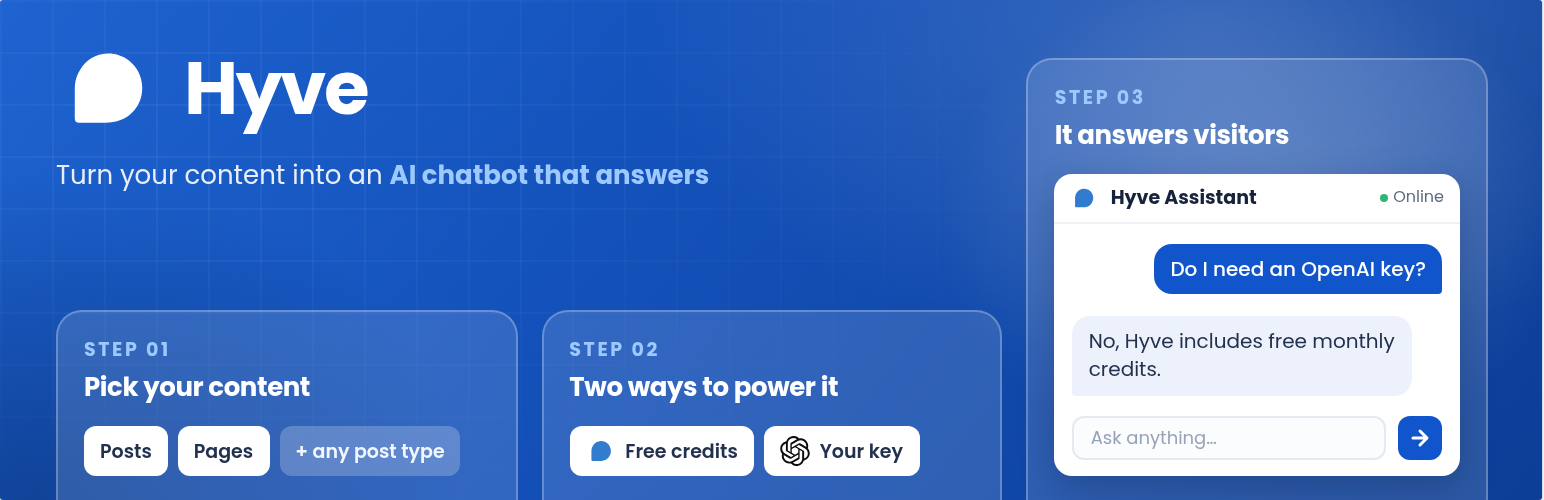
- Pick the posts, pages, and products the chatbot should learn from.
- Choose how the AI runs, either with Hyve Connect free monthly credits or your own OpenAI key.
- The chat widget goes live, and answers come from your content.
Two ways to power the AI
Hyve Connect: We host the AI, and the free plan includes free monthly credits, so there is no API key to manage. It is the easiest way to run a free AI chatbot without an API key. Install it, pick your content, and the chatbot answers the same day.
Your own OpenAI key: Bring an OpenAI account you already have and choose from the same GPT models behind ChatGPT, starting with GPT-4o mini. As your traffic grows, you can trade cost against answer quality while paying OpenAI directly for what you use, with no per-message fee to us.
You can switch between the two whenever you like, and your knowledge base comes with you.
Your content, and nothing else
Hyve uses retrieval-augmented generation (RAG), meaning every question starts by searching your content first. The AI then generates an answer from the most relevant information instead of relying on its general knowledge or the open web.
If the answer is not in your content, Hyve says so. It does not guess, and it will not invent a price or a policy you never wrote.
Free features
Train it on your WordPress content
Build an AI knowledge base from the content you already publish, without copying or rewriting anything.
- Add posts, pages, WooCommerce products, and any custom post type, so the AI chatbot handles product questions as readily as blog or documentation questions
- Edit a page and Hyve re-indexes it on save, so nobody gets an answer from an old version
- Every answer cites its sources, with numbered links back to the pages it came from, so visitors can click through and read more
- Hyve turns your content into embeddings for semantic search, and scales to thousands of documents when you connect an external vector database like Qdrant
- Include private and password-protected posts in the knowledge base, with role-based permissions controlling who can view conversations
Put the chat where you want it
Add the assistant wherever visitors need help, from every page on your site to a single landing page.
- A floating chat bubble in either bottom corner, or an inline chat sitting in the page itself
- Drop it in with the Hyve Chat Gutenberg blocks, or the
[hyve]and[hyve floating="true"]shortcodes for any theme, page builder, or widget area - Run the website chatbot site-wide, only on the pages you pick, or everywhere except the ones you exclude with visibility filters
Control the conversation
Shape how your AI assistant talks to visitors while keeping conversations safe and helpful.
- Write the welcome message visitors see first, and the fallback message for questions your content does not cover
- Content moderation screens visitor messages before they reach the AI
- Chat sound and message timestamps, both optional
- Read your three most recent conversations from the dashboard and see what people are actually asking
- Privacy controls and an optional chat privacy notice help you meet GDPR and privacy-policy requirements
More with Hyve Pro
Hyve Pro adds the parts that turn a chatbot into a customer support and sales tool.
More knowledge sources
Expand your AI knowledge base beyond WordPress by importing files and external websites, so visitors can chat with your documents and PDFs.
- Import PDF, Word, Markdown, text and CSV files, which turns manuals, policies and price lists into answers without republishing them
- Crawl any website URL, or add a whole site through its sitemap, for documentation that lives outside WordPress
- Type in custom data for answers you would rather not publish publicly
Turn conversations into leads
Never lose a potential customer. Turn the chat into a lead generation channel, capturing leads with the full conversation alongside every enquiry.
- A contact form inside the chat, with the fields you choose, so the chatbot doubles as a lead capture form
- Show it before the chat starts, when the bot cannot answer, or when a visitor asks to speak to a person
- Every lead lands in your dashboard beside the conversation it came from, so you have the context before you reply
Skills for live website answers
Go beyond your knowledge base by letting Hyve act as a read-only AI agent that retrieves live information from your website.
- Act as a WooCommerce assistant that searches your catalog and returns live prices and stock, so nobody is pointed at a product that sold out
- Check a signed-in customer’s order status, with identity taken from their account rather than an order number
- Run a site search when the knowledge base does not cover a question, then point the visitor to the right article
- You decide which skills are switched on, and every one of them is read-only
Send the data where you work
Connect Hyve with your existing workflows so conversations, leads, and knowledge searches reach the tools your team already uses.
- Webhooks push visitor messages, bot replies, and captured leads to any URL the moment they happen, so the events land in the tools your team already uses
- API access lets external tools search your knowledge base through a secure endpoint
Start the conversation first
Reach out before visitors leave by starting conversations at the moments they’re most likely to need help.
- Proactive messages open the chat on time spent, scroll depth, or exit intent, catching someone before they leave
- Suggested follow-up questions appear after each reply, keeping the conversation moving
Learn what visitors want
Understand what people ask most, discover content gaps, and continuously improve your knowledge base.
- Browse every conversation to spot common questions and trends
- Find unanswered questions and use them to improve your knowledge base
- Export chats as CSV and let your team review conversations without admin access
Make it yours
Customize the assistant so it feels like part of your brand instead of a generic chatbot.
- Give your AI assistant a custom name and personality
- Shape every response with custom instructions
- Match your brand with custom colors, icons, and widget styling
Compare Free vs Pro and see everything Hyve Pro includes
AI processing and third-party services
For AI processing, Hyve relies on the OpenAI API to provide certain features, such as text generation and language processing. How your data reaches OpenAI depends on which option you choose.
With Hyve Connect, your indexed content and visitor messages are processed through Themeisle’s hosted service, which passes them to OpenAI on your behalf. See the Themeisle Terms of Service and Privacy Policy.
With your own API key, those requests go from your site straight to OpenAI, and nothing passes through our servers. You can learn more about their terms of use here: OpenAI Terms of Use.
Hyve is backed by the Themeisle team, a trusted WordPress company behind Neve, Otter Blocks, and other popular products.