
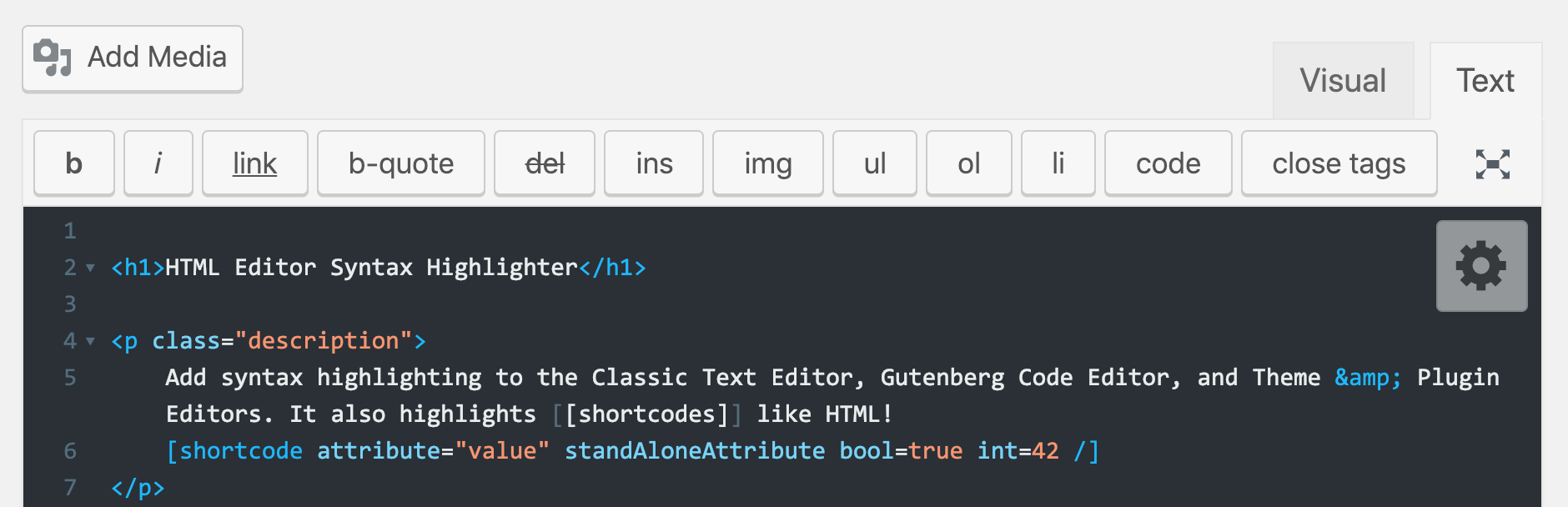

HTML Editor Syntax Highlighter
4.4/5 (110 ratings) 60K+ active installs Updated Nov 8, 2026

Syntax highlighting in the Classic editor's Code (Text) tab, with WordPress shortcodes highlighted like HTML.
Add syntax highlighting to the Classic editor’s Text (Code) tab and the block editor’s Code Editor using CodeMirror 6. HTML, inline CSS and JavaScript, and WordPress shortcodes are all highlighted.
Features
- Syntax highlighting in the Classic editor’s Text (Code) tab for posts and pages
- Syntax highlighting in the block editor’s Code Editor (not the Visual Editor)
- Syntax highlighting for WordPress
[shortcodes],[[escaped]]shortcodes and<!--more-->tags - Search and replace, code folding, bracket and tag matching, auto-closing tags and brackets
- Default, VS Code, Vim and Emacs key bindings
- Save your posts and pages by pressing
Ctrl+S(Cmd+Son Mac) - Restores the cursor position after the page reloads
- 13 themes and other settings, saved for each user
- Fullscreen mode in the Classic editor: toggle with
F11/Esc
If you would like to contribute to this plugin, view the github repo.