


HLB Ability Registry for MCP
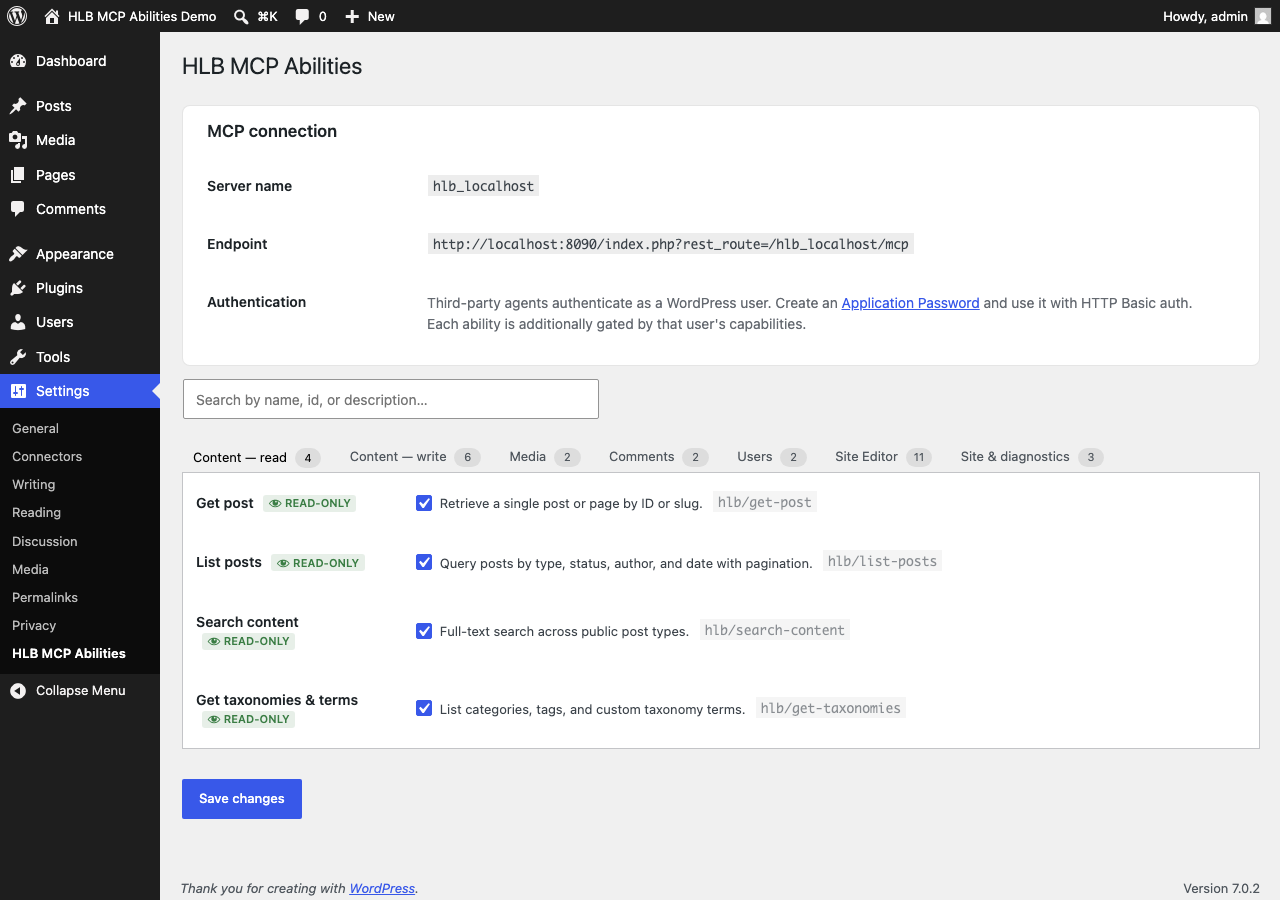
Settings screen: abilities grouped into searchable, countable categories (Content — read/write, Media, Comments, Users, Site Editor, Site & diagnostics), each with its own toggle.
Most “connect AI to WordPress” tools expose either everything or nothing: a single broad REST scope, or a fixed bundle of tools the site owner can’t trim. HLB Ability Registry for MCP takes a different approach — it ships a declarative catalogue of individually-togglable WordPress Abilities, and the site owner decides exactly which ones are live, per site.
What it actually does
- Registers a curated set of abilities against WordPress core’s own Abilities API (
wp_register_ability()) — content, media, comments, users, Site Editor templates & patterns, and optional WooCommerce and SEOPress integrations when those plugins are active. - Every ability has its own admin toggle in Settings HLB Ability Registry for MCP, searchable and grouped by category. Read-only abilities default on; write and destructive abilities default off.
- Read handlers do per-object capability checks (not just a blanket
current_user_can), so a low-privilege caller can’t read drafts or private posts by ID just because a coarse capability check passed. Listing abilities force unprivileged callers back to published content, and abilities only ever address post types the site already exposes publicly or over the REST API. - On multisite, each subsite gets its own on/off set, inherited from a network default unless a subsite administrator explicitly overrides it. An optional network mode lets the main site’s server target any subsite by id, with every permission and capability check re-run inside that subsite’s own context — nothing is granted network-wide by default.
- If the MCP Adapter plugin is active, the enabled abilities are projected onto a standard MCP server at
/wp-json/{server-slug}/mcp, so any MCP-speaking client or agent can call them. Without the MCP Adapter, the abilities you enable are still fully registered and reachable through core’s own/wp-json/wp-abilities/v1/REST routes — this plugin has value on a bare WordPress 6.9 install, the MCP Adapter is an optional extra hop for MCP clients specifically, not a hard requirement.
Source code
Development happens in the open: https://github.com/jdbg/hlb-ability-registry-mcp
Try it without installing anything
This plugin ships a WordPress Playground blueprint so you can click through the settings screen and a live MCP endpoint in a disposable browser sandbox before installing anything on a real site. See the FAQ below for the link.