
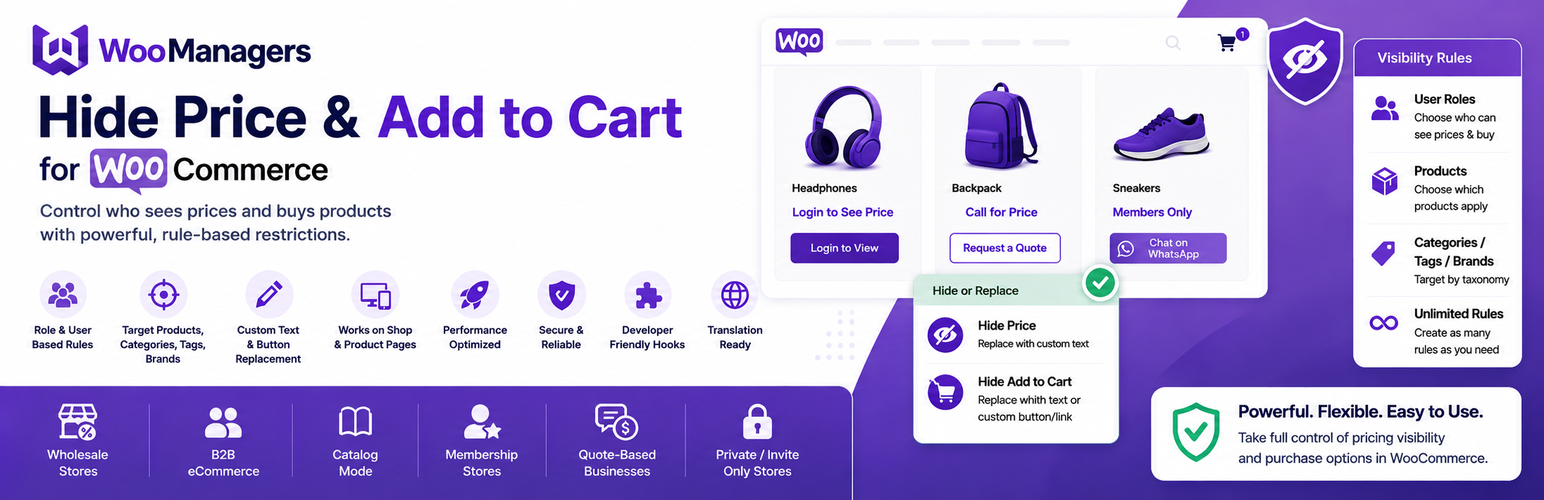

Hide Price and Add to Cart for WooCommerce

Rule list — manage all your hide price rules from the WooCommerce admin menu.
Hide Price and Add to Cart for WooCommerce gives store owners full rule-based control over pricing visibility and purchase options — no coding required.
Create unlimited visibility rules and define exactly who sees prices and the Add to Cart button, and on which products. Each rule lets you target specific products, categories, tags, or brands, and apply it to specific user roles, individual users, or guest visitors.
Whether you’re running a wholesale store, a B2B shop, a members-only catalog, or a quote-based business — this plugin makes conditional pricing visibility simple and flexible.
Why Use This Plugin?
Many WooCommerce stores need to control who can see prices and buy products. Common scenarios include:
- Hide prices from guest users until they register or log in
- Show pricing only to approved wholesale or B2B customers
- Replace “Add to Cart” with a “Request a Quote” or “Contact Us” button
- Convert your WooCommerce store into a browse-only product catalog
- Restrict purchasing for specific products or entire categories by user role
Key Features
Unlimited Hide Rules
Create as many rules as your store needs. Each rule is managed independently, giving you granular control across your entire catalog.
Hide Price with Custom Replacement Text
* Completely hide the product price
* Replace it with any custom text — e.g., “Login to See Price”, “Call for Price”, “Request a Quote”, or “Members Only”
* Leave the price area blank if preferred
Hide Add to Cart Button — Two Replacement Options
* Remove the Add to Cart button entirely
* Replace it with plain custom text (e.g., “Contact Us for Pricing”)
* Replace it with a styled custom link button pointing to any URL — your contact page, a quote form, a WhatsApp chat link, an email address, or any external page
Works on Shop Pages AND Single Product Pages
Rules apply both on archive/shop listing pages and on individual product pages, so your store looks consistent everywhere.
Supports All WooCommerce Product Types
Rules are applied correctly across simple products, variable products (including individual variations), grouped products, external/affiliate products, and WooCommerce Subscriptions.
Precise Product Targeting
Control which products each rule applies to:
* Apply to all products in your store with one click
* Target specific individual products
* Target entire product categories
* Target products by tag
* Target products by brand (compatible with brand taxonomy plugins)
Flexible User & Role Targeting
Control which visitors each rule applies to:
* Target specific individual user accounts by name
* Target any WordPress or WooCommerce user role — including Guests, Customers, Subscribers, Wholesalers, or any custom role
* If no user or role is specified, the rule applies to everyone
Results Cached for Performance
Rules are cached using WordPress object cache, so your store runs fast even with many rules active.
Developer-Friendly with Custom Hooks
Extend and customize the plugin’s behavior using built-in filters:
* woomanagers_replace_price_text — Filter the replacement text shown instead of the price
* woomanagers_replace_add_to_cart_text — Filter the replacement text shown instead of the Add to Cart button
* wmhp_hide_price_register_post_type — Customize the Hide Price Rules post type registration
Translation Ready
Fully internationalized with a .pot file included. Ready for translation into any language.
Built to WordPress and WooCommerce Standards
* Follows official WordPress coding standards
* Nonce verification and data sanitization on all inputs
* Integrates natively into the WooCommerce admin menu
* No bloat — only loads what it needs
Perfect For
- Wholesale WooCommerce Stores — Show prices only to approved wholesale accounts
- B2B eCommerce Websites — Gate pricing behind login for business customers
- Catalog Mode Shops — Let visitors browse products without seeing prices or buying
- Membership-Based Stores — Restrict pricing visibility to paid members
- Quote-Based Businesses — Replace Add to Cart with a quote request button
- Manufacturer & Distributor Sites — Display your product range without enabling direct purchases
- Private or Invite-Only Stores — Restrict all purchasing to specific registered users
Use Cases
- Hide all prices for guest (non-logged-in) visitors
- Show prices only to users with the “Wholesaler” role
- Replace “Add to Cart” with a WhatsApp button for a specific product category
- Hide pricing on a specific brand’s products for retail customers
- Create a catalog-only experience for trade show or brochure-style stores
- Allow browsing but require login before any purchase can be made