


hCaptcha for WP
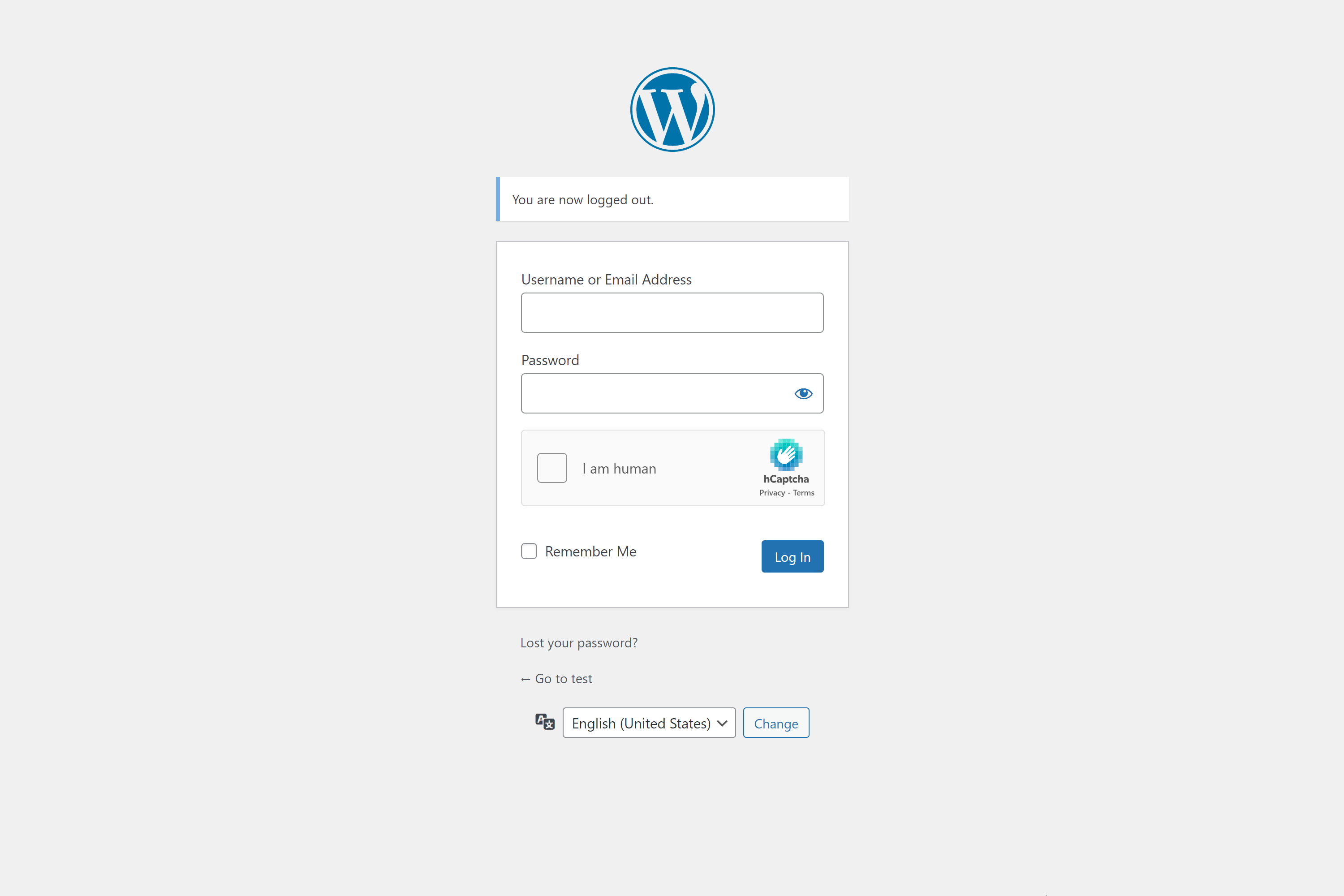
Login page with hCaptcha widget.
The strongest CAPTCHA. Switch from reCAPTCHA and Turnstile for free.
Unique REST API protection: In our October 2026 review of the 10 most-installed WordPress.org plugins tagged captcha, none offered this combination: hCaptcha protects selected content in WordPress REST post, page, collection, and search responses; requires hCaptcha for native REST comments; and blocks REST post-password attempts. Each safeguard applies when its corresponding protection is enabled.
A built-in Migration Wizard helps you move from Google reCAPTCHA or Cloudflare Turnstile to hCaptcha in just a few clicks.
hCaptcha is a drop-in replacement for reCAPTCHA that puts user privacy first.
Need to keep out bots? hCaptcha protects privacy while offering better protection against spam and abuse. Help build a better web.
hCaptcha for WP makes security easy with broad integration support, detailed analytics, and strong protection. Start protecting logins, forms, and more in minutes.
Benefits
- Privacy First: hCaptcha is designed to protect user privacy. It doesn’t retain or sell personal data, unlike platforms that gather, own, and monetize global behavior.
- Better Security: hCaptcha offers better protection against bots and abuse than other anti-abuse systems.
- Easy to Use: hCaptcha is easy to install and use with WordPress and popular plugins.
- Broad Integration: hCaptcha works with WordPress Core, WooCommerce, Contact Form 7, Elementor, and over 60 other plugins and themes.
Features
Highlights
- Migration Wizard: Migrate from Google reCAPTCHA or Cloudflare Turnstile to hCaptcha in just a few clicks.
- Built-in Anti-Spam: Honeypot fields and minimum submit time catch bots before the hCaptcha challenge, reducing friction for real users.
- Detailed Analytics: Get detailed analytics on hCaptcha events and form submissions.
- AI-Ready Security: Selected security actions are exposed via the WordPress Abilities API for automation and AI-driven workflows.
- Pro and Enterprise: Supports Pro and Enterprise versions of hCaptcha.
- No Challenge Modes: 99.9% passive and passive modes in Pro and Enterprise versions reduce user friction.
- Protect Site Content: Protects selected site URLs from bots with hCaptcha. Works best with Pro 99.9% passive mode.
- REST API Protection: Keeps protected posts and pages out of WordPress REST responses and search, verifies native REST comments, and blocks REST post-password attempts when the corresponding protections are enabled.
- Logged-in Users: Optionally turn off hCaptcha for logged-in users.
- Delayed API Loading: Load the hCaptcha API instantly or on user interaction for zero page loading impact.
- IP Access Control: Allowlist trusted IPs to skip hCaptcha and denylist abusive IPs to block form submissions.
- Country Access Control: Allowlist or denylist countries to control where hCaptcha protections apply.
- Multisite Support: Sync hCaptcha settings across a Multisite Network.
Anti-Spam
- Honeypot Protection: A hidden field catches bots before they reach the hCaptcha challenge, reducing friction for real users.
- Minimum Submit Time: Blocks instant form submissions from automated scripts.
- IP Denylist: Block abusive IPs from submitting any protected form.
- Country Blocking: Restrict form submissions by country to stop region-specific spam campaigns.
Customization
- Language Support: Supports multiple languages.
- Custom Themes: Customize the appearance of hCaptcha to match your site.
- Custom Themes Editor: Edit custom themes directly in the plugin.
- Login Compatibility: Compatible with all major hide login, custom login, and 2FA login plugins.
- Login Attempts: Protect your site from brute force attacks.
Ease of Use
- Test Modes: Use hCaptcha in live and Pro/Enterprise test modes.
- Activation and Deactivation: Activate and deactivate plugins and themes with hCaptcha in one click.
- Forced Verification: Optionally force hCaptcha verification before form submission.
- Check Config: Check hCaptcha configuration before saving keys and settings.
- Auto-Verification: Automatically verify custom forms.
- Standard Sizes and Themes: Choose the size and theme of the hCaptcha widget.
How hCaptcha Works
The purpose of a CAPTCHA is to distinguish between people and machines via a challenge-response test and thus increase the cost of spamming or otherwise abusing websites by keeping out bots.
To use this plugin, install it and enter your sitekey and secret in the Settings hCaptcha menu after signing up on hCaptcha.com.
hCaptcha Free lets websites block bots and other forms of abuse via humanity challenges.
hCaptcha Pro goes beyond the free hCaptcha service with advanced machine learning to reduce the challenge rate, delivering high security and low friction along with more features like UI customization.
hCaptcha Enterprise delivers a complete advanced security platform, including fraud protection and more to address both human and automated abuse.
Privacy Notices
hCaptcha is designed to comply with privacy laws in every country, including GDPR, LGPD, CCPA, and more.
For example, hCaptcha has been certified under ISO 27001 and 27701 and is enrolled in the EU-US, UK-US, and Swiss-US Data Privacy Framework for GDPR compliance.
Details are available at www.hcaptcha.com/certifications and www.hcaptcha.com/gdpr.
With the default configuration, this plugin does not:
- track users by stealth;
- write any user’s personal data to the database;
- send any data to external servers;
- use cookies.
If you enable CAPTCHA protection for native WordPress password-protected posts, the plugin sets a first-party hcaptcha_postpass_ cookie after successful verification. It contains signed proof of the password scope without the password itself and follows the native post-password cookie lifetime, including session cookies. Existing post-password cookies without this proof require another password-form submission with CAPTCHA. REST password attempts are rejected while this protection is enabled; editor authorization remains available.
Once you activate this plugin, the hCaptcha-answering user’s IP address and browser data may be sent to the hCaptcha service on pages where you have activated hCaptcha protection. However, hCaptcha is designed to minimize data used, process it very close to the user, and rapidly discard it after analysis.
For more details, please see the hCaptcha privacy policy at:
If you enable the optional plugin-local statistics feature, the following additional data will be recorded in your database:
- counts of challenge verifications per form
- only if you enable this optional feature: the IP address challenged on each form
- only if you enable this optional feature: the User Agent challenged on each form
We recommend leaving IP and User Agent recording off. In that configuration, the local event records do not contain either value.
The separate Collect Anonymously setting controls only local event storage. If IP address or User Agent collection is enabled, this setting stores those values as salted hashes instead of their original values.
Statistics is optional and off by default. Enabling it sends the visitor IP of the current request (X-Forwarded-For), the full site URL with /plugin-stats appended, and plugin configuration to hCaptcha at https://a.hcaptcha.com/api/event to help prioritize plugin development. Configuration includes the plugin version, license type, active integrations and their enabled forms, multisite status, and site/secret key presence flags, without key values. Reports are sent when Statistics is turned on and on initialization after plugin updates. The IP belongs to the request triggering the report, which may be an administrator or cron request; if no public IP is available, 127.0.0.1 is sent as a fallback. The recipient also receives ordinary network metadata, such as the server IP. Collect Anonymously, Collect IP, and Collect User Agent affect only local event storage, not these reports. Custom code can force or filter sends even with Statistics off.
The existing telemetry transport is retained for compatibility. It posts JSON with Content-Type: application/json, a fixed browser-style User-Agent (not the visitor browser value), and X-Forwarded-For containing the IP selected by the plugin from the current request using its trusted IP header settings/filter, or the 127.0.0.1 fallback. This fallback is not an anonymized visitor IP. The JSON fields are d (wp-plugin.hcaptcha.com), n (plugin-stats), u (the full home_url('plugin-stats'), including any installation path), r (null), w (the fixed value 1024), and props (configuration). The configuration fields are hCaptcha, License, Site key, Secret key, Multisite, Active, and active integration names with their enabled form identifiers. At most 30 configuration fields are sent, with Active limited to 2000 characters. Site key and Secret key are presence flags (0 or 1); their values are not sent. Local event records are not included in the remote report.
For developers, ordinary calls to hcap_send_plugin_stats require Statistics to be enabled. The plugin forces a send when the setting changes from off to on, before the new value is saved; other code can also explicitly request a forced send. The hcap_allow_send_plugin_stats filter can allow or block any send, including a forced send. The Playground integration uses this filter to block telemetry. Collect Anonymously does not change the remote report.
Plugins, Themes, and Forms Supported
- WordPress Login, Register, Lost Password, Comment, and Post/Page Password Forms
- ACF Extended Form
- Affiliates Login and Register Forms
- Asgaros Forum New Topic and Reply Form
- Avada standard and multistep Forms
- Back In Stock Notifier Form
- bbPress New Topic, Reply, Login, Register, and Lost Password Forms
- Beaver Builder Contact and Login Forms
- Blocksy Companion Newsletter Subscribe, Waitlist, and Product Review Forms
- BuddyPress — Create Group and Registration Forms
- Classified Listing Contact, Login, Lost Password, and Listing Register Forms
- CoBlocks Form
- Colorlib Customizer Login, Lost Password, and Customizer Register Forms
- Contact Form 7
- Cookies and Content Security Policy
- Customer Reviews for WooCommerce Review and Q&A Forms
- Divi Comment, Contact, Email Optin, and Login Forms
- Divi Builder Comment, Contact, Email Optin, and Login Forms
- Download Manager Form
- Droit Dark Mode
- Easy Digital Downloads Checkout, Login, Lost Password, and Register Forms
- Elementor Pro Form and Login Form
- Essential Addons for Elementor Login and Register Forms
- Essential Blocks Form
- Events Manager Booking Form
- Extra Comment, Contact, Email Optin, and Login Forms
- Fluent Forms, including Conversational, Multi-Step, and Login Forms
- Forminator Forms
- Formidable Forms
- GiveWP Form
- Gravity Forms
- Gravity Perks Nested Forms
- Icegram Express Form
- Jetpack Forms
- Kadence Form and Advanced Form
- LearnDash Login, Lost Password, and Register Forms
- Login/Signup Popup Login and Register Forms
- Mailchimp for WP Form
- MailPoet Form
- Maintenance Login Form
- MemberPress Login and Register Forms
- MetForm
- Ninja Forms
- Otter Blocks Forms
- Passster Protection Form
- Password Protected Form
- Profile Builder Login, Recover Password, and Register Forms
- Really Simple CAPTCHA
- Quform Forms
- Sendinblue Form
- Simple Download Monitor Form
- Simple Membership Login, Lost Password, and Register Forms
- Spectra — WordPress Gutenberg Blocks Form
- Subscriber Form
- Support Candy New Ticket Form
- Theme My Login — Login, Lost Password, and Register Form
- Tutor LMS — Checkout, Login, Lost Password, and Register Form
- Ultimate Addons for Elementor Login and Register Forms
- Ultimate Member Login, Lost Password, and Member Register Forms
- UsersWP Forgot Password, Login, and Register Forms
- WooCommerce Login, Registration, Lost Password, Checkout, Order Tracking, and Order Withdrawal Forms
- WooCommerce Germanized Return Request Form
- WooCommerce Wishlist Form
- Wordfence Security Login Form
- Wordfence Login Security Login Form
- WP Dark Mode
- WP Job Openings Form
- WPForms Form
- wpDiscuz Comment and Support Forms
- wpForo New Topic and Reply Forms
Please note
NOTE: This is a community-developed plugin. Your PRs are welcome.
For feature requests and issue reports, please
open a pull request.
We also suggest emailing the authors of plugins you’d like to support hCaptcha: it will usually take them only an hour or two to add native support. This will simplify your use of hCaptcha and is the best solution in the long run.
You may use native hCaptcha support if available for your plugin. Please check with your plugin author if native support is not yet available.
However, the hCaptcha plugin provides a broader set of options and features so that you can use it with any form on your site.
Instructions for popular native integrations are below: