


Harvify Cron Monitor
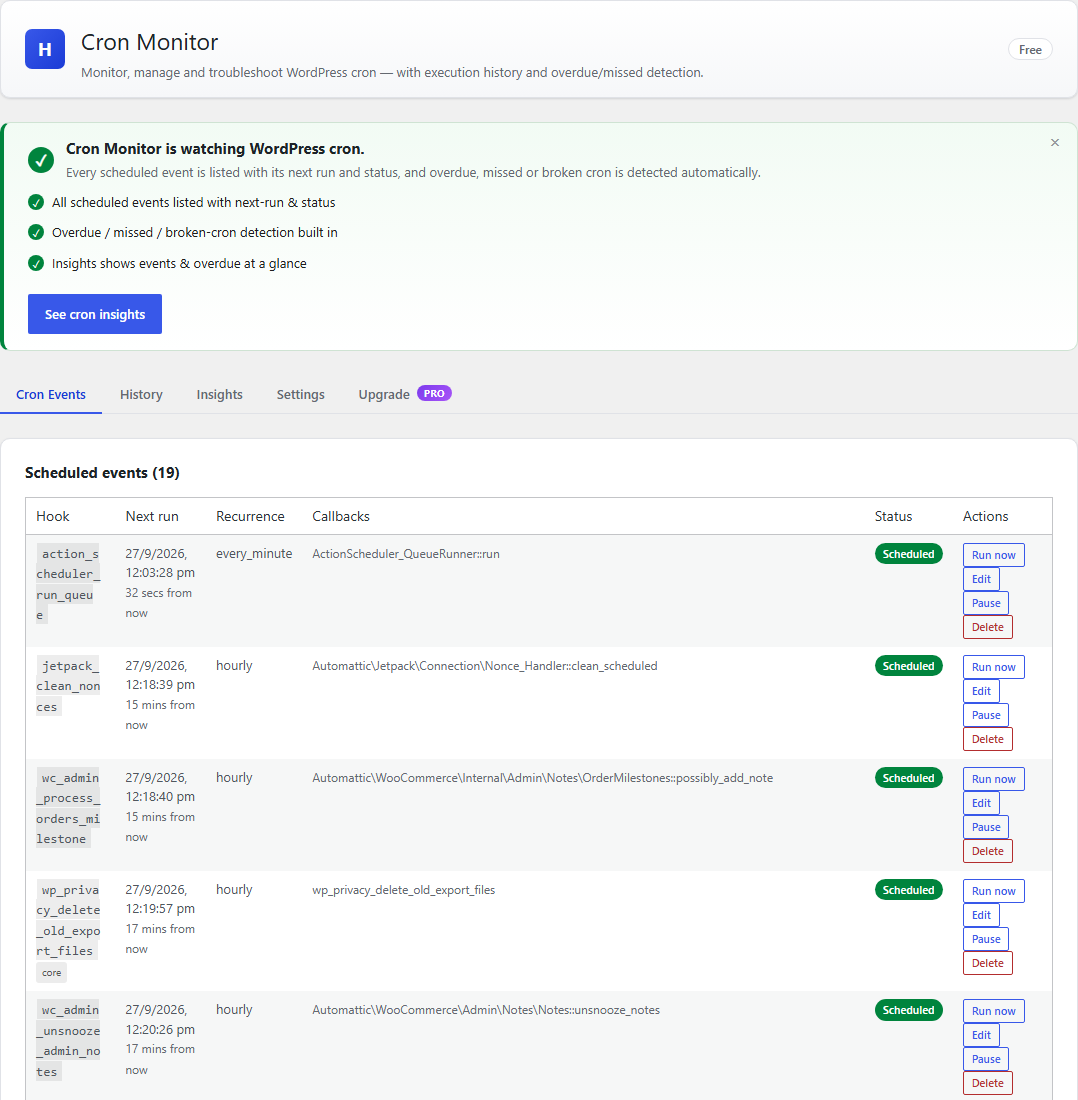
Every scheduled event, with overdue and broken ones flagged.
Harvify Cron Monitor shows you exactly what your site’s scheduler is doing — and tells you when it stops. Unlike basic cron viewers, it records an execution history (duration, memory, success/error) so you can see what actually ran, not just what is scheduled.
Free features:
- List all WP-Cron events — hook, next run, recurrence, arguments, callbacks
- Full event management — run now, pause/resume, delete, with a safety guard
on WordPress core events - Add events — schedule an existing hook by name, or an HTTP request
- Execution history with timestamps — every run, its duration, memory, and
status - Overdue, missed, and broken-cron detection (including DISABLE_WP_CRON
warnings) - Action Scheduler queue visibility (precise timing for AS jobs)
- CSV export of history
- Dashboard widget — cron health at a glance
Pro features. These are not part of this plugin and are not included in this
download. They are provided by a separate plugin distributed by Harvify:
- Alerts on missed, failed and long-running events — Email, Slack, Discord,
and Telegram - Auto-retry for failed events (bounded attempts with backoff)
- Per-hook performance metrics — average/max duration and memory, added by
the separate Pro plugin (not included in this download) - Email digests (daily or weekly) summarizing cron activity
- Multisite network view — cron health across every site
A note on timing accuracy
Action Scheduler events are measured precisely (we hook its before/after execution events). WordPress core has no native per-event start/finish hook, so WP-Cron timings are best-effort: we bracket each due hook’s callback on the cron request and record a fatal/timeout via the shutdown handler. WP-Cron rows are labelled “approx.” in the history so you always know which numbers are exact.
Security
This plugin does not evaluate code. It schedules hooks that already exist on your site, and can optionally perform an HTTP request on a schedule. There is no code editor and no author-supplied code is ever stored or executed.
- Creating, editing, and running events requires the
manage_optionscapability and a valid nonce. - URL events use WordPress’s safe HTTP API (SSRF protections apply) and only accept http(s).
External services
This plugin connects to Freemius, the licensing and update service Harvify uses to
sell and deliver the Pro tier of its plugins.
Nothing is sent to Freemius unless you choose to send it. On activation you are shown
Freemius’s standard opt-in screen. Until you answer it a fresh install makes no
outbound request at all, and if you choose Skip the free tier stays fully usable
and still sends nothing. Data is transmitted only when you take one of these
actions:
- You click “Allow & Continue” on the Freemius opt-in screen. This sends your
site address, your administrator email address, and your WordPress, PHP and active
plugin/theme details, so Harvify can provide support and know which environments to
test against. Skipping that screen sends nothing and leaves the plugin working
normally. - You enter a Pro Bundle licence key. This sends the key together with your site
address so the licence can be activated for that site. While a licence is active the
site also re-checks periodically that it is still valid and whether a Pro update is
available.
Service provided by Freemius, Inc. – https://freemius.com/
Terms of service: https://freemius.com/terms/
Privacy policy: https://freemius.com/privacy/
URL cron events (optional, no default destination)
Cron Monitor can run a “URL event”: a scheduled request to an address you supply. No
URL event exists until an administrator creates one, and there is no default
destination, so a fresh install contacts nothing. An administrator can also switch
URL events off entirely in Settings, which stops any that already exist from running.
Sent: an HTTP GET to the URL you entered. The plugin adds no page content and no
information about your users. As with every HTTP request WordPress makes, the
standard request header identifies the sender as “WordPress/; “, so the destination you chose can see your site address.