
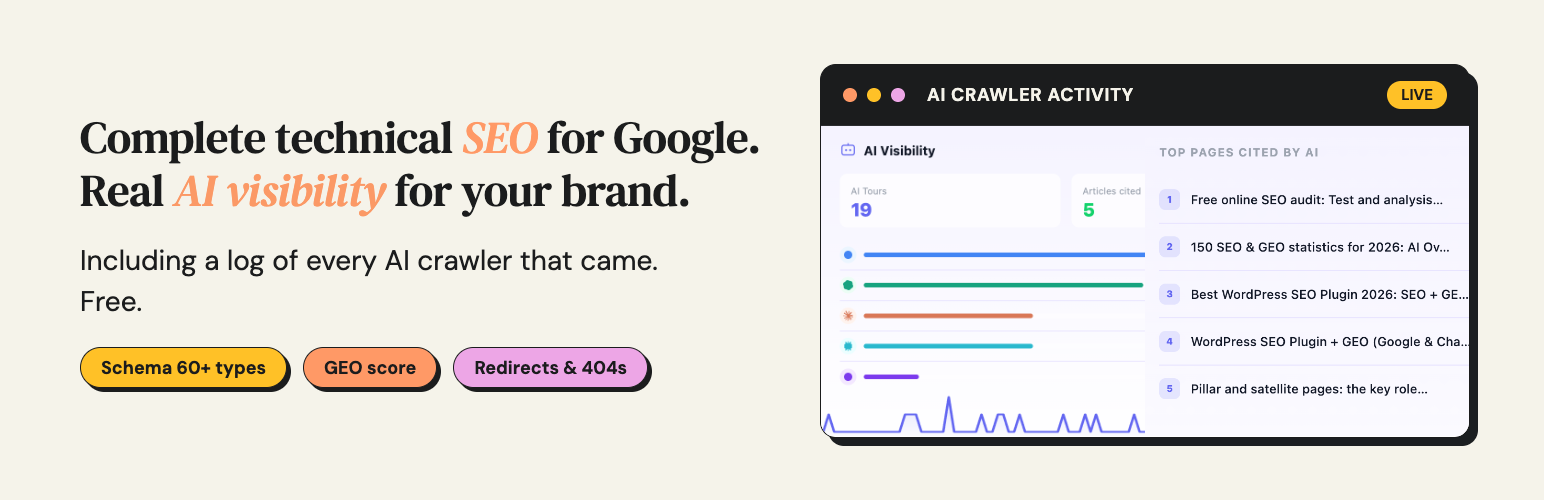

Hack The SEO – AI Bot Tracker, GEO Score, JSON-LD Schema & Cannibalization
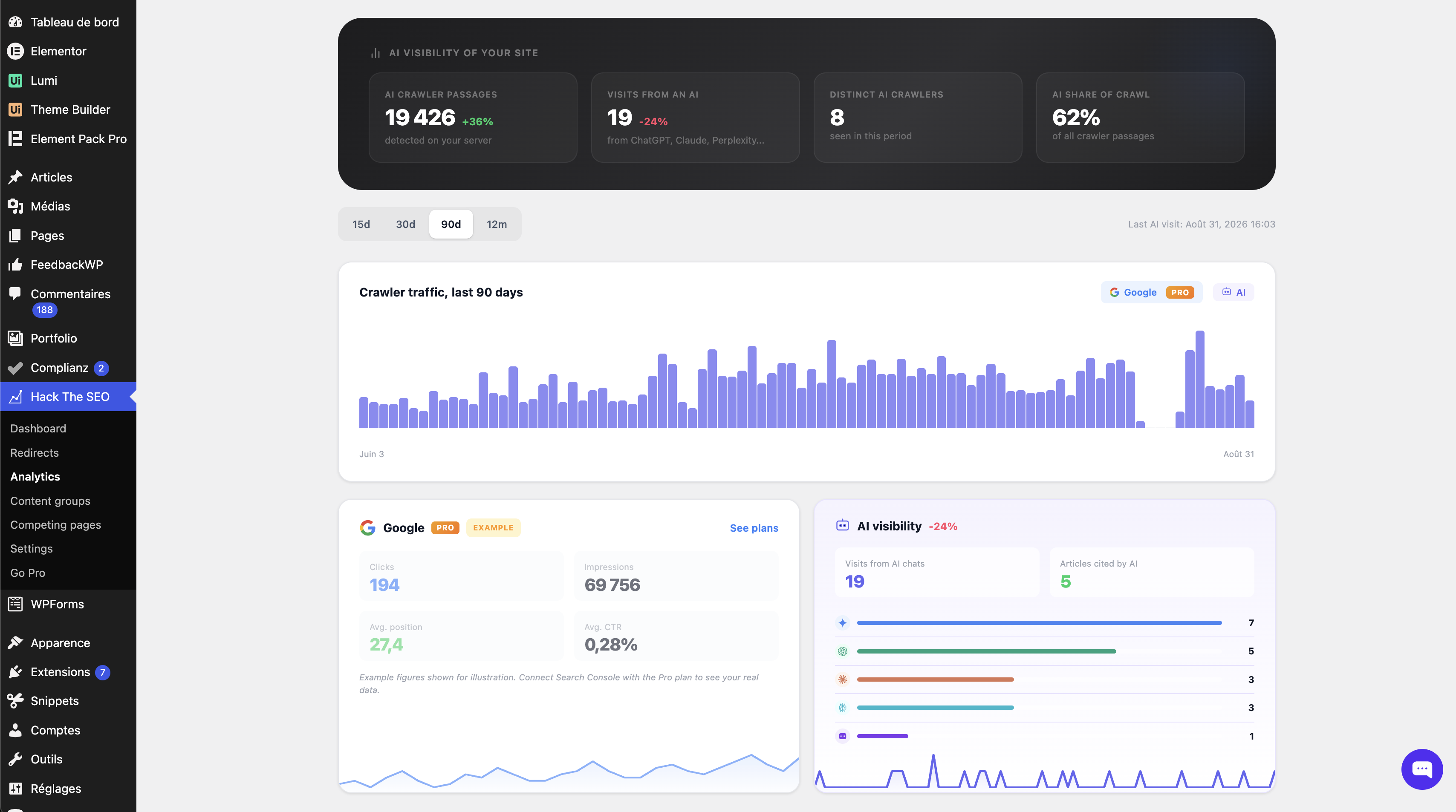
AI visibility: every visit from GPTBot, ClaudeBot, PerplexityBot and 15 other AI agents, measured server-side, page by page.
Hack The SEO does three things, free.
It shows you which AI crawlers read your pages, which pages they read, and when. No analytics tool can tell you that. It tells you what to fix so those pages are worth quoting. And it handles the whole technical SEO layer: schema, sitemaps, redirects, meta tags.
It also ships a read-only MCP server — the Model Context Protocol, the standard an AI client uses to read data from a tool. You connect Claude and ask about your site instead of clicking through screens.
You do not have to choose. Hack The SEO runs next to Yoast SEO, Rank Math, All in One SEO and SEOPress. It detects the one you already have, then steps aside on everything that plugin already produces. Nothing is printed twice, and you configure nothing. What it adds is what none of them gives you: the AI crawler log, the GEO score, the cannibalization report.
Why your analytics cannot see this. GPTBot, ClaudeBot and PerplexityBot do not run JavaScript, so a JavaScript analytics tool never sees them. Hack The SEO reads the request on your server, before any script runs, and writes every visit into a table in your own database.
Safe to install today, on the site you already have
- Nothing leaves your site on its own. No account, no API key, no telemetry. Out of the box the plugin makes zero outbound requests. Every request it can make is triggered by you, and listed under “External services”.
- Nothing breaks if you uninstall. Your redirects, metadata and settings stay in the database unless you ask for them to be deleted.
- Nothing slows your visitors down. No external call in the front-end path. Scores and audits run in the admin, never on a visitor’s request.
- Runs on the hosting your clients actually have. PHP 7.4, WordPress 5.9, MySQL or MariaDB. No Composer, no build step.
Everything you get, and all of it is free
- AI crawler log: 18 user agents from OpenAI, Anthropic, Perplexity, Apple, Google, Meta, Cohere and Common Crawl, recorded server-side.
- Weekly report by email: once a week, your own site tells you how many AI crawlers came, on how many pages, how many visitors arrived from an AI chat, and which broken links appeared. Sent by WordPress, from your site, to you. Opt-in.
- GEO score per page: generative engine optimization, also called AEO, scored out of 100 on six criteria, with the failing ones named.
- Keyword cannibalization report: cannibalization is when two of your own pages chase the same search, so Google has to pick and both lose. The report names each competing pair and what to do with it.
- A read-only MCP server (Model Context Protocol): connect Claude and ask your site directly. Twelve abilities, and all twelve read.
- JSON-LD schema and structured data: the hidden summary Google reads to understand a page. 60+ types, generated automatically, editable page by page. It is what makes a page eligible for rich results, also called rich snippets.
- XML sitemaps: sitemap index, per-type sitemaps, human-readable XSL stylesheet.
- Redirects and 404 monitor: 301s, regex rules, CSV import and export, a 404 log with one-click 404-to-redirect.
- Meta titles and descriptions: the blue line and the grey text Google shows. Templates, variables, and a live SERP preview.
- Open Graph and Twitter Cards: the title, text and image people see when your link is shared on social media. On every post, page and custom post type.
- Alt text auto-fill: images published without alt text get one, derived from the file name, the title or the focus keyword. The audit lists the ones still missing.
- Canonicals, breadcrumbs, robots and noindex: which page is the original, the trail of links back to the home page, and what you keep out of Google. Per post, per type, per category. A robots.txt editor is included.
- On-page audit (onpage SEO): 21 checks in the editor, a Google score and an AI citability score side by side.
- Orphan detection: pages with no inbound internal link are flagged in the global score, because a page nothing links to is a page nothing finds.
- IndexNow: ping Bing, Yandex, Naver, Seznam and Yep the moment you publish. Off until you switch it on.
- llms.txt: a plain-text index of your key pages, for AI crawlers. Built from your real content, not from a template. Every page also gets a Markdown version at
/your-page.md, the plain format an AI model reads most reliably. - WooCommerce: product and category schema, shop-aware sitemaps.
See which AI crawlers read your pages
- Detection runs on your own server, while WordPress builds the page. No beacon, no tracking script, no external service.
- GPTBot, ChatGPT-User, OAI-SearchBot, ClaudeBot, Claude-User, Claude-SearchBot, PerplexityBot, Perplexity-User, Applebot, CCBot, Bytespider and seven more.
- Every hit is written to a table in your own database, with the URL and the timestamp.
- Human visits arriving from an AI chat are counted through the referrer, so you see the crawler and the click it eventually sent.
- Only agents these companies really send.
Google-Extendedis a robots.txt token, not a crawler, so counting it would count nothing.
Other plugins give you a switch to block AI crawlers. This one tells you whether they came.
How you know it works
You do not have to do anything. Activate the plugin and let it sit: the crawlers come on their own and the screen fills up on its own. On a new site that can take weeks, and an empty screen is an answer too.
If you have a terminal and want to check today, ask your own server for a page while pretending to be GPTBot, then refresh the screen:
curl -A GPTBot https://your-site.tld/any-page/
Use a real post or page URL, not the home page: the detector only reads single pages. Everything here is built the same way: if we claim it, you can check it.
Find out which of your pages are worth quoting
GEO, generative engine optimization (also called AEO), is the work of making a page a generative engine can read, understand and quote. Each page is scored out of 100 on six questions:
- Does the introduction answer the question directly?
- Are there lists or tables a machine can parse?
- Are there figures to quote: percentages, dates, amounts?
- Are outside sources cited?
- Is there an FAQ or a definition a model can lift as it stands?
- Has the page been updated recently?
The rules are plain PHP in the plugin. Open the file and read them. No model decides your score, and no API key is involved.
Ask your site directly, from Claude
The plugin ships a read-only MCP server. Connect Claude Code or Claude Desktop, and ask instead of clicking through screens:
- Which published pages has no AI crawler read at all?
- Why does this article score 38 out of 100?
- Which of my pages compete with each other?
- Which URLs return a 404 most often?
Twelve abilities, and all twelve read. No write among them, and no setting that turns one on. Every call is made by a signed-in WordPress user and checks a capability, so drafts and password-protected content stay out. The connection is inbound: your client calls your site, and no third party is contacted. It needs WordPress 6.9, where the Abilities API entered core. The FAQ has the detail.
Already running Yoast, Rank Math, All in One SEO or SEOPress?
Keep it. Hack The SEO installs next to it and steps aside on its own.
The usual reason not to run two SEO plugins is duplicate output: two title tags, two canonicals, two sets of schema. This plugin is built to avoid exactly that, without you configuring anything.
- It gets out of the way, module by module. On activation it detects the plugin in place and stops emitting what that plugin handles: meta tags, canonical, schema, sitemap, breadcrumbs, robots, and hreflang. Nothing is emitted twice.
- It never deactivates your plugin and never changes its settings.
- What you came for works from day one. The AI crawler log, the GEO score and the cannibalization report print nothing on the front end, so nothing can overlap.
- You stay in charge. A dedicated screen lists every overlap and lets you decide which plugin owns what. Your choice always wins.
- And if you would rather replace than stack, the migration wizard imports your meta titles and descriptions, your robots and noindex rules, your canonicals, your redirects and your schema settings. It runs as a dry run first, so you see what will be imported, counted per type, before anything is written. It never deletes the source data.
Your data stays yours
- AI crawler data, GEO scores and audit results stay in your database. No telemetry, no phone-home, no usage statistics.
- Outbound requests happen only when you ask for them: IndexNow pings and the opt-in form for the guide and newsletter, both idle until you use them. The weekly report is your own WordPress writing to you.
- Read the privacy policy if you want the long version.
Works with the tools you already use
Tested with Elementor, Divi, Bricks, Oxygen and WPBakery: it reads the rendered page, so scores and schema see what your visitors see. Multisite compatible. Works with caching plugins and CDNs, with one honest limit: a full-page cache that answers before WordPress loads also answers before this plugin runs, so those hits are not logged.
What this plugin will not do, and will not pretend to
- It does not promise you a ranking or a position. Nobody can, and anyone who does is selling something.
- It does not write your content for you, suggest internal links, or track your rankings.
- It does not make you “visible in ChatGPT” by dropping an llms.txt on your server. That claim has no evidence behind it.
- It does not block AI crawlers. It measures them.
Useful links
- Documentation
- Getting started
- SEO and GEO glossary, 100+ terms defined
- Free SEO audit
- Blog
- Support
- Contact us
External services
This plugin connects to two external services, neither used out of the box: IndexNow is off by default, and hacktheseo.com is contacted only when you submit the opt-in form.
IndexNow
What it is. IndexNow is an open protocol that lets a site notify participating search engines (Bing, Yandex, Naver, Seznam, Yep) that a URL has changed, instead of waiting to be crawled. The endpoint https://api.indexnow.org/indexnow is operated by the IndexNow sponsors: Microsoft Corporation, Yandex N.V. and Seznam.cz, a.s.
When it is used. Only when the IndexNow module is enabled. The option htsfree_indexnow_enabled defaults to 0. While it is 0, no hook is registered and no request is ever made. The plugin never enables it for you, including on activation. Once you enable it, a request is sent when you publish or update a post or page, or when you click the manual ping button in the admin.
What is sent. Only:
- the public URL(s) of the content you just published or updated on your own site;
- the host name of your site;
- an IndexNow key, randomly generated locally and published by design at
https://your-site.tld/{key}.txt, which is how the protocol proves you own the domain.
No post content, no personal data, no visitor data, no site credentials and no administrator information are transmitted. Requests are rate-limited to one ping per URL per ten minutes.
Where to read their terms. Terms of use, which also contain the privacy statement for the service: https://www.indexnow.org/terms. Protocol documentation: https://www.indexnow.org/documentation. Microsoft’s privacy statement, as one of the sponsors processing submissions: https://privacy.microsoft.com/privacystatement.
hacktheseo.com (guide and newsletter opt-in)
What it is. hacktheseo.com is this plugin author’s site. It receives the email address you submit, at https://hacktheseo.com/wp-json/hts/v1/free-optin, and passes it to Klaviyo, the email service operated by Klaviyo, Inc. (United States), which stores the address and sends the guide and newsletter.
When it is used. Only when you type your email address in the opt-in form, tick the consent box and submit it. Never on activation, cron, a page view, or in the front end.
What is sent. Six fields and nothing else: email, the address you typed; consent, whether you ticked the box; consent_version, the wording you agreed to, currently 2026-09-optin-v1; source, the fixed word wp-plugin-free; plugin_version; and locale, your WordPress language code, for example fr_FR. The body carries no site name, no user name, no content, no settings, no scores, no AI crawler data, no visitor data, and no identifier of the plugin’s own. Outside the body, as on any WordPress request, the receiving server sees your IP address and the standard WordPress User-Agent, which contains your site address.
What happens next. The Klaviyo list is double opt-in: you are subscribed only after you click the link in its confirmation email. Every message carries an unsubscribe link.
Where to read their terms. Hack The SEO legal notice: https://hacktheseo.com/legal-notice/, and privacy policy: https://hacktheseo.com/privacy-policy/. Klaviyo terms of service: https://www.klaviyo.com/legal/terms-of-service. Klaviyo privacy notice: https://www.klaviyo.com/legal/privacy/privacy-notice.
The weekly report (your own site, to you)
When enabled, once a week your WordPress sends its administrator a short email through wp_mail(): AI crawler passages and pages, visitors arriving from AI chats, new broken links, and the movement of the site score. It uses your site’s existing mail configuration and contacts no third party. Nothing is sent on a week with nothing to report. Every email carries an unsubscribe link that works without logging in, and supports one-click unsubscribe from mail apps. It is off by default and controlled from the AI visibility settings.
On-site visitor measurement (no third party)
The content performance module counts views, reading time and scroll depth for your published posts. This is stored in your own database only. Visitor IP addresses are never stored: they are hashed and used solely as a short-lived rate-limit key so the same visitor is not counted twice within thirty minutes. Nothing is sent anywhere. The module can be turned off with the option htsfree_visits_tracking.
For clarity: requests to your own site
Some features (the health check, the sitemap self-test, the schema verification, the redirect probe, page-builder content extraction) load a URL of your own site over HTTP, because that is the only reliable way to see what a visitor or a crawler actually receives. These are loopback requests to your own domain. They are not a third-party service, and nothing leaves your server.