


GTranslate Visual Addon
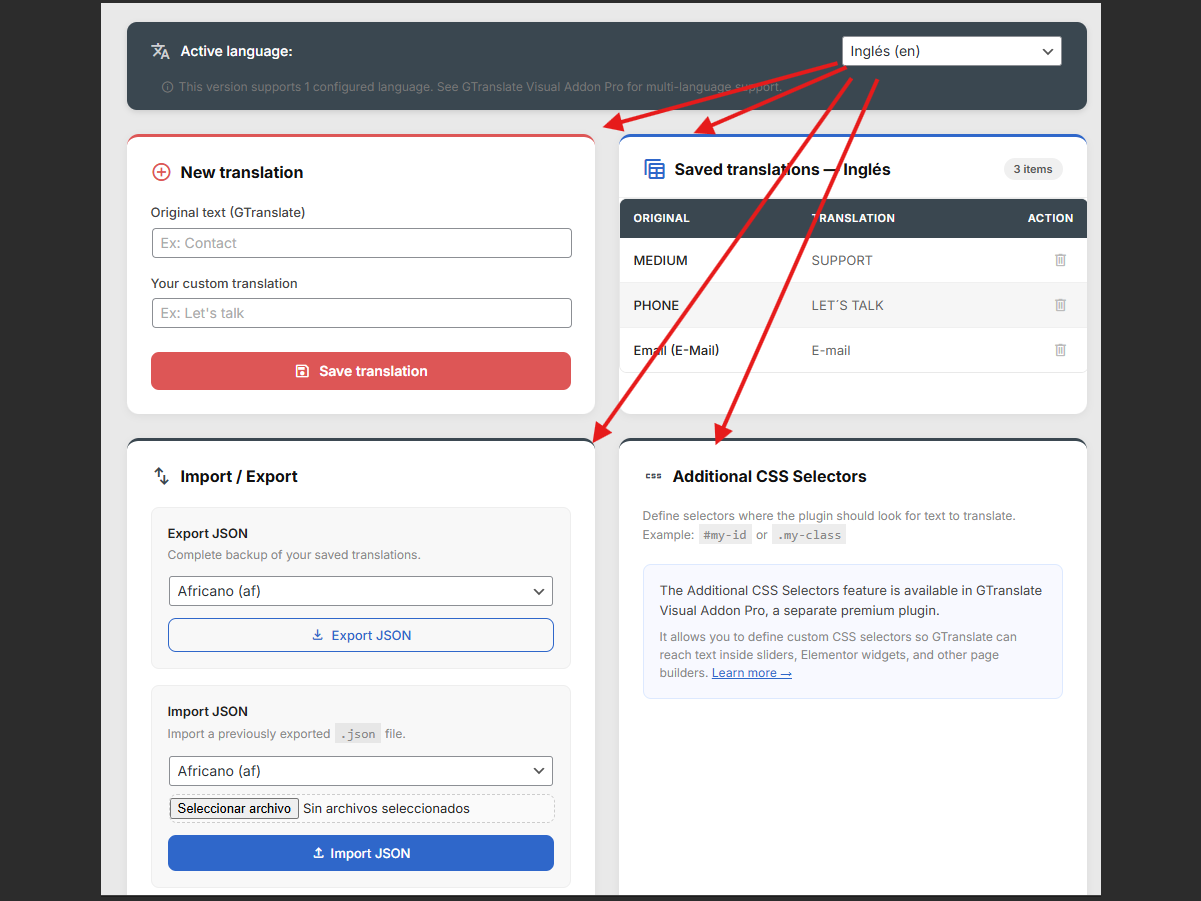
Visual Selection - Click any text element on your live website frontend to capture it.
GTranslate Visual Addon helps you fix wrong, literal, or missing GTranslate translations directly from the frontend. Click any visible text, add your preferred translation, and override the automatic output for visitors using that language.
This plugin acts as a bridge and enhancement for the GTranslate service. You must have the core GTranslate plugin installed and active for this to work. By using this plugin, you are also bound by the GTranslate Terms of Service and Privacy Policy.
Use it for targeted fixes when GTranslate misses or mistranslates:
- WooCommerce buttons and checkout labels.
- Elementor text widgets.
- Contact forms.
- Custom theme strings.
- Headings, buttons, and calls to action.
If GTranslate missed it, you can translate it manually. If GTranslate translated it poorly, you can fix it with a visual translation editor.
How it works
- Make sure GTranslate is installed, active, and visible on your site.
- Log in as an administrator and navigate to the frontend of your website.
- Use GTranslate to switch to the language you want to customize.
- Select the specific translated text visually from the page.
- Type your custom translation.
- Save it. Your custom text will override the automatic translation whenever visitors switch to that language.
Scope of the Free Version
This free version is built for targeted fixes: up to 10 visual text overrides for 1 target language.
It is useful for small websites, landing pages, WooCommerce labels, form text, headings, buttons, and other critical strings where automatic translation needs a manual correction.
Discover the Pro Version
Need to correct hundreds of strings across multiple languages?
The Pro Version is a separate plugin that offers additional features for GTranslate power users:
- Unlimited Visual Elements translated without restrictions.
- All Languages Supported simultaneously.
- CSV Import/Export: Manage thousands of translations in Excel and upload them in seconds.
- SEO Title & Meta Translation: Translate your
<title>and<meta description>tags to rank every language on Google.
Discover GTranslate Visual Addon Pro here
External services
GTranslate Visual Addon includes optional anonymous telemetry for compatibility and product-improvement decisions. It is disabled by default. No telemetry request occurs unless an administrator explicitly enables it and saves the preference.
When enabled, one request per week is sent to https://tuwebmaster.com.ar/wp-json/tuwebmaster/v1/telemetry containing a random installation identifier, WordPress/PHP/plugin versions, locale, translation and configured-language counts, and yes/no compatibility flags for GTranslate, GTranslate Visual Addon Pro, Elementor, and WooCommerce.
Telemetry never includes the site URL, administrator or visitor details, translation text, container selectors, license data, or browser user-agent strings. Tu WebMaster stores a one-way hash of the random identifier and retains records for up to 180 days. Source IP is not stored in the telemetry database; standard hosting security logs may process it under the privacy policy.
Disabling telemetry stops future requests and sends a deletion request for that installation record. Uninstalling the plugin does the same when telemetry was enabled.
Service provider: Tu WebMaster
Privacy policy: Tu WebMaster Privacy Policy
Professional services and support
Tu WebMaster provides web design, custom WordPress development, maintenance plans, performance improvements, and technical support. Optional links appear only on this plugin’s administration page.