


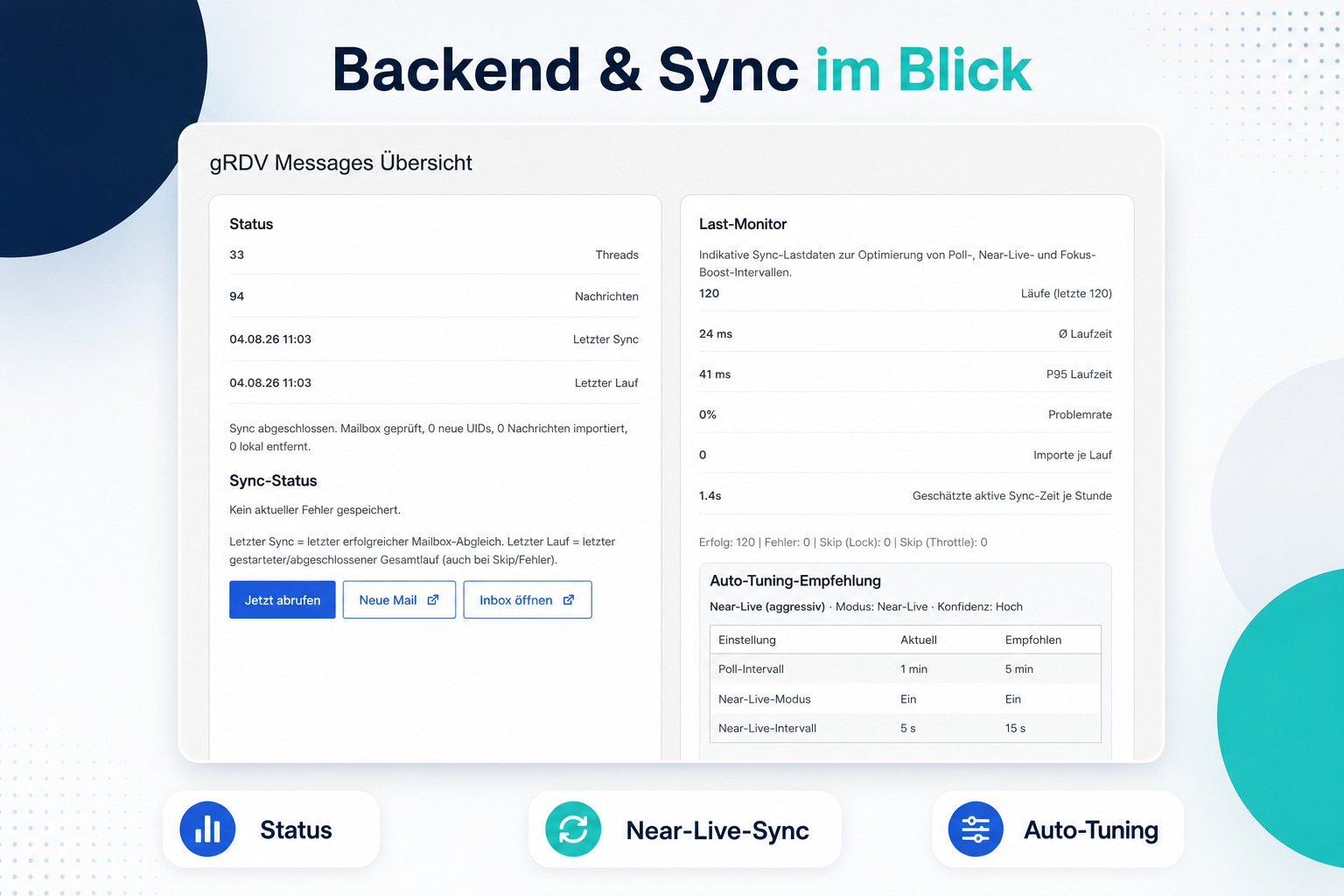
Shared inbox with synchronized email conversations.
gRDV Messages brings operational email conversations into WordPress. It is built for organizations that want to manage authorized business mailboxes, keep incoming and outgoing messages connected as conversations and send consistently branded email from the WordPress admin or mobile web app.
Connect one or more mailboxes, select the IMAP folders needed for daily work, send through the configured SMTP accounts and manage conversations across all authorized mailboxes.
IMAP sync requires the PHP IMAP extension on the server. Password and attachment encryption require the PHP OpenSSL extension. Sending uses WordPress mail handling with the SMTP account configured in the plugin.
What you can do
- Connect and manage multiple mailboxes with individual IMAP and SMTP settings.
- Assign WordPress users to authorized mailboxes for mobile access.
- Synchronize selected folders and perform supported move or delete operations on the configured IMAP server.
- Keep the open mobile web app current through near-live, focus-boost and temporary burst synchronization.
- Use near-live, focus-boost and burst synchronization while the web app is open.
- Send new messages and replies through the selected SMTP account.
- Keep incoming and outgoing messages grouped as conversations.
- Use one HTML reply template, a signature and brand styling.
- Use a separate follow-up signature for later replies in a conversation.
- Upload, receive and send attachments.
- Store attachments locally with authenticated encryption and random physical filenames.
- Filter conversations by mailbox and folder.
- Move messages between supported IMAP folders, move them to Trash or delete them permanently.
- Use a mobile web app for the inbox, conversations, new messages and replies.
- Keep account passwords encrypted with the WordPress authentication salts.
- Export or erase email-related local records through the WordPress privacy tools.
- Optionally delete local message copies and encrypted attachments after a configurable period.
Optional Pro add-on
gRDV Messages is fully functional on its own. The separately available gRDV Messages Pro add-on requires the free plugin and adds optional advanced features.
Pro features include:
- Web Push notifications and synchronized app-icon badges.
- Scheduled sending.
- Multiple template profiles with individual templates and signatures.
- Additional WebApp designs and an extended mobile rich-text composer.
- Delivery and failure status signals.
- Optional consent-based opening tracking.
- Optional IMAP IDLE operation.
- Configuration export and import.
Learn more about gRDV Messages Pro.
Privacy
gRDV Messages stores email content and mailbox data in your WordPress installation. Depending on how you use the plugin, this can include sender and recipient addresses, subject lines, message bodies, headers, timestamps and attachments.
The plugin connects to the IMAP and SMTP servers configured by the site administrator. It does not create an account with gR DV, does not send email content to gR DV and does not contact a service operated by gR DV.
gRDV Messages does not create separate records of visitor request IP addresses or browser user-agent strings. Email headers stored as part of a message can still contain routing information added by the participating mail servers.
The site operator selects the mailboxes and folders to synchronize and is responsible for having a lawful basis, granting access only to authorized users, defining an appropriate retention period, handling data-subject requests and configuring backups consistently with those obligations. The plugin registers exporters and erasers with the WordPress privacy tools. Optional time-based cleanup deletes local message copies and their local encrypted attachments in bounded batches; it does not delete the authoritative copy on the IMAP server or copies in backups. The IMAP provider’s retention must therefore be aligned to prevent old messages from being synchronized again. Disabling folder synchronization starts deletion of local data that is no longer referenced by any enabled folder. WordPress Cron or the documented external cron URL should run reliably until cleanup has completed.
External services
gRDV Messages connects to the IMAP and SMTP servers configured by the site administrator. These connections are required to retrieve and send email. Depending on the mail provider, the transferred data can include mailbox credentials, sender and recipient addresses, headers, message content and attachments. The applicable terms and privacy policy are those of the mail provider selected by the site administrator.
The optional external cron URL is an endpoint on the same WordPress installation. Calling it does not contact gR DV or another service operated by the plugin author.