


Giftlight – Gift Guide & Gift Finder for WooCommerce
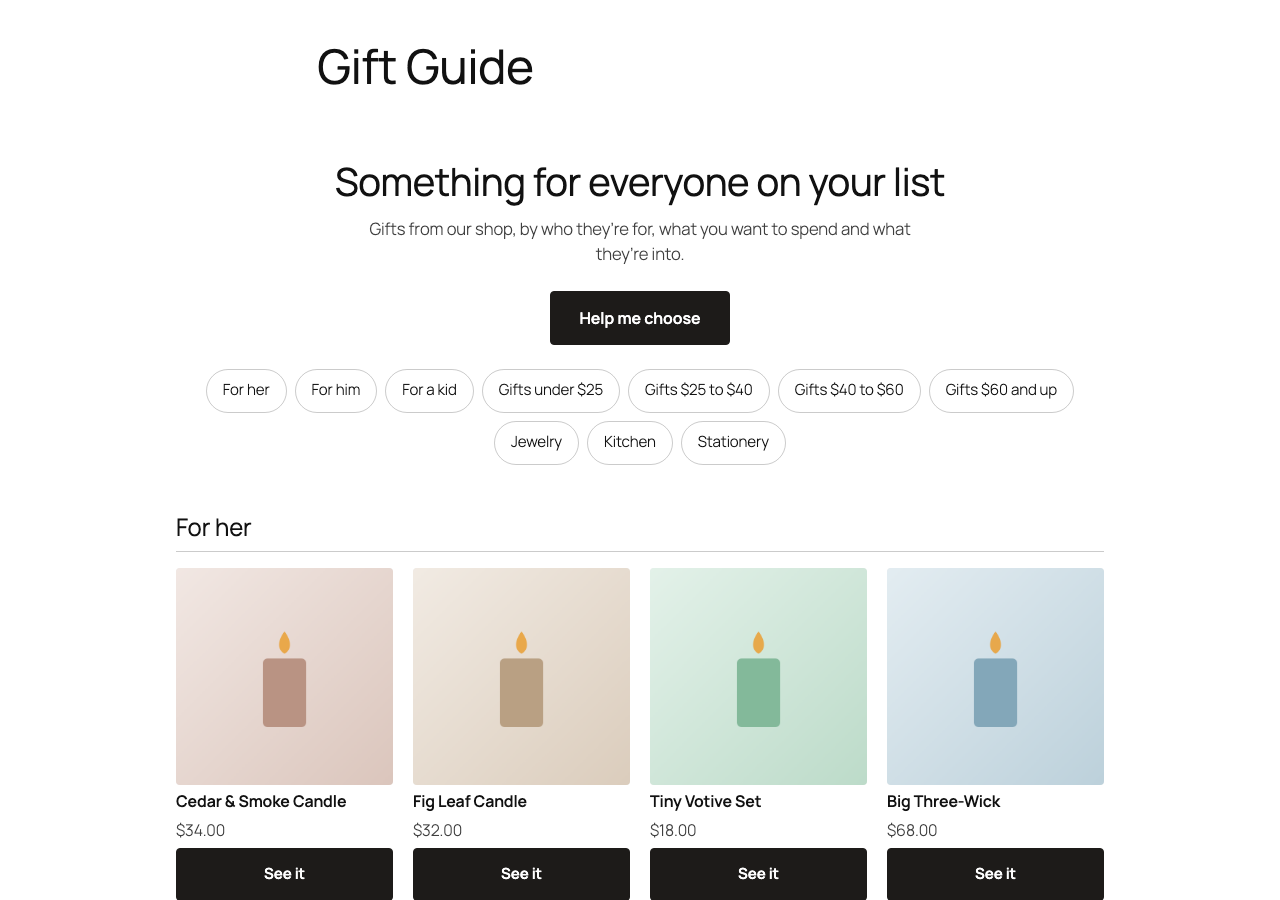
The gift guide on a shop page: sections by who it's for, budget and interests.
Shoppers looking for a gift often don’t know what to pick. Giftlight builds a gift guide from the products you already sell, so they can browse it the way they think about gifts:
- Who it’s for: her, him, a kid, a pet, read from your category names, product names and tags.
- What to spend: price bands made from your own prices, like “Gifts under $50”.
- What they’re into: your own categories, like Kitchen, Candles or Outdoors.
A short gift quiz sits one tap away (“Help me choose”) for shoppers who’d rather be asked. Each pick opens its product page.
It follows your shop by itself. Add a product, change a price or sell out, and the guide changes with it. There are no questions to write and nothing to keep up to date.
Set up in one click. Go to WooCommerce > Giftlight and click “Make the gift guide page”. You get a draft page with the guide on it; check it and publish. Or add the “Gift guide” block, or the [giftlight] shortcode, anywhere.
Private by design. The guide is built in the shopper’s browser from your product data. Giftlight uses no cookies and requires no account. If you enable the optional sales report, Giftlight records guide activity and attributed orders in your shop’s WordPress database.
What it reads
Giftlight checks up to 1,200 published, in-stock products visible in your shop, in shop order. It uses up to 300 public products that have a photo and a price, along with their categories and tags. Category names that say nothing about a gift (“Sale”, “New”, “Uncategorized”, “Wholesale” and the like) are left out.