

Garagem

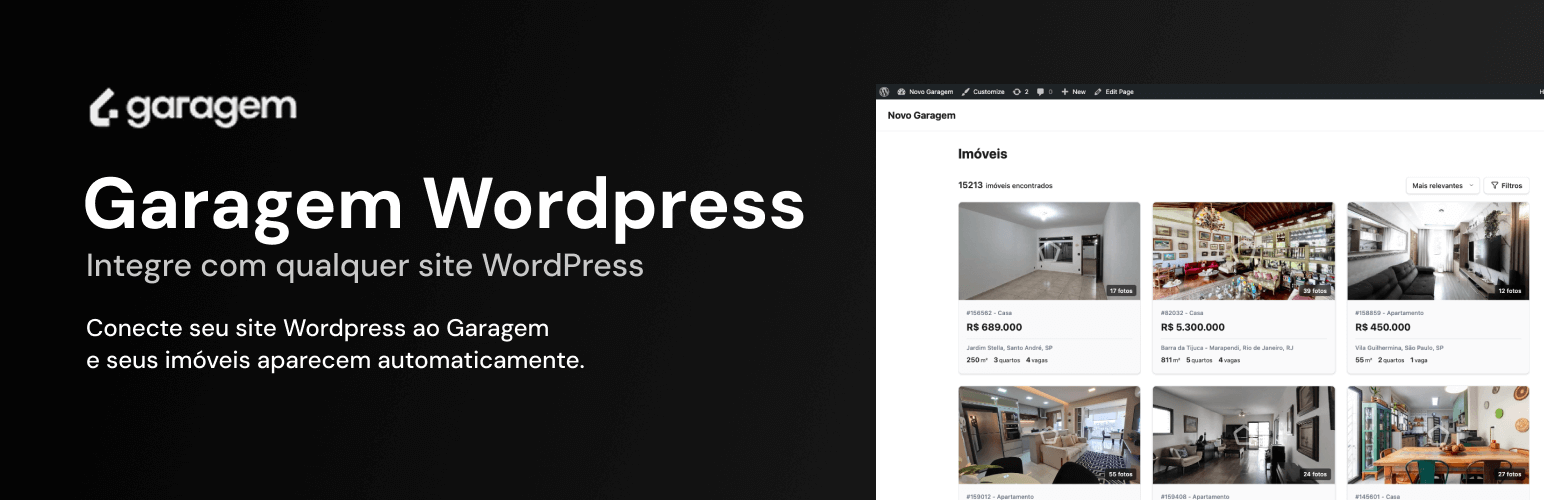
Property search page with grid, sorting, and filter bar
Garagem connects WordPress to Garagem CRM so you can publish property search/listing pages, property detail pages, and seller lead flows with real-time synchronization.
It is compatible with standard WordPress themes and page builders (including Gutenberg, Elementor, and Divi), and supports server-side rendering for crawlable HTML output.
Why use Garagem?
Setup and synchronization
- Fast setup — Install, configure your Site ID, add a shortcode, and publish listings without custom code
- Near real-time updates — Property updates in Garagem CRM are reflected on the site
- Theme compatibility — Responsive UI that integrates with common WordPress themes/builders
- Caching support — Uses minified assets and works with common cache plugins
Search and navigation
- Advanced filters — Filter by listing type, property type, bedrooms, price range, area, and more
- Carousel mode — Display highlighted listings with horizontal navigation
- Configurable display — Control grid density, primary color, and display mode via shortcode attributes
Property pages
- Individual property URLs — Detail pages with media, metadata, and lead forms
- SEO-ready output — Server-rendered HTML plus JSON-LD and Open Graph metadata
- Related properties — Similar listings support to improve navigation
Lead capture
- Integrated forms — Contact/visit forms and seller lead flow connected to Garagem CRM
- WhatsApp workflow support — Designed to fit CRM workflows that include WhatsApp communication
Quick start
- Install and activate the plugin
- Go to Settings Garagem
- Configure your Site ID (Garagem CRM Settings Channels Sites)
- Add a shortcode to any page:
[garagem_search](search/listing)[garagem_property code="145242"](single property page)[garagem_seller_lead](seller lead flow)
Shortcodes
[garagem_search]— Search form + property grid[garagem_property code="145242"]— Full page for a specific property[garagem_seller_lead]— Seller lead capture flow
Shortcode attributes
[garagem_search]
layout— Grid density:confortavel(default),compacto,denso,ultra-densolimit— Properties per page (default: 12)display—grid(default) orcarouselproperty_click—detail(default, drawer) orpage(property page)hide_search—trueto hide the search barnew_tab—trueto open links in a new tab
[garagem_seller_lead]
photo_module—enabledordisabledphoto_modes— CSV options:upload,schedule,laterschedule_disabled_days— CSV blocked days (0-6)weekday_time_slots— CSV time slots for weekdaysweekend_time_slots— CSV time slots for weekendsproperty_fields— CSV for step-2 fields (example:saleValue:required)background_color— Background color (hex)text_color— Text color (hex)
About Garagem
Garagem is a real estate CRM platform for agents and brokerages.
Learn more: Garagem website | Plugin documentation
Requirements
- An active Garagem CRM account (paid service) with at least one published site — this plugin depends on Garagem API services
- PHP 7.4 or newer
- WordPress 6.0 or newer
For developers
Source code and build tooling are available at:
https://github.com/emcasa/garagem/tree/main/apps/site/wordpress-plugin
The plugin includes both minified assets (assets/) and non-minified source files (src/) for review. Minification is built with esbuild and keeps identifiers readable (no mangling).
Visual customization: all plugin CSS classes use the .garagem- prefix and can be overridden in your theme CSS or a custom CSS plugin, without editing plugin files.
Compatibility: the plugin uses standard WordPress enqueue APIs (wp_enqueue_scripts, wp_enqueue_style) and is designed to avoid conflicts with themes/plugins. Shortcodes work in any shortcode-enabled context, including Elementor (HTML/Shortcode widget), Divi (Text/Code module), and the Block Editor (Shortcode block).
External services
This plugin connects to the Garagem Sites API to display property listings on your WordPress site. The default API origin is https://cdn.fndn.ai. A saved endpoint of https://app.garagem.ai/api/sites is upgraded to that default automatically. An explicit custom endpoint in Settings is left unchanged.
This service is provided by Garagem (https://garagem.ai).
What the service is and what it is used for:
The Garagem Sites API provides real estate listing data. Requests use the base https://cdn.fndn.ai/site/api/sites:
- Fetch site configuration (branding, URL patterns) —
GET /resolve?siteId={siteId} - Fetch search results with filters and pagination —
POST /{siteId}/search - Fetch individual property details —
GET /{siteId}/property/{id} - Fetch available locations for the filter UI —
GET /{siteId}/locations - Receive contact, visit, and seller-lead submissions —
POST /api/webhooks/sites/{siteId}/leadson the same origin - Receive property photo uploads from the seller lead flow —
POST /api/webhooks/sites/{siteId}/photoson the same origin
The [garagem_seller_lead] shortcode also loads a map for address entry:
- By default it loads
https://maps.fndn.ai/sdk.js(Garagem Maps). No Google API key is sent. - If a Google Maps API key is saved in Settings Garagem, that loader is replaced by
https://maps.googleapis.com/maps/api/jsand the key is sent to Google as thekeyquery parameter.
What data is sent and when:
- On every page load containing a plugin shortcode: your Garagem Site ID, search parameters entered by visitors (text query, filters, pagination), and property codes when viewing individual properties. Responses are cached with WordPress Transients: search for 1 minute, site configuration and property details for 5 minutes, locations for 30 minutes.
- On a seller-lead page: the browser loads
https://maps.fndn.ai/sdk.js, or Google Maps JavaScript when a key is configured. Address text the visitor types is sent to that map service for autocomplete. - On voluntary form submission only: name, email, phone, message, address, property metadata, optional visit date/time, and optional photos. No visitor-identifiable data is sent unless the visitor submits a form.
No tracking: The plugin does not set cookies, does not collect visitor analytics, and does not fingerprint visitors.
- Service URL: https://cdn.fndn.ai/site/api/sites
- Maps URL: https://maps.fndn.ai/sdk.js
- Terms of Use: https://garagem.ai/termos
- Privacy Policy: https://garagem.ai/privacidade