


Fynex for WooCommerce
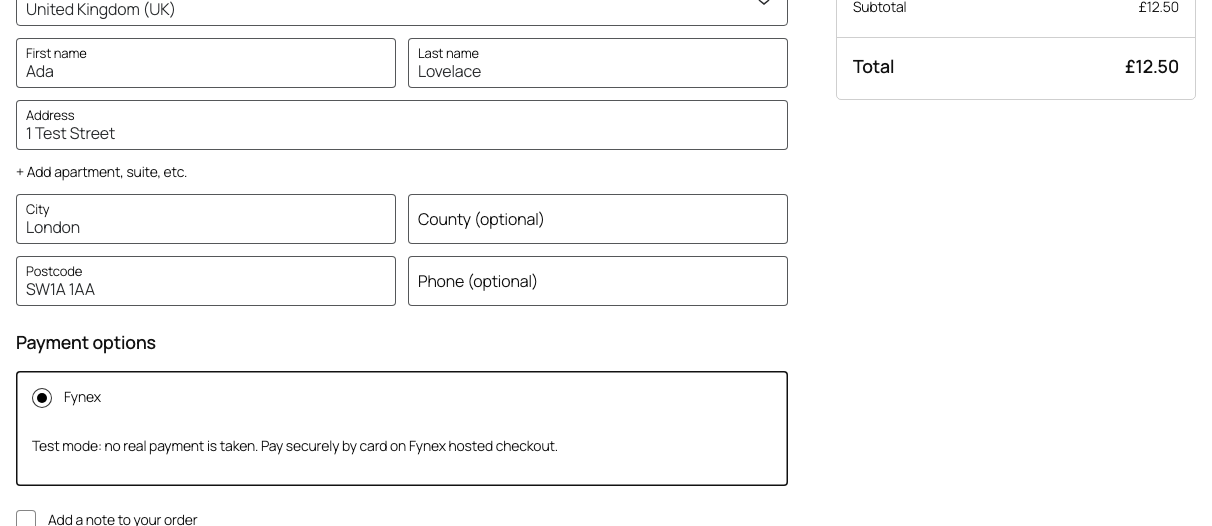
Fynex in the Checkout block.
Fynex for WooCommerce adds Fynex as a payment method at checkout. The customer pays on a page hosted by Fynex, then comes back to your store, and the order is updated from Fynex’s signed notifications.
What you get
- Hosted checkout. Card details are entered on Fynex, so they never reach WordPress or your server.
- Classic and block checkout. Works with the Checkout block and the classic
[woocommerce_checkout]shortcode, and with the pay-for-order page. - Orders kept in sync. Signed webhooks mark orders paid or failed. If a webhook is lost, the plugin asks Fynex directly when the customer returns and in the background, so a paid order does not stay pending.
- Amount checks. An order is marked paid only when Fynex reports the amount and currency the order was created with.
- Refunds from the order screen. Full and partial refunds are sent to Fynex and recorded straight away; Fynex’s confirmation is matched to them.
- Demo and live keys. A test key (
sk_test_…) takes demo payments and a live key (sk_live_…) real ones. The settings screen says which key is saved, and demo checkouts say “Test mode”. - High-Performance Order Storage (HPOS) supported, with or without compatibility mode.
- Debug log under WooCommerce Status Logs.
You need a Fynex seller account and a secret API key from the Fynex dashboard (Developers API keys New secret key). Your store must be served over HTTPS so Fynex can deliver payment notifications.
Documentation
- WooCommerce integration on fynex.ai: what the plugin does for your store
- Hosted checkout guide: the API flow the plugin uses
- Webhooks guide: signing, retries and delivery
- Captures & refunds: how refunds are confirmed
- Going live: the go-live checklist and live keys
External services
This plugin connects to the Fynex Payments API (https://api.fynex.ai), operated by Fynex, to take payments. It contacts Fynex only after you enter a Fynex API key, and only for the actions below.
- When a customer places an order with Fynex, it creates a hosted checkout session. It sends the order amount and currency, a country code (the billing country, or the store’s base country), a payment reference made of the order ID and a short hash of the store address, a description (“Order #123”), and the two addresses on your store the customer returns to. It does not send the customer’s name, email address, phone number or postal address. The customer then enters their card details on the Fynex-hosted page; card data never passes through your store or this plugin.
- When a customer returns, and periodically until the payment is final, it reads that payment’s status.
- When you save the settings, it registers or checks your store’s webhook address so Fynex can send payment and refund updates.
- When you refund an order from WooCommerce, it sends the payment reference, the refund amount, and checks the refund’s status until Fynex confirms it.
Fynex sends payment and refund updates to your store’s webhook address (/wp-json/fynex/v1/webhook). Each delivery is signed and carries the payment status, amount and currency; it brings no new customer data into your store.
Fynex Terms of Service · Privacy Policy