


Fuxux Social Poster
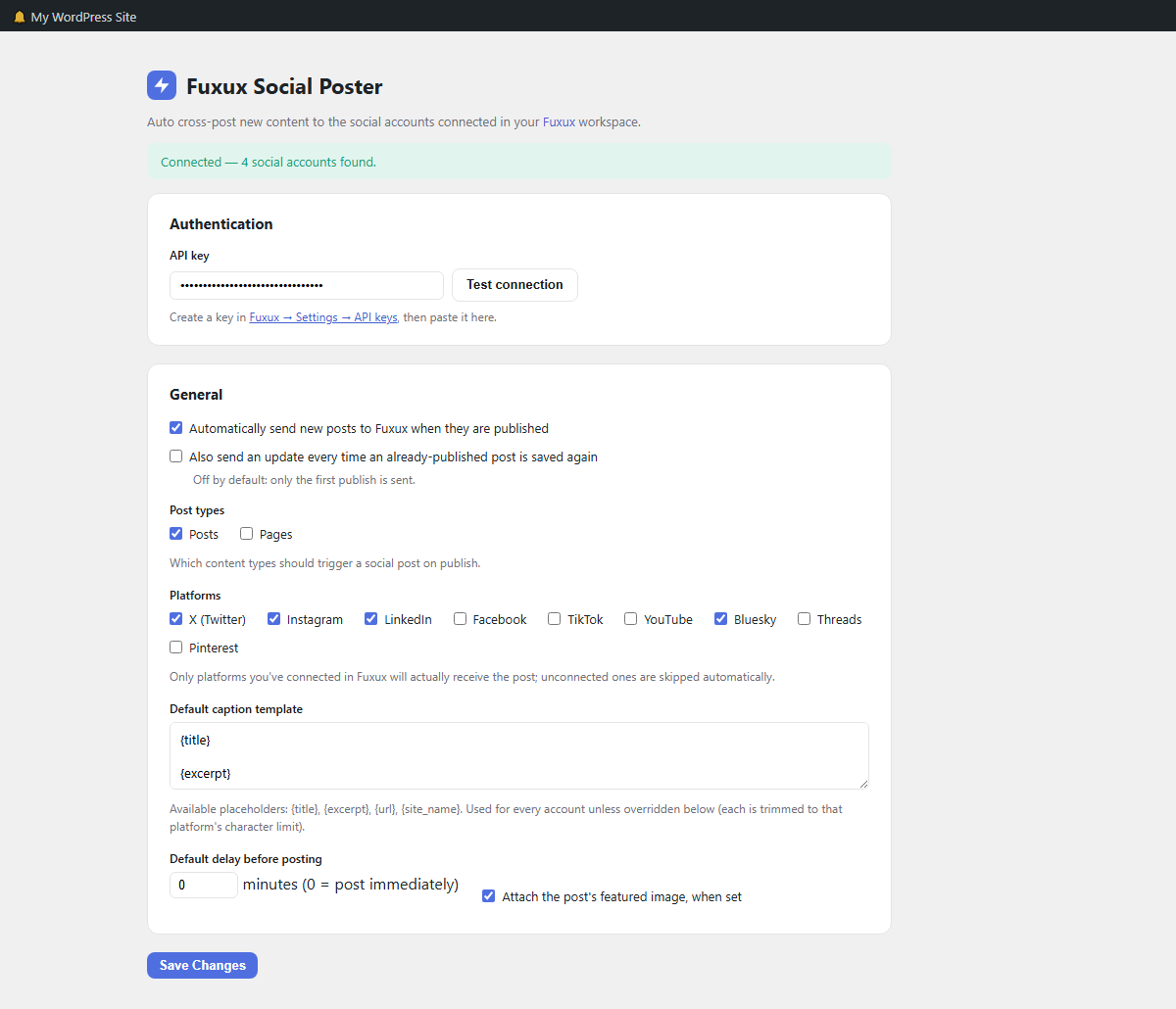
Settings — Authentication and General: paste your API key, choose which post types and platforms trigger a post, and set the default caption template.
Fuxux Social Poster connects your WordPress site to Fuxux, the AI-powered social media scheduler. When you publish a post, this plugin automatically sends it to the social accounts you’ve connected in Fuxux — no copy-pasting captions, no logging into five different apps.
Features
- One-time setup: paste your Fuxux API key and pick your platforms.
- Auto-posts (or schedules with a delay) whenever a post is published — optionally also on every later update.
- Per-account fine-tuning: turn individual connected accounts off, or give them their own caption template and delay, right down to two accounts on the same platform saying different things.
- Per-post override: skip auto-posting or choose different platforms from a checkbox on the post editor.
- Customizable caption template with
{title},{excerpt},{url}and{site_name}placeholders. - Automatically trims captions to fit each platform’s character limit.
- Attaches the post’s featured image when available.
- Per-post activity log — see exactly what was sent to which account and whether it succeeded.
- “Test connection” button confirms your API key and lists the social accounts Fuxux sees.
- Sending happens in the background (WP-Cron), so publishing a post never waits on Fuxux or any social network to respond.
Requirements
- A free or paid Fuxux account with at least one connected social account.
- An API key, created under Fuxux Settings API keys.
This plugin does not store your social media passwords — all publishing happens through Fuxux’s own connected accounts and OAuth tokens. WordPress only needs a Fuxux API key.
External Services
This plugin connects to the Fuxux API (fuxux.com) using a personal API key you provide, to:
- Fetch the list of social media accounts connected to your Fuxux workspace, so you can choose which ones to post to.
- Send the title, excerpt/content-derived caption text, permalink, site name, and (optionally) the featured image URL of a post you publish or update, so Fuxux can post it to your chosen social accounts.
This only happens when you explicitly enable auto-posting, and only for the post types you select. You can revoke access at any time by deleting the API key from the plugin’s settings screen or from your Fuxux account.
See Fuxux’s Terms of Service and Privacy Policy for more information on how your data is handled once it reaches Fuxux.