
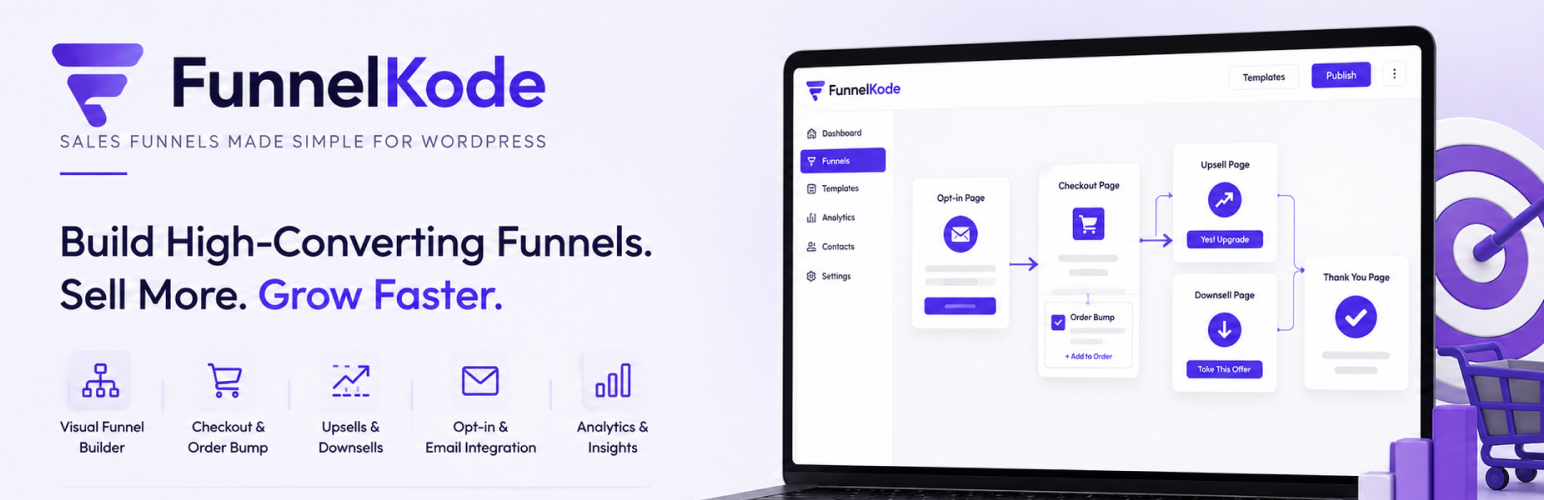

FunnelKode Funnel Builder Lite

FunnelKode is a funnel builder for FluentCart. It adds a complete funnel-building layer on top of FluentCart so you can create structured, conversion-focused sales funnels entirely inside WordPress — without replacing or modifying how FluentCart handles products, pricing, checkout, or payments.
FluentCart manages your store. FunnelKode manages your funnels.
A funnel in FunnelKode is a sequence of connected steps: a landing page to present your offer, a checkout step powered by FluentCart, an optional order bump or upsell, and a thank-you page to confirm the sale. You control the structure, design, and flow. FluentCart continues to handle the cart, payment processing, and order management it was built for.
Build Sales Funnels with FluentCart
FunnelKode is designed specifically for FluentCart stores. Every part of the plugin is built around FluentCart’s checkout and order system, so you are not patching two incompatible tools together — you are extending FluentCart with a purpose-built funnel layer.
With FunnelKode you can build:
- Digital product funnels — sell ebooks, templates, software, or downloads with a focused landing page and one-step checkout.
- Course sales funnels — present your course offer, walk the buyer through checkout, and send them to a custom thank-you page with next steps.
- Service funnels — guide potential clients from a landing page to a booking or payment step.
- Promotional funnels — run limited-time offers with countdown timers and auto-applied discount coupons.
- Launch funnels — structure a product launch sequence with a dedicated landing page, checkout, and post-purchase upsell.
- Checkout funnels — strip away navigation and distractions so buyers move from offer to payment in as few steps as possible.
Funnel Canvas and Management
Create and manage all your funnels from a single admin screen. FunnelKode gives you two views:
- Canvas view — a visual map of your funnel steps showing the flow from landing page through to thank-you page. Add, remove, reorder, and preview steps without leaving the canvas.
- List view — a compact table of all your funnels, with quick access to settings, analytics, and editing for each step.
Every funnel step is a standard WordPress page, so you design it with whichever page builder you prefer.
FluentCart Checkout Steps
Each funnel can include one or more dedicated FluentCart checkout steps. Assign a specific product or product variation to the step, control what appears in the cart, and configure the checkout layout — all from the funnel step settings panel.
The checkout step uses FluentCart’s own checkout form, so all FluentCart payment methods, tax rules, and order flows work exactly as they do in your normal store.
FunnelKode adds a 2-column checkout layout option: the checkout form on one side, a sticky order summary on the other — matching the layout style of dedicated checkout plugins without requiring a separate tool.
Product Variations
If you sell a product with multiple variations — plans, sizes, or pricing tiers — you can add a variation selector before the FluentCart checkout form. Customers choose their option first, and the checkout updates to reflect their selection. Supports radio buttons, card-style selectors, and dropdown display.
Auto-Apply Coupons
Attach a coupon to any funnel step and it applies automatically when a visitor reaches that step. Two modes:
- Use existing — pick a coupon you have already created in FluentCart. Discount settings stay in FluentCart.
- Create custom — create a funnel-specific coupon with discount type (percentage or fixed), amount, expiry date, and usage limit, all from the funnel step settings. FunnelKode creates the coupon in FluentCart on save.
Modal Checkout
Add a checkout button to any page that opens the FluentCart checkout in a popup overlay. The visitor stays on the landing page — the checkout loads in a modal when they click the button. Useful for landing pages where you want to keep the user in context rather than navigating away.
Thank-You Pages
Every funnel can have its own thank-you page. Use the Order Confirmation widget to display the customer’s order number, purchased items, total, and payment details automatically — pulled from FluentCart’s order data after a successful payment.
The thank-you step also includes View Order and Complete Payment links so customers can easily return to their order or complete a pending payment.
Funnel Widgets for Elementor
FunnelKode includes a set of Elementor widgets built specifically for funnel pages:
- Checkout — embed the FluentCart checkout form with optional 2-column layout and sticky order summary.
- Order Confirmation — display order details on the thank-you page.
- Free Opt-in — give away a free ($0) product through a name + email form that creates a real FluentCart order, so downloads deliver and the lead becomes a customer.
- Mini Cart — slide-out cart drawer with live item count.
- Product Price — display the current product’s price with optional compare-at price.
- Product Description — pull in the product description from FluentCart.
- Countdown Timer — urgency timer that can redirect or hide content on expiry.
- Section, Button, Offer, Testimonial — layout and content blocks designed for funnel pages.
Elementor is recommended for the best design experience and access to the full template library. Bricks Builder is also supported — funnel steps built with Bricks render correctly on the frontend for both logged-in and guest visitors. Neither is required — see the Block Editor section below.
WordPress Block Editor
FunnelKode works with the WordPress block editor. When you choose the Block Editor as your page builder in Settings, new funnel steps are created with a starter layout appropriate to the step type — landing page, checkout, thank-you, or upsell — using core blocks and FunnelKode’s own blocks.
FunnelKode’s blocks (Checkout, Section, Button, Offer, Testimonial, Countdown) are available in the block inserter and render correctly on the frontend.
The template library and Elementor widget set are Elementor-specific. Block editor users get starter layouts and FunnelKode blocks.
Funnel Templates
FunnelKode includes a library of ready-made funnel step designs you can import in one click. All templates are bundled with the plugin — nothing is downloaded.
Templates are available for landing pages, checkout steps, and thank-you pages. Applying a template replaces the current step’s design with the template layout, so you can customise from a working starting point rather than a blank page.
Import and Export
Export any funnel as a JSON file and import it on another site. Useful for moving funnels between staging and production, or sharing a funnel structure with a client.
Built for FluentCart
FunnelKode does not modify FluentCart’s database, override its checkout process, or change how it handles payments and orders. It integrates through FluentCart’s public hooks and shortcodes.
Everything FluentCart manages — products, inventory, pricing, tax, payments, receipts, customer accounts — continues to work exactly as it always did. FunnelKode adds the funnel structure and conversion layer on top.
FunnelKode Pro
The free version of FunnelKode includes full funnel management, checkout steps, templates, modal checkout, variation selectors, and the block editor integration.
FunnelKode Pro adds conversion features designed to increase revenue after the initial sale:
- Order Bumps — show a complementary offer inside the checkout step. Customers add it with a single checkbox before completing payment.
- One-Click Upsells — present a post-purchase offer on a dedicated upsell page. Customers accept with one click, no re-entering payment details.
- Downsells — show an alternative, lower-priced offer when a customer declines an upsell.
- Funnel Analytics — track views, conversions, revenue, and drop-off rates for every step in your funnel.
- UTM Attribution — see which campaigns, ads, and traffic sources are driving funnel conversions.
- Auto-Apply Coupons — attach a coupon to any funnel step; it applies automatically when a visitor arrives, including on redirect-mode and cart-widget checkout pages.
- Opt-in Forms — collect leads with FluentForms integration before the checkout step.
Learn more about FunnelKode Pro
Who Is FunnelKode For?
FunnelKode is for WordPress site owners who use FluentCart and want to sell through structured funnels rather than a standard store layout.
It suits:
- Course creators selling digital courses or memberships through FluentCart.
- Digital product sellers who want focused, distraction-free checkout flows.
- Marketers running campaigns that need dedicated landing pages tied to specific FluentCart products.
- Agencies building sales infrastructure for clients who use FluentCart.
- Store owners who want to add upsell and cross-sell funnels without rebuilding their store.
External Services
This plugin does not connect to any external service. All templates are bundled with the plugin and imported locally; no data is sent anywhere. It communicates only with your own FluentCart installation on the same server.
Third-Party Libraries
This plugin bundles the following open-source library. Unminified source and license are included in the plugin package.
- Chart.js 4.5.1 — https://www.chartjs.org — MIT License — assets/js/vendor/chart.umd.js (source), assets/js/vendor/chart.umd.min.js (minified), assets/js/vendor/chart.js-LICENSE.md