


Fuldash
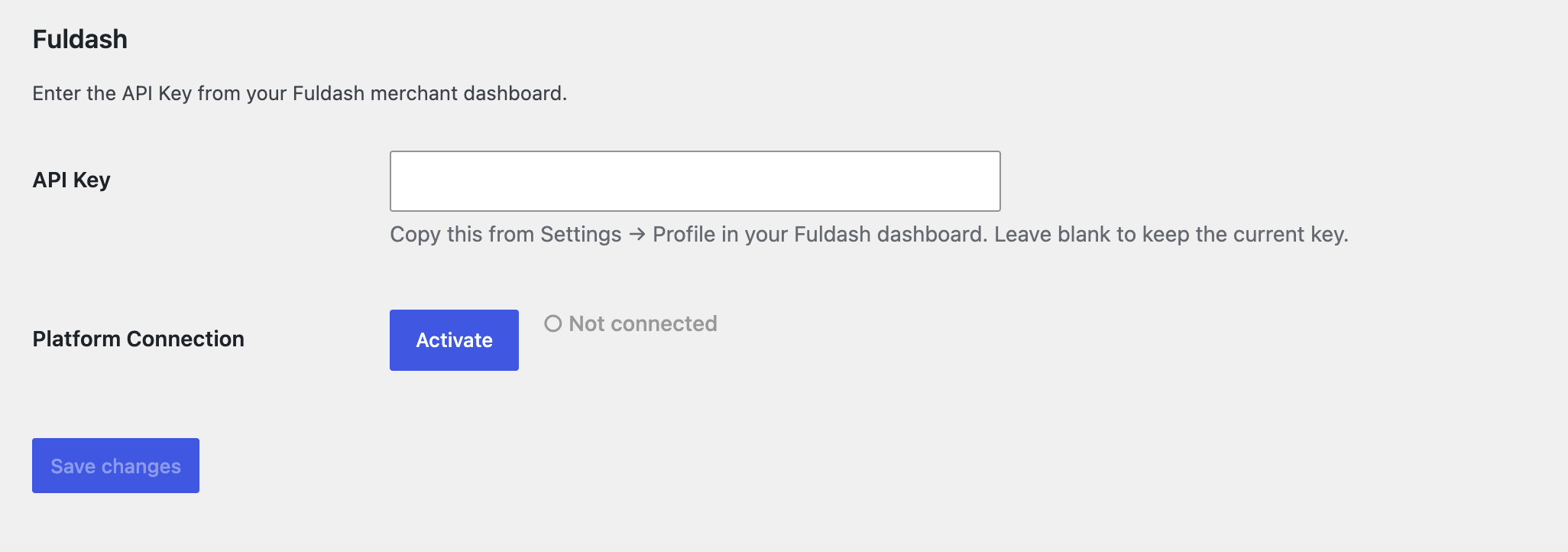
The Fuldash settings tab under WooCommerce → Settings, showing the API Key field and Activate / Deactivate button with connection status.
Every order placed in your WooCommerce store becomes a QuickBooks Online invoice and a
shipping label, with no manual work on your end. Connect your store once, and from then
on Fuldash creates the invoice, records the payment, picks a carrier, box, and rate,
prints the label, and marks the order Completed back in WooCommerce when it’s done.
Visit Fuldash | Pricing & free trial | Terms of Service | Privacy Policy
What happens on every order, automatically:
- Creates a QuickBooks Online invoice and records the payment
- Picks a carrier, box, and rate, then generates the shipping label
- Marks the order Completed back in WooCommerce once fulfillment finishes
Product, payment, and expense mapping are configured once from your Fuldash dashboard,
where all order tracking and fulfillment status live – this plugin’s only job is getting
order data there and marking orders complete once fulfillment finishes.
Requirements
Fuldash is a paid platform with a 30-day free trial on every plan, no credit card
required. To use this plugin you’ll need:
- A Fuldash account – see plans and pricing
- A QuickBooks Online account to connect
- A ShipEngine account with your carriers connected, for rate shopping and label generation
How it works:
- A customer places an order in your WooCommerce store.
- When the order is created, the plugin forwards the order to your Fuldash platform.
- Fuldash creates a QuickBooks invoice, records the payment, and generates a shipping
label – choosing carrier, box, and rate automatically – all in the background. - Once fulfillment finishes, Fuldash marks the order Completed in your store
automatically – no manual updates needed.
Setup takes under two minutes:
- Install and activate this plugin.
- Go to WooCommerce Settings Fuldash.
- Paste your API Key from your Fuldash merchant dashboard (Settings Profile).
- Click Save changes, then click Activate to connect your store to the platform.
Channel control:
Use the Activate / Deactivate button on the settings page to connect or disconnect your
store from Fuldash at any time. Deactivating stops order forwarding without removing
your credentials – you can reactivate instantly when ready.
External Services
This plugin sends data to the Fuldash platform, an external
third-party service.
What is sent and when:
- Channel activation / deactivation – when you click Activate or Deactivate, a
request is sent to the Fuldash platform to record your store’s connection status. - Order data – when an order is created and the channel is active, the order’s
line items, addresses, payment method, and totals are sent to the Fuldash platform
for fulfillment processing.
What Fuldash can request from your store:
Fuldash’s fulfillment platform also requests information from your store, used to help
you configure product, payment, and expense mappings in your Fuldash dashboard, and to
keep your order statuses in sync:
- Product catalog – product names and SKUs, so you can map them to your accounting
items in the Fuldash dashboard. - Payment gateways – the ID, title, and enabled status of your configured WooCommerce
payment gateways, so you can map them to accounting payment methods. - Recent order fee data – certain fields on your 25 most recent orders, used to
detect payment-processor fees (e.g. Stripe or PayPal fees) for expense tracking.
No customer personal data is included in this scan. - Order completion – once fulfillment finishes, Fuldash marks the corresponding
order Completed in your store.
Service information:
- Service URL: https://fuldash.com
- Terms of Service: https://fuldash.com/terms
- Privacy Policy: https://fuldash.com/privacy