

Form Submission Email Reports
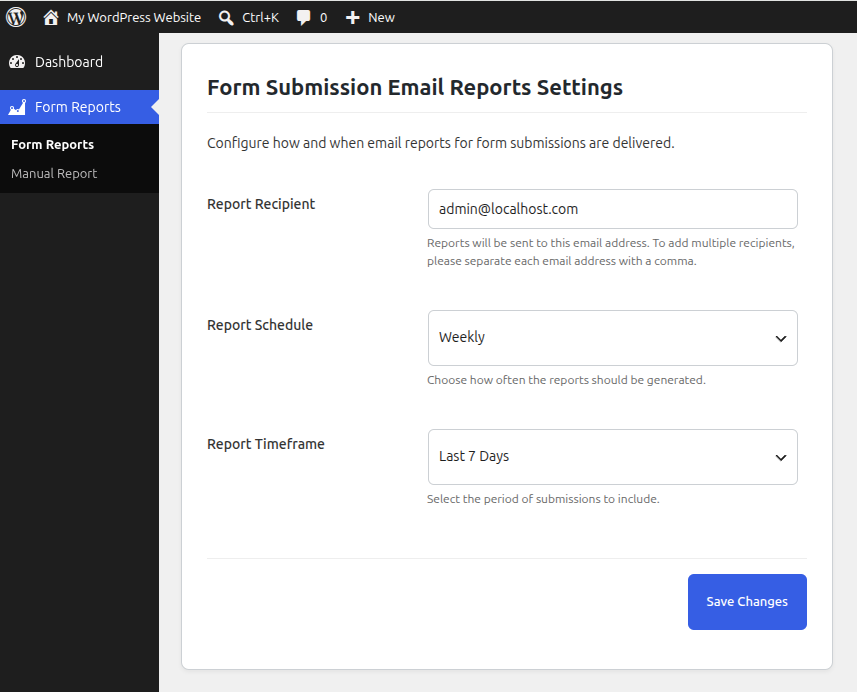
<strong>Form Reports Settings</strong> — Configure the report schedule, timeframe, and recipient email addresses.
Form Submission Email Reports collects and consolidates entries from popular form plugins and delivers them to your inbox on a schedule — so nothing slips through the cracks. Need a report right now? Use the Manual Report page to send a report for any custom date range, any form, and any recipient, on demand.
Supported sources
– Contact Form 7
– Gravity Forms
– Database for Contact Form 7, WPforms, Elementor forms (by CRM Perks)
– Advanced Contact Form 7 DB (by Vsourz Digital)
Key Features
– Scheduled email reports: Daily, Weekly, and Monthly.
– Manual Report — send a report for any form, date range, and recipient instantly from the WordPress admin.
– Supports Contact Form 7 and Gravity Forms as form sources.
– Sends reports to one or multiple email addresses (comma-separated).
– Secure CSV download link included in every report email.
– Automatically uses the site admin email as the default recipient.
– Simple, clean settings page with inline validation.
– Lightweight and optimized for performance.
Why you’ll like it
– Saves time compiling submissions from multiple plugins.
– Reduces missed messages with automated delivery.
– Send ad-hoc reports without waiting for the next scheduled run.
– Easy CSV download for audits, sharing, and record-keeping.