
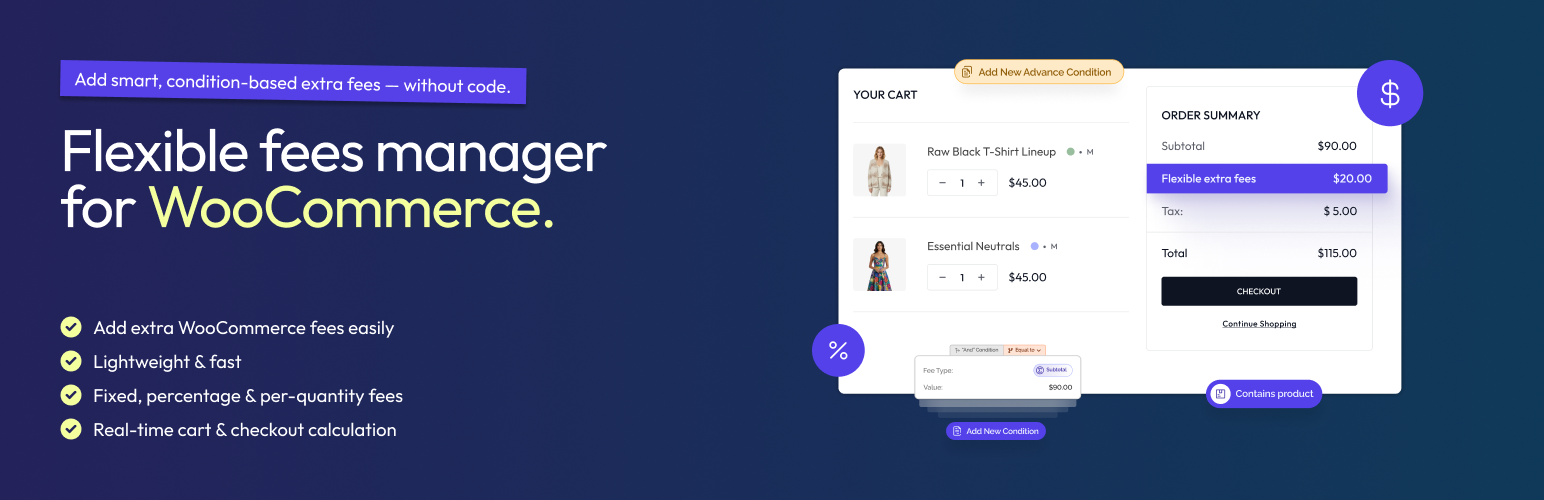

Flexible Fees Manager for WooCommerce
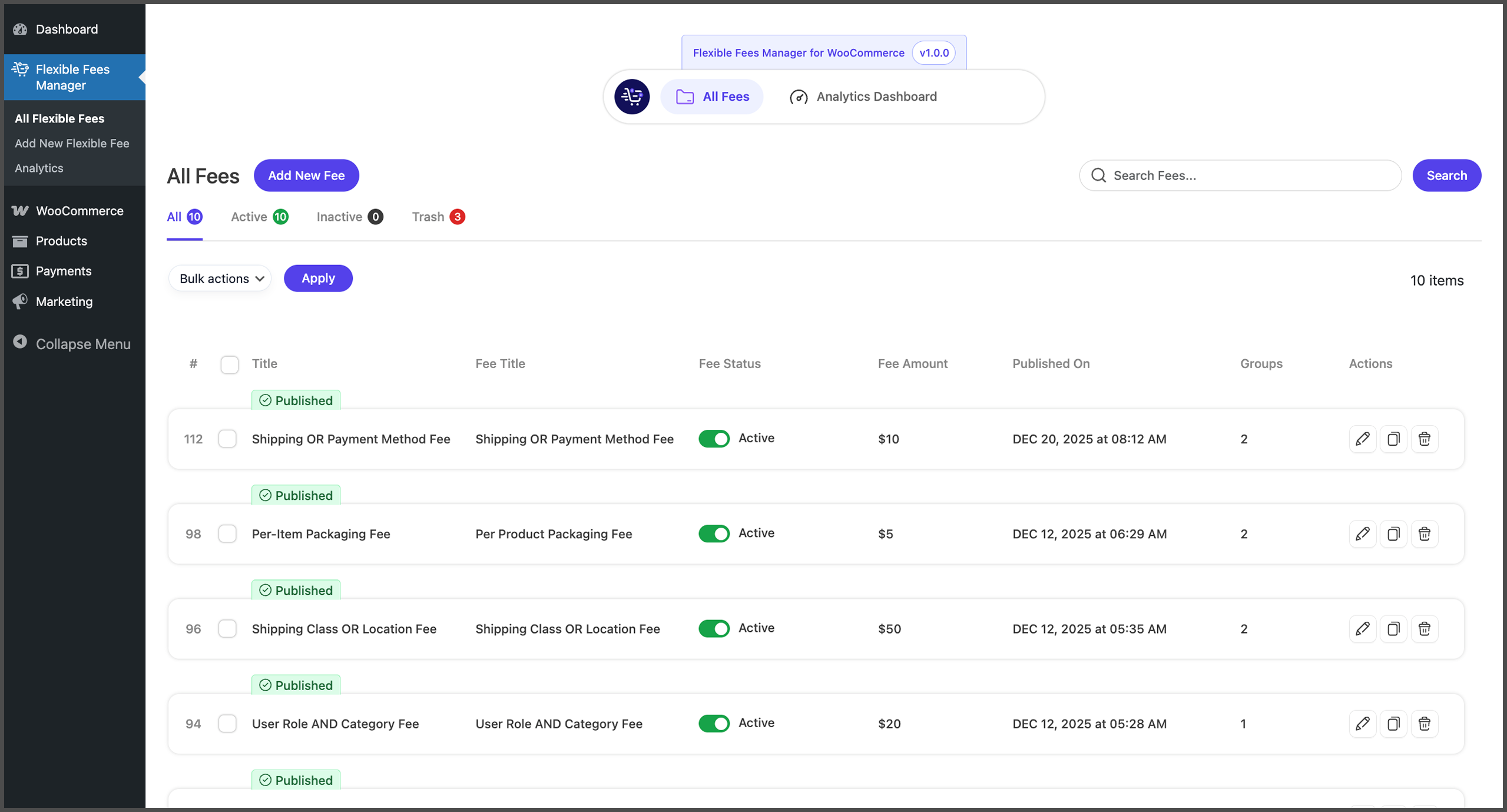
<p><strong>All Fees Dashboard</strong><br /> View and manage all fee rules from one place. Easily activate, deactivate, edit, or duplicate fees with a single click.</p>
Flexible Fees Manager for WooCommerce is a comprehensive solution for adding conditional fees to your WooCommerce store based on cart contents, customer details, shipping methods, and more.
Stop losing money on small orders, special handling requests, or payment processing costs. The plugin lets you automatically add smart, conditional fees to your checkout — no coding required.
From handling charges and packaging fees to payment gateway surcharges and location-based fees, take complete control of your WooCommerce pricing strategy.
🔗 View Live Demo | 🚀 Upgrade to Pro
✨ What Makes Flexible Fees Manager Different?
- Visual Condition Builder – No coding. Just point, click, and configure
- 20+ Condition Types – Comprehensive fee conditions for various use cases
- Smart Logic – Combine conditions with AND/OR for complex rules
- Real-time Preview – See exactly what customers will pay
- Performance Optimized – Lightweight and efficient
- Developer Friendly – Hooks and filters for customization
🎯 Built For Every WooCommerce Store
🛒 General Store Owners
Automatically add handling fees for small orders, packaging charges, or service fees. Protect your margins without manually adjusting prices.
🌍 International Sellers
Apply country-specific fees, regional surcharges, or customs handling charges. Support 200+ countries with granular control over fees by state, city, or zipcode.
💼 B2B & Wholesale
Different fees for different customer types. Charge handling fees to retail customers while offering fee-free orders to your wholesale partners.
📦 Shipping-Intensive Businesses
Weight-based fees, oversized item charges, or special handling for fragile products. Your shipping costs, your rules.
💳 Payment Processing
Pass payment gateway fees to customers who choose specific payment methods. COD fees, credit card processing charges, PayPal fees — all automated.
🆓 FREE VERSION FEATURES
Core Fee Conditions
Condition
Description
Cart Subtotal
Apply fees based on cart value (e.g., $5 fee if order < $50)
Subtotal ex. taxes
Same as above, excluding tax amounts
Contains Product
Fees when specific products are in cart
Country
Location-based fees by customer country
User Role
Different fees for customers, subscribers, wholesale, etc.
Product Length
Dimensional shipping fees
Stock Quantity
Fees based on available stock
Stock Status
Fees for in-stock or backorder items
Fee Calculation Types
- Fixed Amount – Flat fee (e.g., $5.00 handling)
- Percentage – Percentage of cart total (e.g., 3% service fee)
- Per Quantity – Fee per item in cart (e.g., $0.50 per item)
Core Features
✅ Visual Condition Builder – Create complex rules with an intuitive UI
✅ AND/OR Logic Groups – Combine conditions for precise targeting
✅ Discounts Support – Negative fees = automatic discounts
✅ Tax Configuration – Apply tax classes to fees
✅ Status Management – Enable/disable fees instantly
✅ Duplicate Fees – Clone existing fees with one click
✅ Bulk Actions – Activate/deactivate multiple fees at once
✅ Schedule Fees – Set fees to publish at a future date
✅ Modern UI – Clean, intuitive admin interface
⭐ PRO VERSION FEATURES
Unlock the full potential with Flexible Fees Manager Pro:
🔥 Advanced Fee Conditions
Condition
Description
Use Case
Payment Method
Fees per payment gateway
3% credit card fee, $2 COD charge
Shipping Method
Fees per shipping option
$5 express shipping surcharge
Cart Quantity
Total items in cart
Bulk order handling fee
Cart Weight
Total cart weight
Heavy item surcharge
Product Category
Category-based fees
Fragile item handling
Shipping Class
Shipping class fees
Oversized item charge
Coupon Applied
Fees when coupons used
Processing fee on discounted orders
Tax Amount
Cart tax total
Tax-based surcharges
Zipcode
Postal code targeting
Remote area delivery fee
City
City-specific fees
Urban delivery surcharge
State/Province
Regional fees
State-specific handling
Product Width
Width-based fees
Wide item handling
Product Height
Height-based fees
Tall item handling
📊 Analytics Dashboard
Make data-driven decisions with comprehensive fee analytics:
- Total Fee Revenue – Track extra revenue from fees
- Orders with Fees – See how many orders include fees
- Average Fee per Order – Understand fee impact
- Revenue Trend Charts – Visualize performance over time
- Top Performing Fees – Identify your most valuable fees
- Revenue by Fee Breakdown – See which fees earn the most
- Orders Over Time – Track fee application trends
- Custom Date Ranges – Filter by any period
🎯 Advanced Conditions (Tiered Pricing)
Create sophisticated tiered fee rules with Advanced Conditions:
- Product-specific rules – Different fees for different products
- Quantity tiers – Fee changes based on quantity ranges
- Multiple rules per condition – Stack rules for complex pricing
- Min/Max quantity support – Precise quantity-based control
Example:
– 1-10 items: $2 per item
– 11-50 items: $1.50 per item
– 51+ items: $1 per item
🛟 Priority Support
- Dedicated email support
- Faster response times
- Help with complex configurations
- Feature request consideration
🔗 Get Flexible Fees Manager Pro
📋 REAL-WORLD USE CASES
💰 Small Order Fee
Problem: Small orders eat into your margins with fixed shipping and handling costs.
Solution: Add a $5 handling fee for orders under $50.
Condition: Cart Subtotal < $50
Fee: $5.00 Fixed
💳 Payment Gateway Fee (Pro)
Problem: Credit card processing costs 2.9% + $0.30 per transaction.
Solution: Pass the fee to customers who choose credit cards.
Condition: Payment Method = Stripe
Fee: 2.9% + $0.30
🚚 Cash on Delivery Fee (Pro)
Problem: COD orders require extra handling and carry higher risk.
Solution: Add a $3 COD processing fee.
Condition: Payment Method = Cash on Delivery
Fee: $3.00 Fixed
🌍 International Shipping Surcharge
Problem: International orders have higher shipping and customs costs.
Solution: Add $15 for orders outside your home country.
Condition: Country ≠ United States
Fee: $15.00 Fixed
⚖️ Heavy Item Fee (Pro)
Problem: Heavy products cost more to ship and handle.
Solution: Add $10 for carts weighing over 20kg.
Condition: Cart Weight > 20kg
Fee: $10.00 Fixed
📦 Oversized Item Handling (Pro)
Problem: Large items require special packaging and handling.
Solution: Add fees based on product dimensions.
Condition: Product Width > 100cm OR Product Height > 100cm
Fee: $25.00 Fixed
🏷️ Category Handling Fee (Pro)
Problem: Fragile electronics need special packaging.
Solution: Add handling fee for specific categories.
Condition: Category = Electronics
Fee: $8.00 Fixed
👥 Wholesale Discount
Problem: Want to incentivize wholesale customers.
Solution: Remove handling fees for wholesale role.
Condition: User Role = Wholesale
Fee: -$5.00 (Discount)
🎁 Express Shipping Premium (Pro)
Problem: Express shipping costs you more.
Solution: Add surcharge for express options.
Condition: Shipping Method = Express
Fee: $10.00 Fixed
🏙️ Remote Area Surcharge (Pro)
Problem: Delivering to remote areas costs more.
Solution: Add fees for specific zipcodes.
Condition: Zipcode IN (remote area codes)
Fee: $20.00 Fixed
🔧 HOW IT WORKS
Step 1: Create a Fee
Navigate to Flexible Fees Manager Add New Fee
Step 2: Configure Fee Settings
– Enter a descriptive fee title (shown at checkout)
– Set the fee amount and calculation type
– Configure tax settings if applicable
Step 3: Set Your Conditions
– Choose condition type (subtotal, country, payment method, etc.)
– Select operator (equals, not equals, greater than, less than)
– Enter the condition value
Step 4: Add Multiple Conditions (Optional)
– Click “Add New Condition” for AND logic
– Click “Create OR Group” for OR logic
– Build complex rules with multiple condition groups
Step 5: Publish
– Save your fee
– It automatically applies at checkout when conditions match
Additional Resources
- 🎮 Live Demo – Try before you buy
- ⭐ Get Pro – Unlock all 20+ conditions and analytics
- 💬 Support – Get help from our team
Love Flexible Fees Manager?
- 🌟 Leave a 5-star review – Your review helps others discover us!
- 📣 Share with friends – Know someone who could use this? Tell them about it!
- 💼 Upgrade to Pro – Support development and unlock all features