


Filter Everything — WordPress & WooCommerce Filters
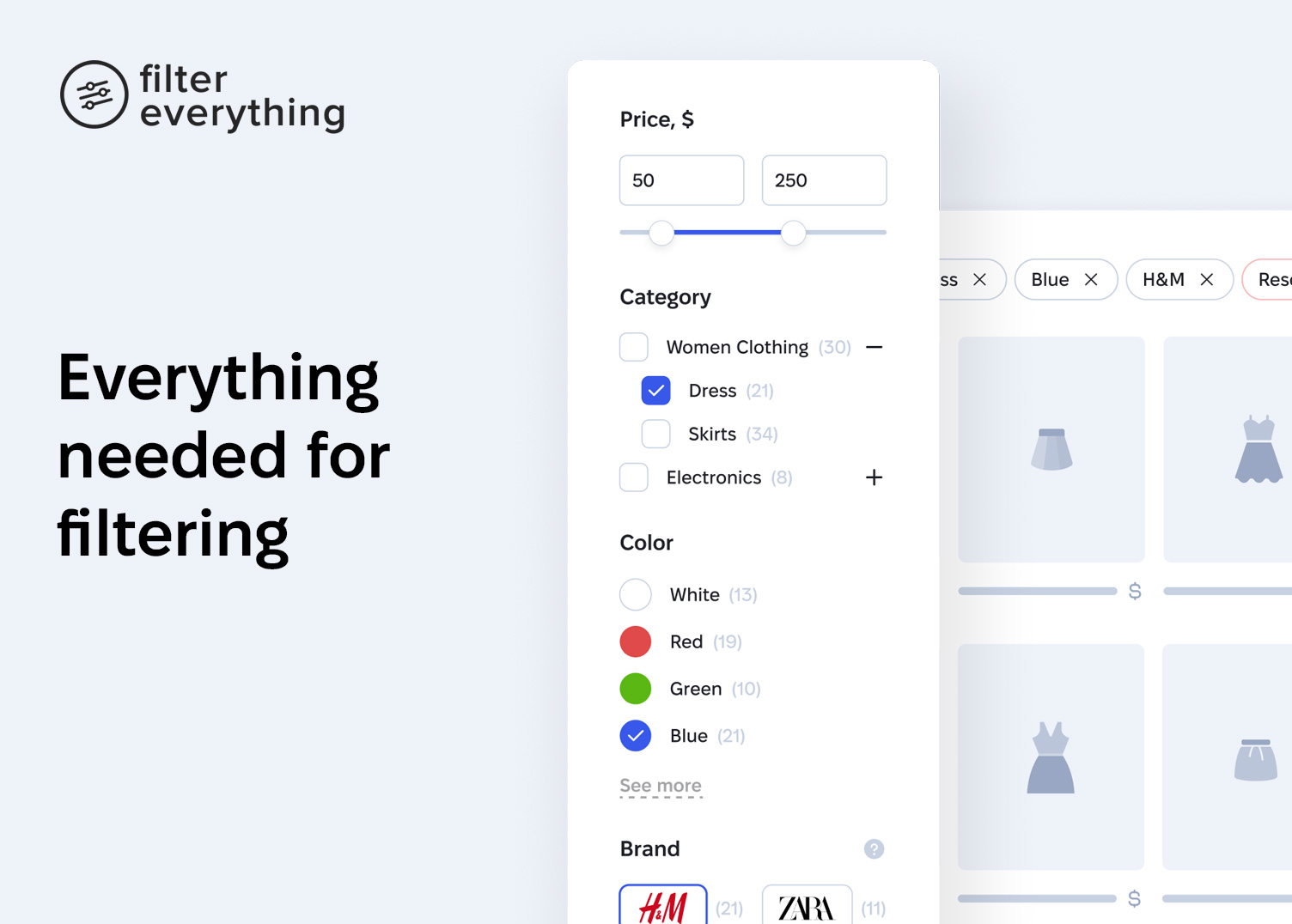
Everything needed for filtering
Improve your site’s navigation and drive more conversions with Filter Everything.
Filter Everything is a versatile filtering plugin that works with any content type — WooCommerce products, posts, listings, events, and more. It covers filtering completely — every filter type, every layout, and every option you may need, all in one plugin.
Watch a video walkthrough by WPTuts:
Filter everything and everywhere
Use it to filter WooCommerce products, posts, listings, events, and many more — on any page of your site and any device, whether desktop, tablet, or mobile.
See how it works
- See how it filters WooCommerce products, posts & any content
- See its SEO Capabilities (PRO version)
- See it work together with Elementor, ACF & WPML
- See Apply button mode, Step-by-step filtering, Built-in search & Horizontal layout in action
Configure every filtering detail
25+ filter options covering every need — display type, filter logic, counters, collapsing, custom URL names, hiding empty filters, and more.
Complete filtering toolkit
Use shortcodes, sort results, and search by text within filtered content. Turn on AJAX filtering with no page reloads. Pick the mode that fits your workflow — Step by step filtering, Select and apply, or Auto-submitting — and choose a horizontal or vertical layout.
Unlimited filtering criteria
Filter by virtually anything — price, brand, category, attributes, color, size, weight, and any other data in your content.
Compatible with other plugins and themes
Works with page builders like Elementor, Divi, Bricks, Oxygen, Breakdance, and Beaver Builder. Filters by custom fields created with ACF. Compatible with multilingual sites built on WPML and Polylang.
Works with your existing content
No need to rebuild your site. Just install, configure, and go. And if any questions come up, our support is fast and focused on actually helping.
Core features at a glance
- Filter any content
Works with WooCommerce products, posts, and any custom post types on your website. - All essential filtering options included
25+ built-in filtering options designed to cover virtually any filtering scenario. - Filter by virtually any criteria
Filter content by price, brand, category, attributes, color, size, weight, or any other criteria based on the data stored in taxonomies or custom fields. - Works on any page
Each section of your website can have its own set of filters relevant to its content. - Widgets for page builders
Built-in Filters, Chips, and Sorting widgets for Gutenberg, Elementor, Divi, Breakdance, Beaver Builder, and other page builders. - Flexible filter layouts and display options
Use checkboxes, radio buttons, dropdowns, labels, color swatches, rating stars, numeric ranges, or date ranges, and display filters as horizontal toolbars or vertical panels. - Flexible filtering modes
Step-by-step filtering, auto-submission, or selecting multiple filters and applying them manually. - Sorting and keyword search
Allow visitors to sort and search within filtered results. - Developer-friendly and extensible
Customize and extend plugin behavior using WordPress actions and filters. - Mobile-friendly
Works out of the box on mobile devices.
— And many other built-in capabilities.
Filter Everything PRO
The plugin is also available in a PRO version that significantly expands filtering capabilities:
- Filter any content built with page builders, plugins, or custom WP_Query code
- ∞ Unlimited Filter Sets
- SEO tools that help bring additional organic traffic to your website
- Smart filtering for WooCommerce variable and out-of-stock products
- User-friendly mobile filters widget
- Import and export of filters, SEO Rules, and settings
- Duplicate Filter Sets in one click
- Priority support
— And many other powerful features available in Filter Everything PRO.
Why use filters on your website?
Filters help visitors quickly find the content they need in just a few clicks, especially on websites that contain large amounts of content.
This improves navigation, reduces bounce rates, saves visitors’ time, and creates a better overall user experience. For high-traffic websites, efficient filtering can also help reduce server load.
External services
Plugin notifications (optional, off by default in the free version). If you allow it — by answering «Yes, I agree» to the one-off question on the plugin’s Settings or What’s new screen (asked only once you have published a Filter Set), or by ticking Filters Settings Other «Plugin notifications» — the plugin downloads one small public file once a day:
https://filtereverything.pro/plugin-feed/messages.json
The file lists our current notifications: security alerts, update warnings, usage tips and occasional offers, plus the current PRO price for the «Upgrade to PRO» popup. The plugin decides on your site which of them, if any, applies to you, and shows at most one message at a time on its own admin screens. A new message also puts the usual red «1» on the Filters menu until you have seen it. Only an urgent security alert may appear on other admin screens, and every message can be dismissed.
- A release may also carry a message inside the plugin itself (for example a time-limited offer); that one involves no request at all and follows the same rules on where it appears and how it is dismissed.
- The request runs in WP-Cron, never while a visitor or an administrator is loading a page.
- Nothing about your site is sent: no parameters, no cookies, no site address, and the User-Agent header is a fixed string (
FilterEverything) instead of the WordPress default that contains your site URL. As with any web request, the server sees the IP address the request comes from. - The file is data, not code. Texts are sanitised with a short list of allowed tags, links are limited to filtereverything.pro and wordpress.org, and no images, scripts or styles are loaded from it.
- Untick «Plugin notifications» to stop the requests at once; the scheduled task and the cached file are removed. Developers can also set
define( 'FLRT_DISABLE_MESSAGES', true );.
The service is provided by Filter Everything (Andrii Stepasiuk): Terms, Privacy Policy.